Answer

Taxes do not appear in the Chart of Accounts for AP

  • February 19, 2024
  • 4 replies
  • 66 views

jionymacabuhay
Varsity I
Forum|alt.badge.img

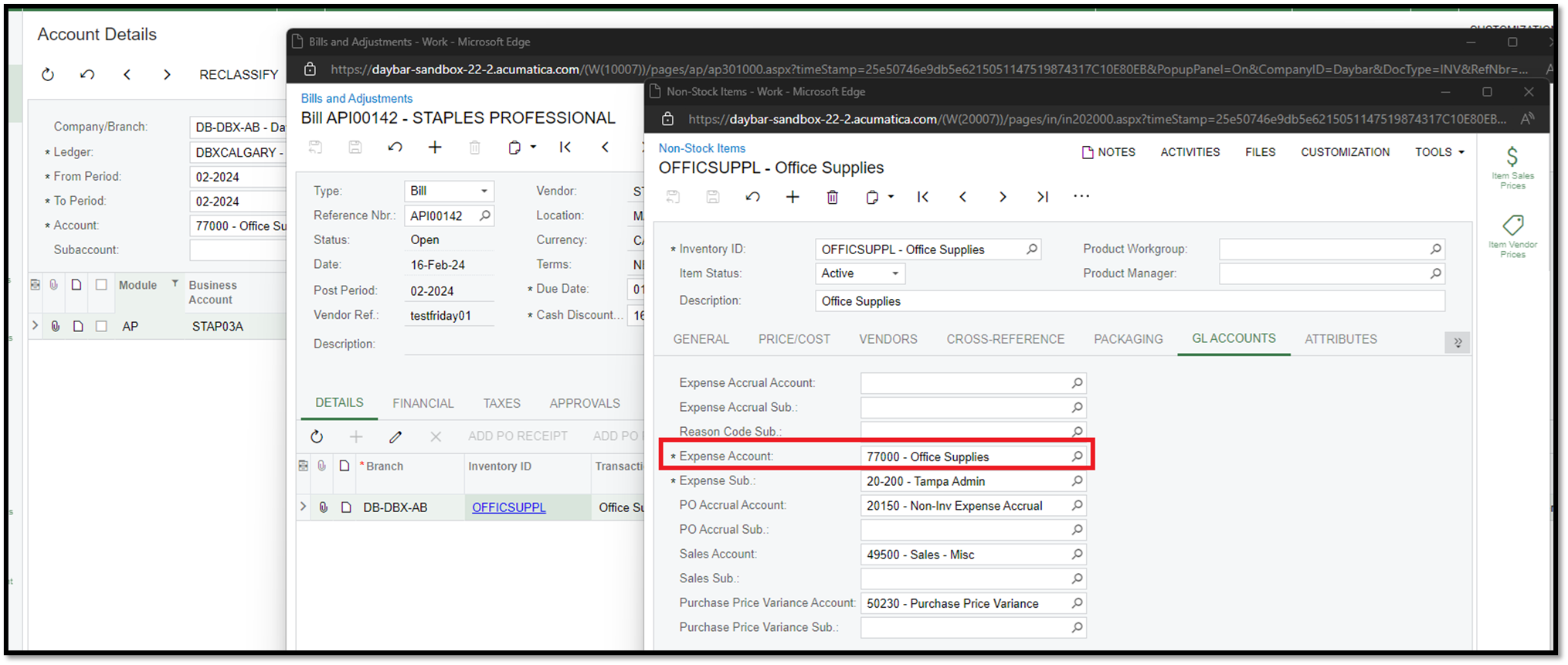
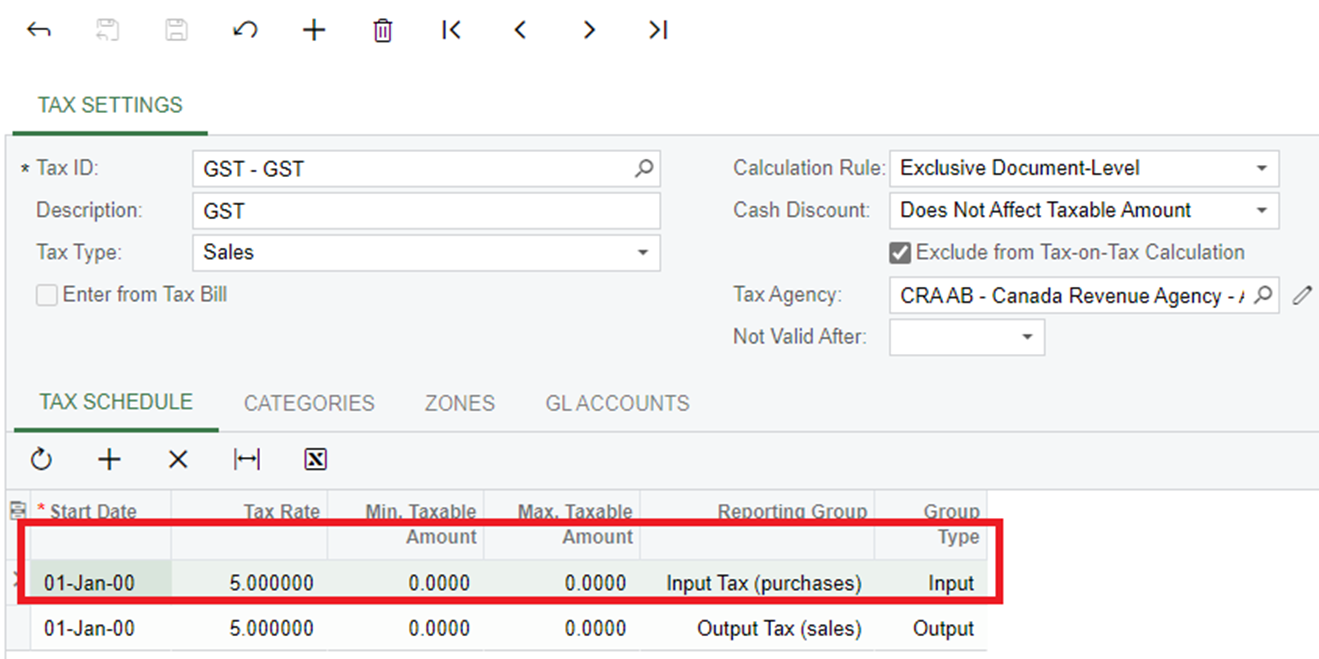
We have setup tax and it is calculating correctly in the purchase order and the bill. 
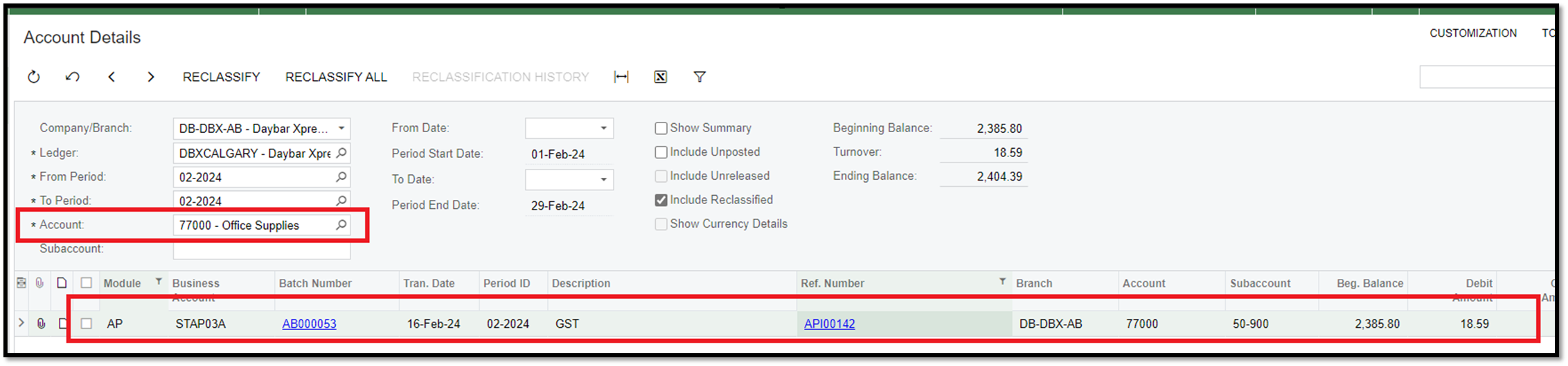
However, rather than going to the 23000 account, the tax is going to the inventory expense account
The account 23000 is designated for taxes.

We are unsure whether we missed any setup since this is working fine in AR, but not in AP where the tax entry is not being entered.

Best answer by Laura03

Hello,

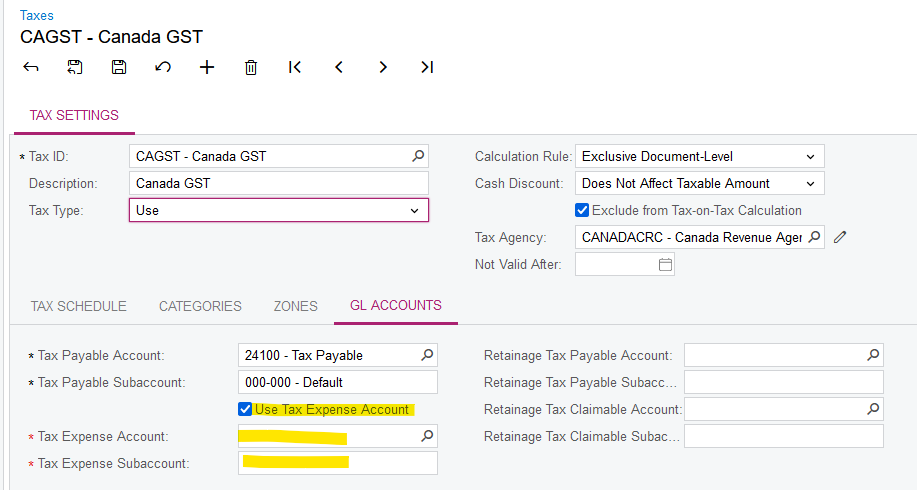
Please check that Use Tax Expense Account is checked on in Taxes screen, with proper Tax Expense account listed:

“Uce Tax Expense account”, not “Uze tax expense account”. 😄

Laura

4 replies

Laura03
Captain II
Forum|alt.badge.img+19
  • Captain II
  • Answer
  • February 19, 2024

Hello,

Please check that Use Tax Expense Account is checked on in Taxes screen, with proper Tax Expense account listed:

“Uce Tax Expense account”, not “Uze tax expense account”. 😄

Laura


jionymacabuhay
Varsity I
Forum|alt.badge.img
  • Author
  • Varsity I
  • February 20, 2024

Hi @Laura02 - That worked! You were also the one who helped us set up our tax in AP! Once again, you were able to assist us.😁

I have one last question, we do not have Retainage fields, should it be enabled on Enable/Disable Features?


Laura03
Captain II
Forum|alt.badge.img+19
  • Captain II
  • February 20, 2024

Hello,

I’m glad I’ve helped you, Yay!  😃


If you need to use Retainage features in either AR or AP, then yes, enable the feature in System Management → Enable features.

If you’re not sure you need the feature, you could enable the Retainage features in your Training/Test tenant and try it out.


Best regards,

LB


jionymacabuhay
Varsity I
Forum|alt.badge.img
  • Author
  • Varsity I
  • February 20, 2024

Hi @Laura02 - Looks like it is for Construction edition, that is why I can’t see it on our end. Anyway, thank you for all the help! 😁