Answer

Table not displaying in correct format in Wiki

  • January 2, 2024
  • 2 replies
  • 77 views

Forum|alt.badge.img

Hello all,
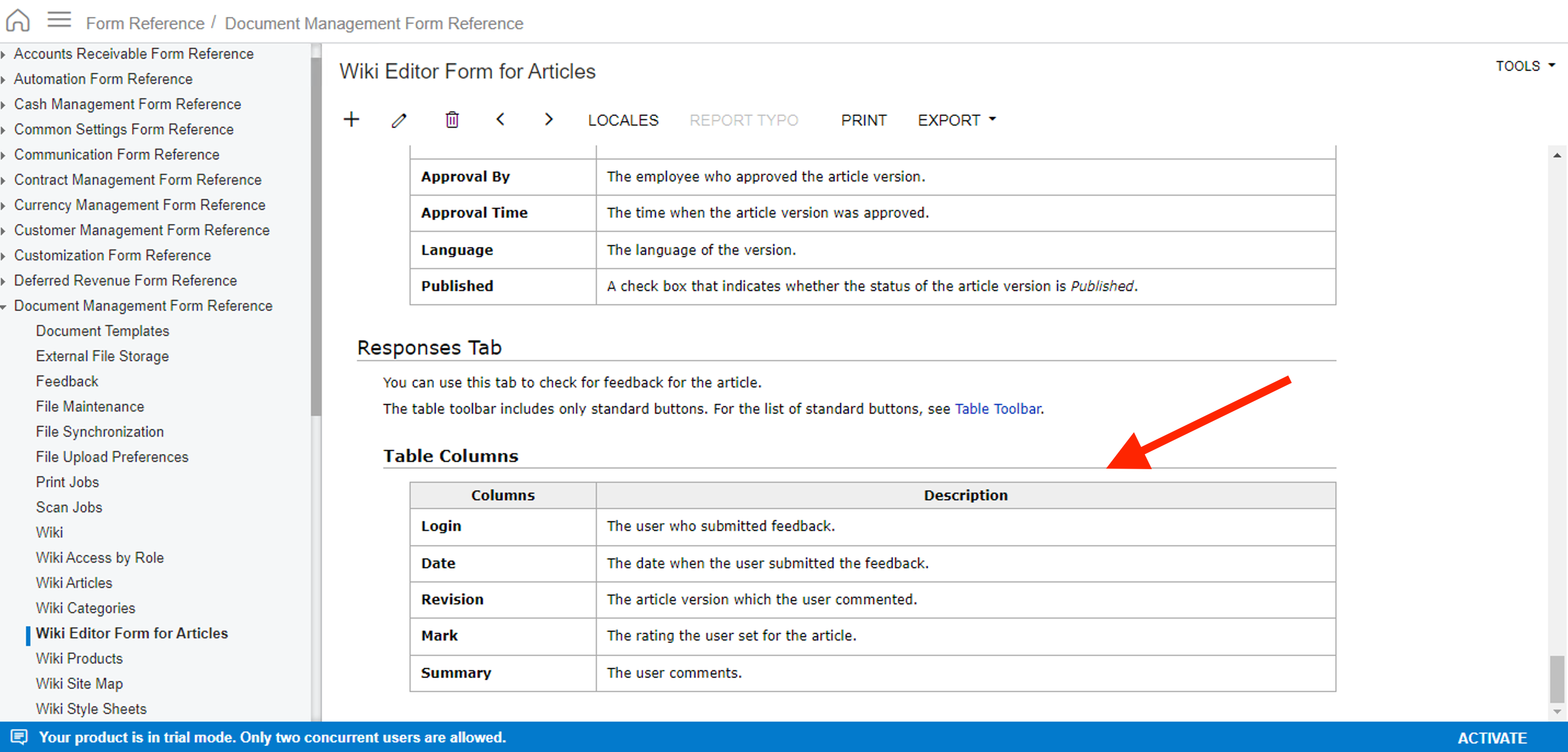
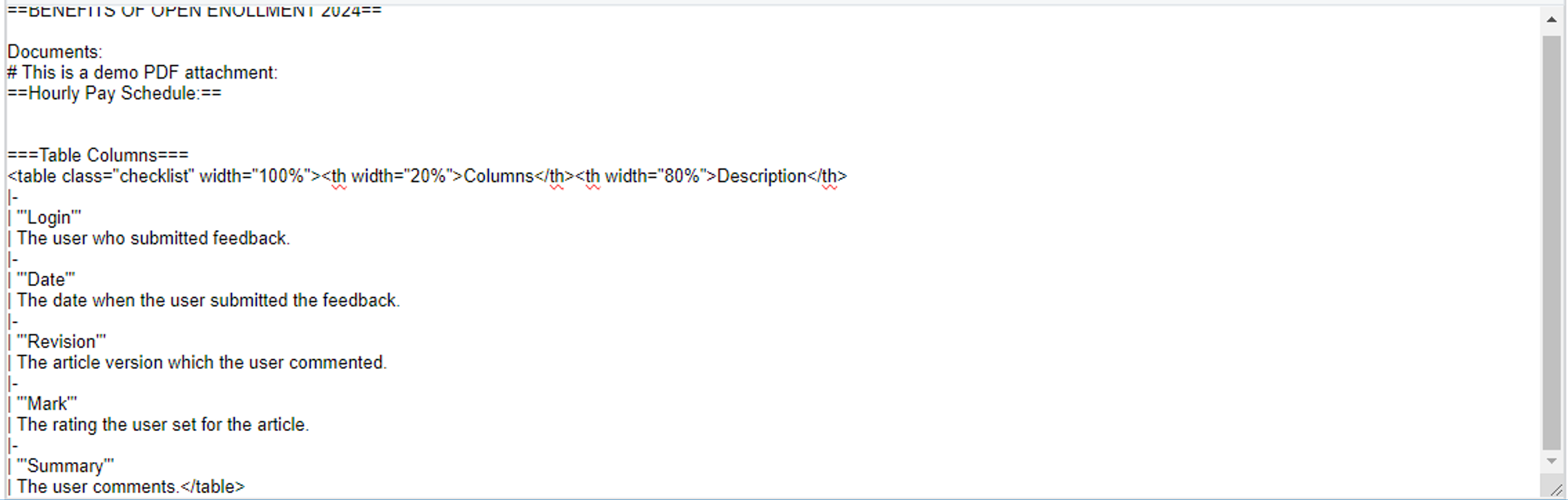
i have been practising on creation of Wiki pages. I have not been able to get the table content displayed in a correct format. This is what i have been trying:

And this is what I tried while practicing:

And the table is getting displayed as:

How can I format this in proper way?

​​​​​​​Thanks in advance.

Best answer by jinin

Hi @Harry ,


Can you please try with the below sample?


==='''Implementation Checklist'''===

<table border=1>

<tbody>
<tr>
<td width="30">
<p><strong>No.</strong>&nbsp;</p>
</td>
<td width="164">
<p><strong>Task</strong>&nbsp;</p>
</td>
<td width="288">
<p><strong>Screen/Description</strong>&nbsp;</p>
</td>
<td width="62">
<p><strong>Installer</strong>&nbsp;</p>
</td>
<td width="72">
<p><strong>Completed</strong>&nbsp;</p>
</td>
</tr>
<tr>
<td width="30">
<p><strong>1</strong>&nbsp;</p>
</td>
<td width="164">
<p>Install Acumatica Package.&nbsp;</p>
</td>
<td width="288">
<p><em>Customization &gt; Customization Projects (SM204505)</em></p>
<p>Make sure to upload the latest .zip file of the Acumatica package</p>
</td>
<td width="62">
<p>&nbsp;</p>
</td>
<td width="72">
<p>&nbsp;</p>
</td>
</tr>


</tbody>
</table>
<p>&nbsp;</p>

2 replies

Forum|alt.badge.img
  • Author
  • Semi-Pro II
  • January 3, 2024

Hello Community,

Any suggestions?


jinin
Pro I
Forum|alt.badge.img+11
  • Pro I
  • Answer
  • January 4, 2024

Hi @Harry ,


Can you please try with the below sample?


==='''Implementation Checklist'''===

<table border=1>

<tbody>
<tr>
<td width="30">
<p><strong>No.</strong>&nbsp;</p>
</td>
<td width="164">
<p><strong>Task</strong>&nbsp;</p>
</td>
<td width="288">
<p><strong>Screen/Description</strong>&nbsp;</p>
</td>
<td width="62">
<p><strong>Installer</strong>&nbsp;</p>
</td>
<td width="72">
<p><strong>Completed</strong>&nbsp;</p>
</td>
</tr>
<tr>
<td width="30">
<p><strong>1</strong>&nbsp;</p>
</td>
<td width="164">
<p>Install Acumatica Package.&nbsp;</p>
</td>
<td width="288">
<p><em>Customization &gt; Customization Projects (SM204505)</em></p>
<p>Make sure to upload the latest .zip file of the Acumatica package</p>
</td>
<td width="62">
<p>&nbsp;</p>
</td>
<td width="72">
<p>&nbsp;</p>
</td>
</tr>


</tbody>
</table>
<p>&nbsp;</p>