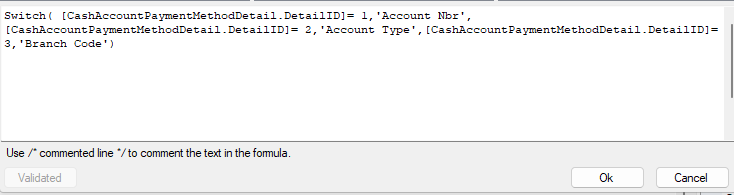
Please assist, I am trying to use the switch formula on the report design, but i get an error when validating the formula. I don't know what i am missing.
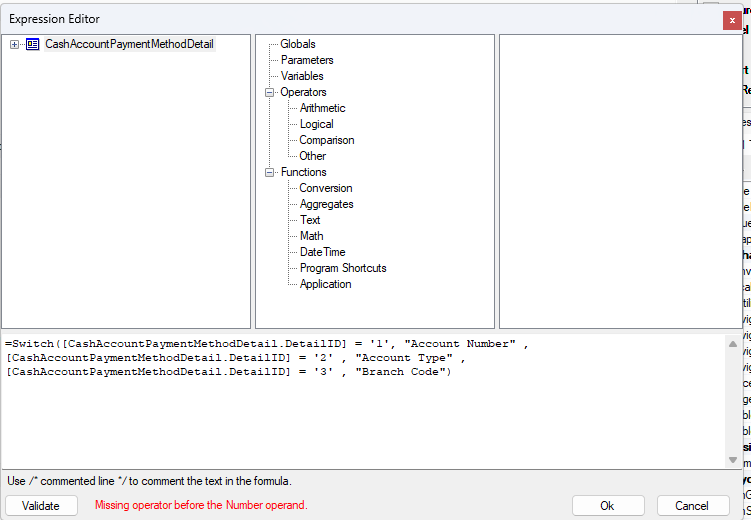
Please assist, I am trying to use the switch formula on the report design, but i get an error when validating the formula. I don't know what i am missing.
Best answer by dcomerford
Try changing the “ to a single inverted ‘ around the Text and try it. You can also remove the ‘ commas from the 1, 2, 3 also but that should not make any difference
No account yet? Create an account
Enter your E-mail address. We'll send you an e-mail with instructions to reset your password.