

Solved

Stock Item Import - Error: 'Purchase Unit' cannot be empty.

  • April 17, 2024
  • 6 replies
  • 295 views

Forum|alt.badge.img

Attempting to overwrite assigned Inventory IDs to new Item Classes. The Item Classes show that the Purchase Unit for the SKU is set to EACH.
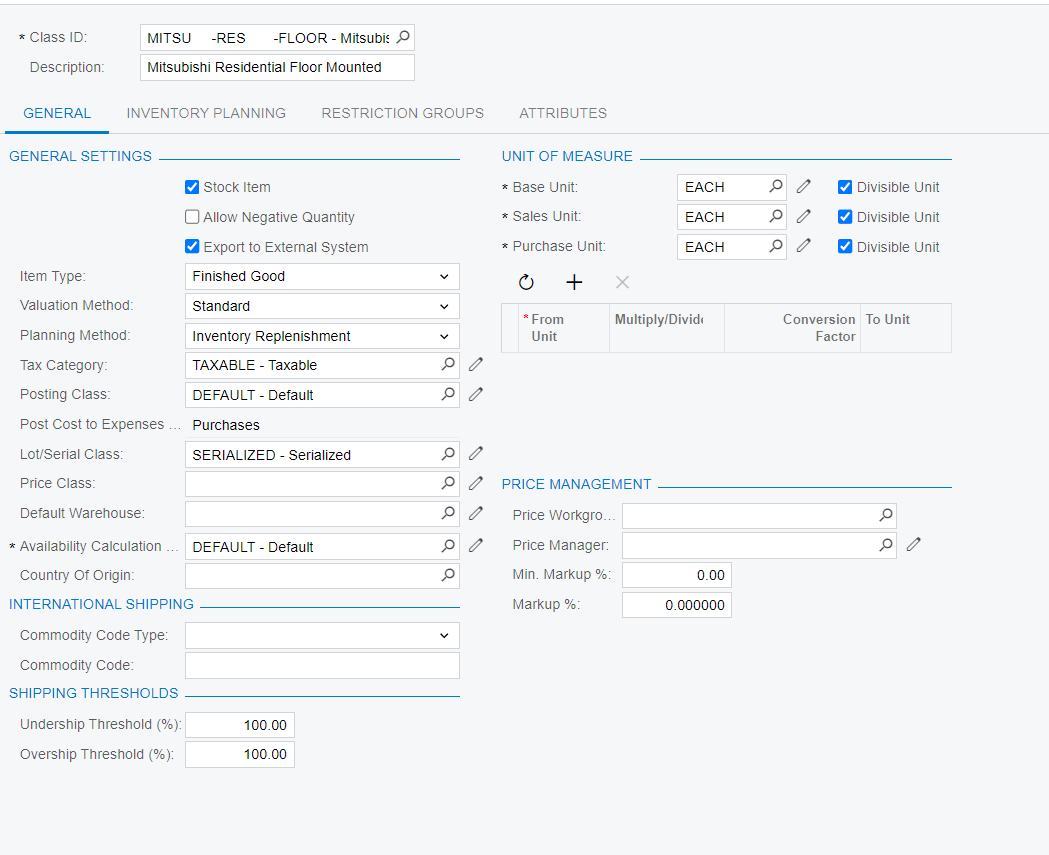
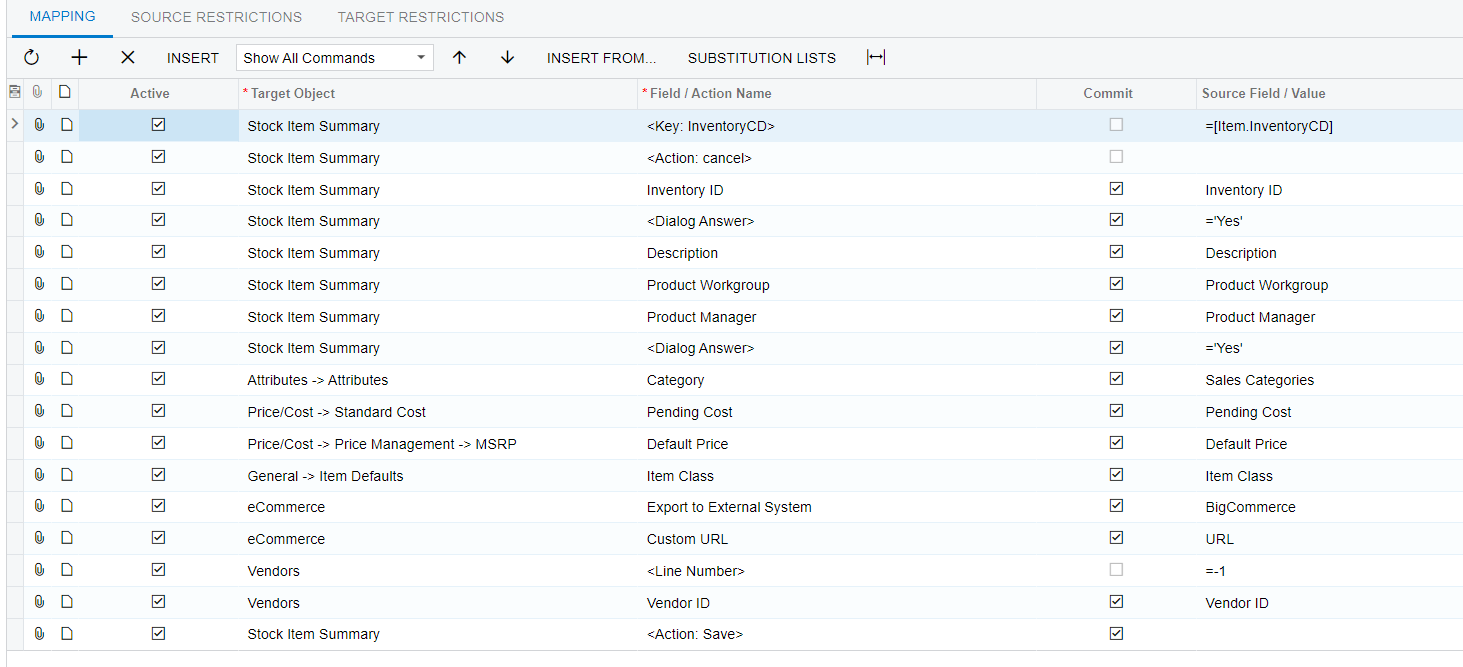


When attempting the import scenario we continue to get the following error. 


Error: 'Purchase Unit' cannot be empty.

Any suggestions on how to overwrite an item to a new Item Class and bypass this error. I have attempted to inject in the scenario Vendor > Purchase Unit > =’EACH’ and =EACH with no success.
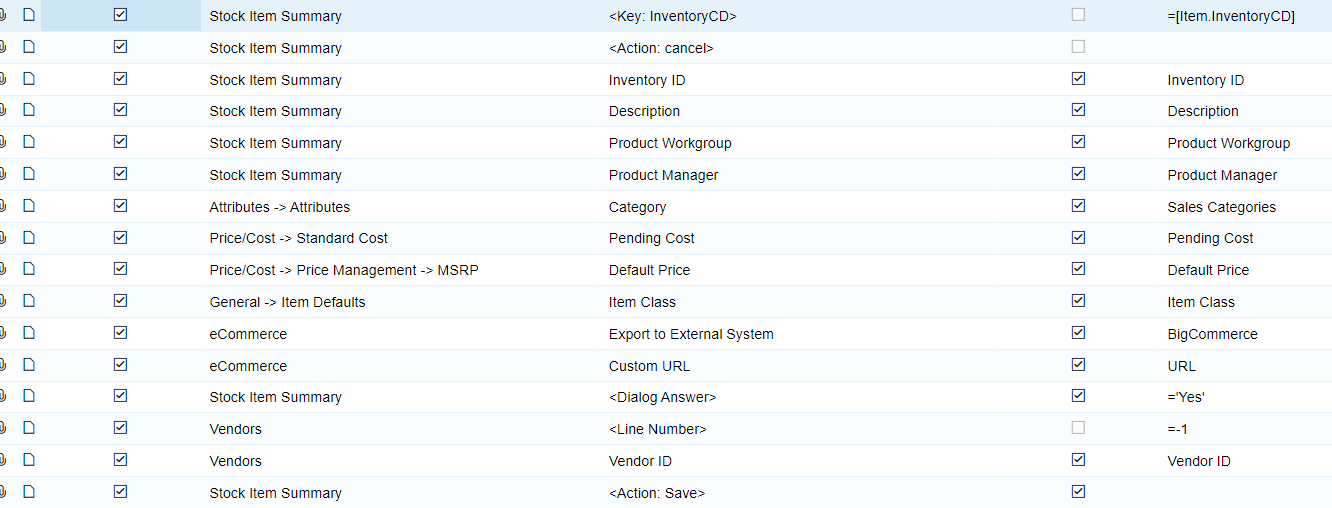

Best answer by leppley

When removing the duplicate <Dialog Answer> and then placing the <Dialog Answer> before the Vendors > Line Number that corrected issue.


6 replies

Manikanta Dhulipudi
Captain II
Forum|alt.badge.img+15

Hi @leppley 

I dont see the Item class in the Mapping.

can you check please?


Forum|alt.badge.img
  • Author
  • Jr Varsity II
  • 21 replies
  • April 17, 2024

@manikantad18 it is the 6th row up from the bottom.


Manikanta Dhulipudi
Captain II
Forum|alt.badge.img+15

Hi @leppley 

Two dialog boxes why?

Can you share the import scenario xml file?


Forum|alt.badge.img
  • Author
  • Jr Varsity II
  • 21 replies
  • April 17, 2024

@manikantad18 I fixed the issue - thank you for the assistance.


Manikanta Dhulipudi
Captain II
Forum|alt.badge.img+15

HI @leppley Can you update the solution here?


Forum|alt.badge.img
  • Author
  • Jr Varsity II
  • 21 replies
  • Answer
  • April 17, 2024

When removing the duplicate <Dialog Answer> and then placing the <Dialog Answer> before the Vendors > Line Number that corrected issue.

