Answer

Selling non-stock items, the SO status is Shipping error

  • August 12, 2021
  • 8 replies
  • 651 views

1.WE selling non stock item, I have confirmed that in non stock item [general setting], require shipping is blank
2.When I create a SO to sell non stock item, the status becomes [Shipping ] and I can’t execute Prepare invoice. and can’t delete this sales order, What should I do?
My current version is 20.210.0044

Thanks!

Best answer by Naveen Boga

Hi @jerome36  Sales Order is does not have any shipment(s) but moved to the “Shipping” status.

This is weird scenario. Please raise a support ticket with Acumatica team to fix this order.


8 replies

Naveen Boga
Captain II
Forum|alt.badge.img+19
  • Captain II
  • August 12, 2021

Hi @jerome36  While preparing the invoice are getting any error ?
If yes, can you please share error details with screenshot, that will help us to found out the root cause


  • Author
  • Freshman I
  • August 17, 2021

Hi Naveen

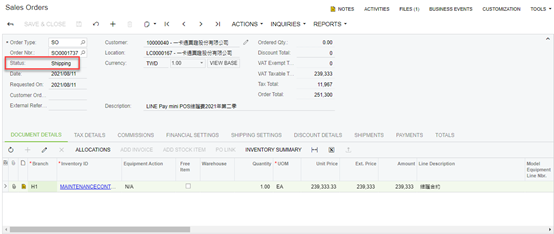
1.Sales order Status

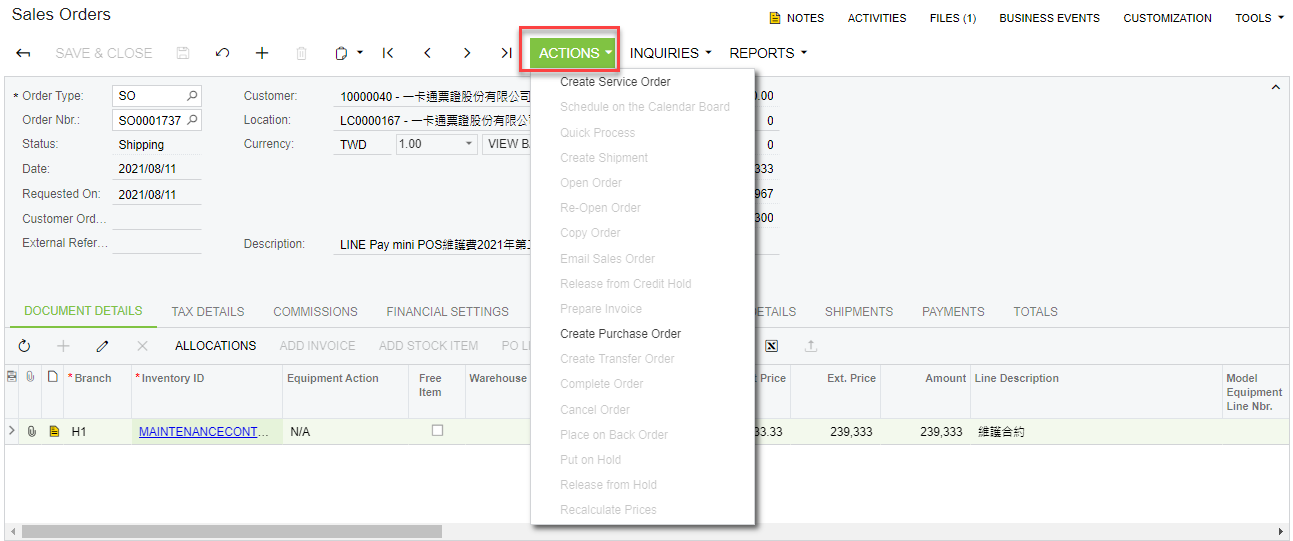
2.usually we from sales order Actions create invoice, but in the shipping can’t create invoice 


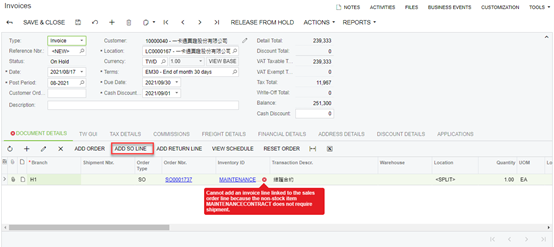
When i from the sales invoice create a new invoice

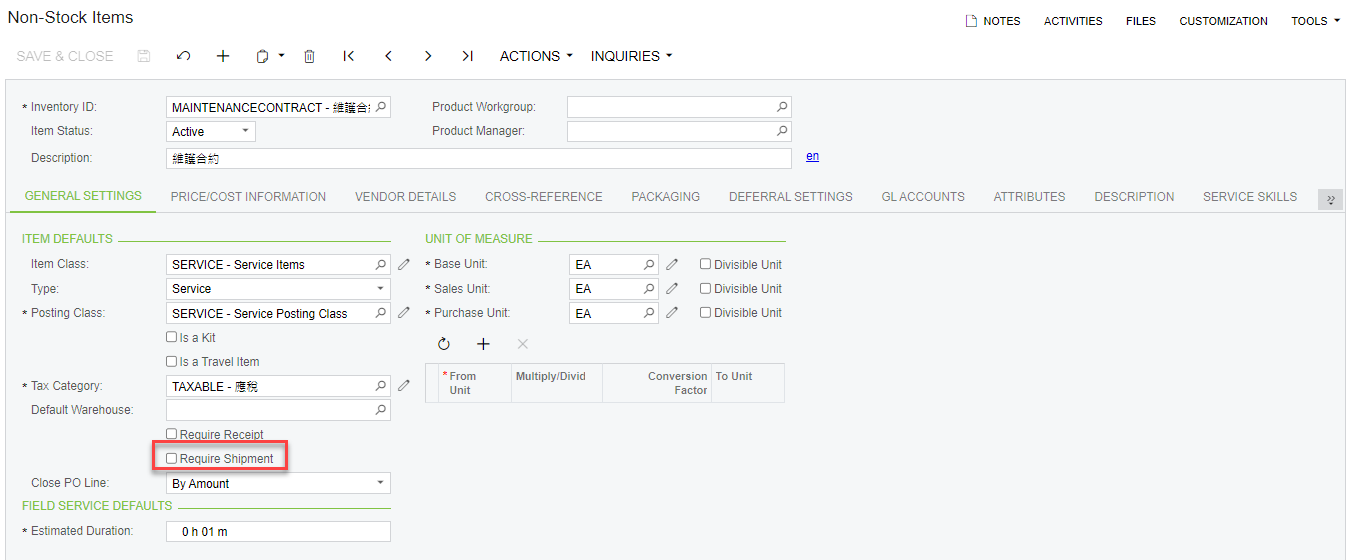
3.This non stock item data


Please give me proper advice

Thanks!

Jerome Hsiao


Naveen Boga
Captain II
Forum|alt.badge.img+19
  • Captain II
  • August 17, 2021

Hi @jerome36,  As per my knowledge, we cannot SHIP/INVOICE the Non-Stock Items if an item is not checked with the “Require Shipment”.

In this case, even I’m NOT clear how the sales order is changed to “Shipping” status. [To create the shipment we need stock and warehouse details in Acumatica].

I’m NOT sure about your business but you ship the non stock items only with “Require Shipment” is checked.


  • Author
  • Freshman I
  • August 17, 2021

Hi Naveen

1. When I add a Non stock item Sales order, I press the release from hold button, and the status changes to Shipping
2. My Non stock item "Require Shipment" is not checked, so I don't know that the sales order status will be changed to shipping
3. How do I perform follow-up actions for this Sales order? At this time, I can't make any changes to this Sales order, such as adding Warehouse, otherwise this Sales order will stay there all the time.

Thanks!

Jerome Hsiao


Naveen Boga
Captain II
Forum|alt.badge.img+19
  • Captain II
  • August 17, 2021

@jerome36   

  1. When I add a Non stock item Sales order, I press the release from hold button, and the status changes to Shipping [This is NOT standard behavior of Acumatica]
  2. You can check the “Require Shipment” checkbox and process the Invoice.


  • Author
  • Freshman I
  • August 17, 2021

Hi Naveen

1. I know [This is NOT standard behavior of Acumatica], but I don’t know how the status of this Sles order will become Shipping, because I added another sales order, and the status will not be Shipping.
2. I tried [check the "Require Shipment"], but I cannot change the Warehouse in the Sales order, so I have to ask how to continue this Sales Order

Jerome Hsiao


Naveen Boga
Captain II
Forum|alt.badge.img+19
  • Captain II
  • Answer
  • August 17, 2021

Hi @jerome36  Sales Order is does not have any shipment(s) but moved to the “Shipping” status.

This is weird scenario. Please raise a support ticket with Acumatica team to fix this order.


  • Author
  • Freshman I
  • August 18, 2021

Dear Naveen


Thanks!

Jerome Hsiao