Answer

Who edited a document

  • November 23, 2021
  • 3 replies
  • 390 views

Forum|alt.badge.img

Is there a way to see everyone who has made edits to a service order in Acumatica?

Best answer by Vinay Koppula

@CAMORRISON There are two ways to see the edits. 

  1. Enable the Audit History, which will provide the detailed information of what was edited and who or from which screen the values were edited. 
  2. Create a GI having Audit fields, where you can see the details of Created/modified date and CreatedBy and ModifiedBy

Note: 

#1 will eat lot of space of DB.

#2 Just an Inquiry screen to see the required information. 

Hopes this helps!

3 replies

Vinay Koppula
Semi-Pro II
Forum|alt.badge.img+1
  • Semi-Pro II
  • Answer
  • November 24, 2021

@CAMORRISON There are two ways to see the edits. 

  1. Enable the Audit History, which will provide the detailed information of what was edited and who or from which screen the values were edited. 
  2. Create a GI having Audit fields, where you can see the details of Created/modified date and CreatedBy and ModifiedBy

Note: 

#1 will eat lot of space of DB.

#2 Just an Inquiry screen to see the required information. 

Hopes this helps!


Forum|alt.badge.img+12
  • Acumatica Support Team
  • November 24, 2021

 Hi @CAMORRISON 

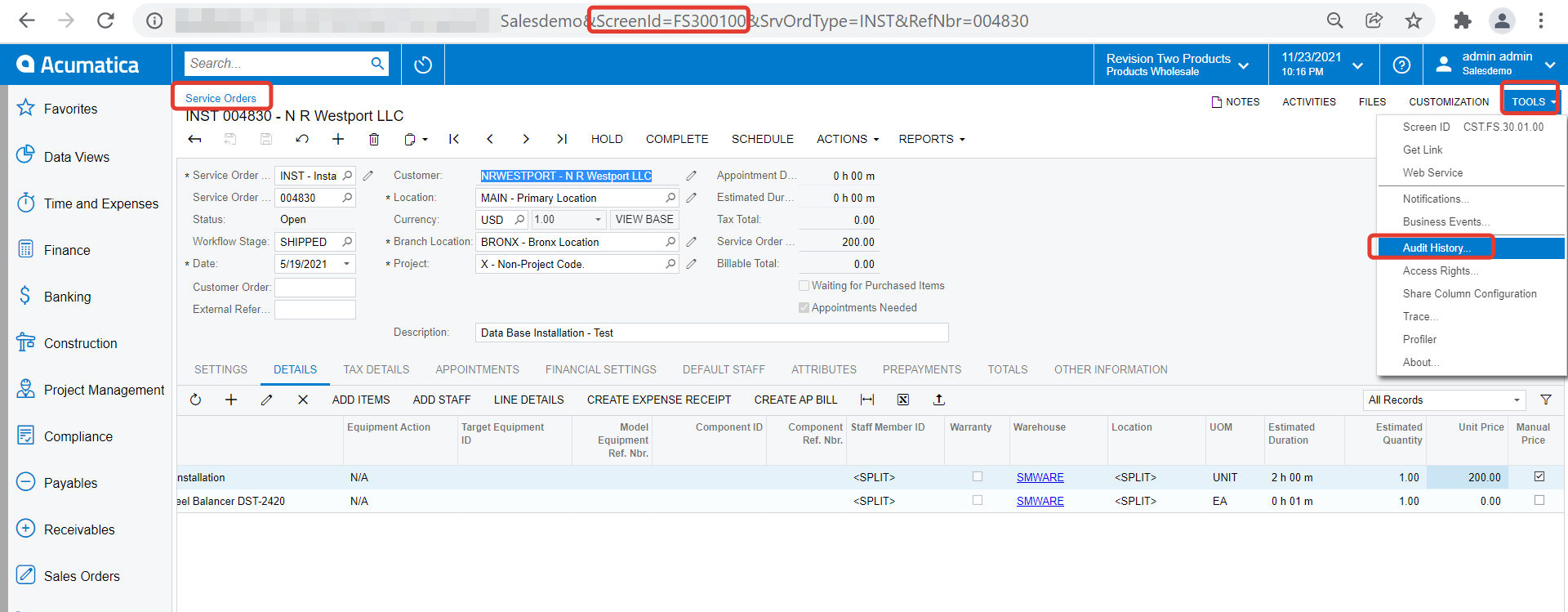
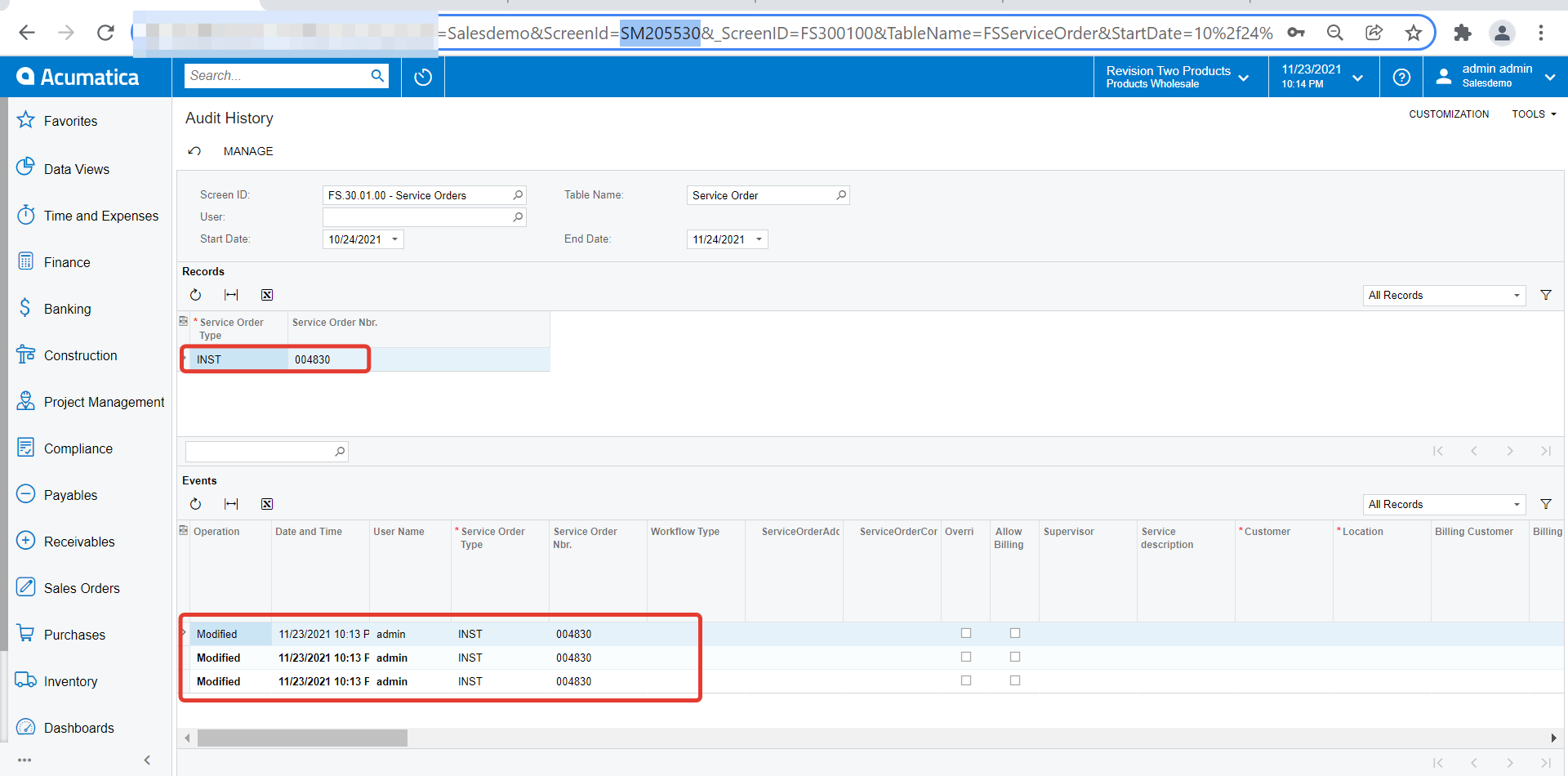
Adding to what @Vinay K has mentioned, once you enable Audit history for specific screen, you can also use our default Inquiry  ‘Audit History’ (ScreenID: SM205530) to view the details. Here are two screenshots which elaborates this.

  • Out of the box Inquiry ‘Audit History’
  • You can scroll right to find nature of modification

Regards,


Forum|alt.badge.img+8
  • Semi-Pro I
  • November 24, 2021

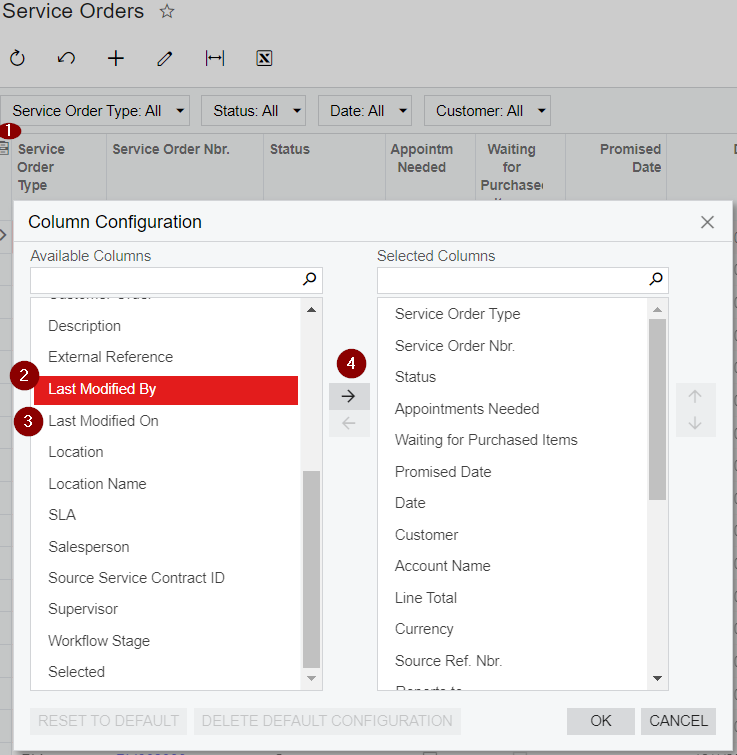
Hi @CAMORRISON The simplest way of getting the below details to have these brought from the “Service Orders” Landing Page Generic Inquiry. 

As shown below, you can just use the Column Configurations in Service Ordersto bring these fields to show up in the Service Orders Landing Page (The Service Orders Landing Page, that is shown when Service Orders menu is clicked). Hope this would be the easiest way for you see the users modified the Service Orders.

Screenshot showing steps


Thanks