Answer

What effects on the PDF print size?

  • March 25, 2022
  • 4 replies
  • 134 views

Forum|alt.badge.img+6

Hello,

     I accidently find pdf attachment size are 10 times different in size. like below, both are 1 page data. 1 is 128KB, the other is 4 kb.


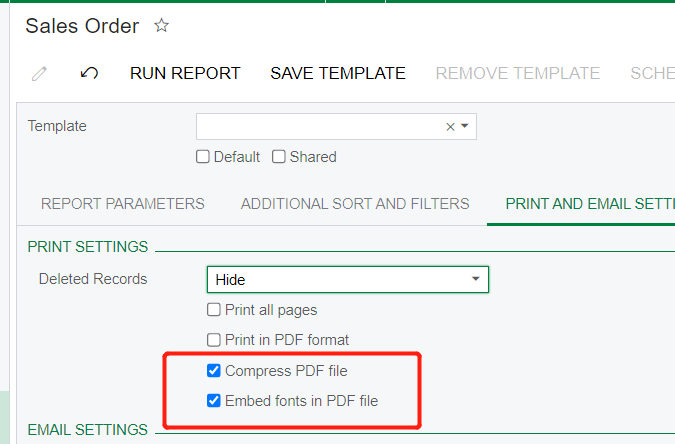
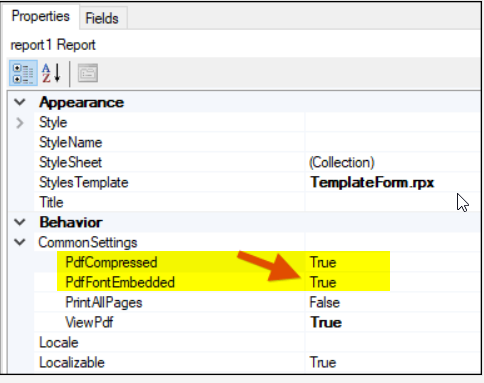
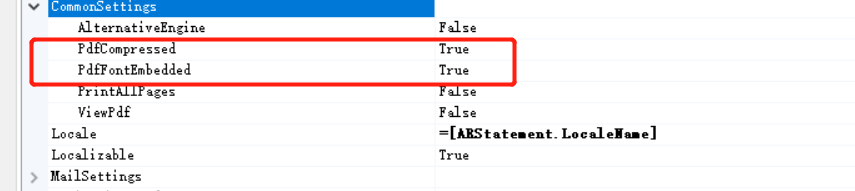
I checked, both with the same setting “compress PDF file”, “embed fonts” 

So, I am just wondering, can anybody tell me what causes such differences.

Best answer by BenjaminCrisman

Hi @ray20 ! This looks like the difference in some style between the two reports, which can definitely add size to the file.

Adding one or two fonts with embedded font selected results in at least 100kb difference between running with stock report settings.

If you’ve embedded any images or graphs or otherwise made the report more complex then this could also be reason why it is larger file

4 replies

Naveen Boga
Captain II
Forum|alt.badge.img+19
  • Captain II
  • March 25, 2022

@ray20  Have you checked these 2 options as well?


BenjaminCrisman
Acumatica Employee
Forum|alt.badge.img+4
  • Acumatica Support Team
  • Answer
  • March 25, 2022

Hi @ray20 ! This looks like the difference in some style between the two reports, which can definitely add size to the file.

Adding one or two fonts with embedded font selected results in at least 100kb difference between running with stock report settings.

If you’ve embedded any images or graphs or otherwise made the report more complex then this could also be reason why it is larger file


Forum|alt.badge.img+6
  • Author
  • Captain II
  • March 30, 2022

@Naveen Boga 
Sorry for the late reply. Busy with optimizing, you know.
I checked, both report are the same setting. Actually, we did/should not change any setting.


No worries, it is nothing too serious. 100KB is still an acceptable size. Leave this alone.


Forum|alt.badge.img+6
  • Author
  • Captain II
  • March 30, 2022

@BenjaminCrisman  Thank you .
Although I still don’t know the difference between the 2 reports. but it is nothing too serious.
Keep it remaining this way. Thank you.