Answer

PowerBI Connection Error Message

  • February 20, 2023
  • 3 replies
  • 158 views

Forum|alt.badge.img

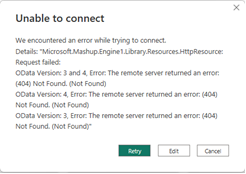
My client is receiving the following error when trying to connect PowerBI from excel to Acumatica.  Can anyone provide feedback on what this means? The first issue was that credentials could not be authenticated but that was solved with adding @tenant after the username. The underlying GI’s are fairly basic and do not include any calculations….it is just GL data to begin.


Best answer by frankfiorentino81

@marina25 Thank you for the response. It turns out there was a problem with the connection. Resetting the connection fixed the problem.

3 replies

Forum|alt.badge.img+1
  • Jr Varsity I
  • February 20, 2023

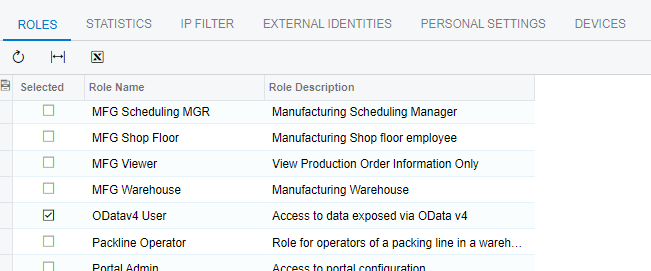
Is Acumatica added to Office 365 admin as authorized application? Also, there is a security setting for the user, see below:


Forum|alt.badge.img
  • Author
  • Jr Varsity III
  • Answer
  • February 23, 2023

@marina25 Thank you for the response. It turns out there was a problem with the connection. Resetting the connection fixed the problem.


Chris Hackett
Community Manager
Forum|alt.badge.img
  • Acumatica Community Manager
  • February 23, 2023

Thank you for sharing your solution with the community @frankfiorentino81 !