Answer

Finding contacts with override set but no address

  • November 27, 2023
  • 3 replies
  • 155 views

I have a number of customers with a contact that has Override set on the contact’s address, and the address itself is blank.  I want to unset the Override value so they inherit the customer address.  I’m trying to create a generic inquiry that looks for contacts that match this, but Contact.OverrideAddress never returns a value, even on records that I know are set.  Looking at the DAC, it says “nonexistent in DB” so I don’t know how to find it.  Where do I search for that override setting?

Best answer by Laura03

I see what you mean. 

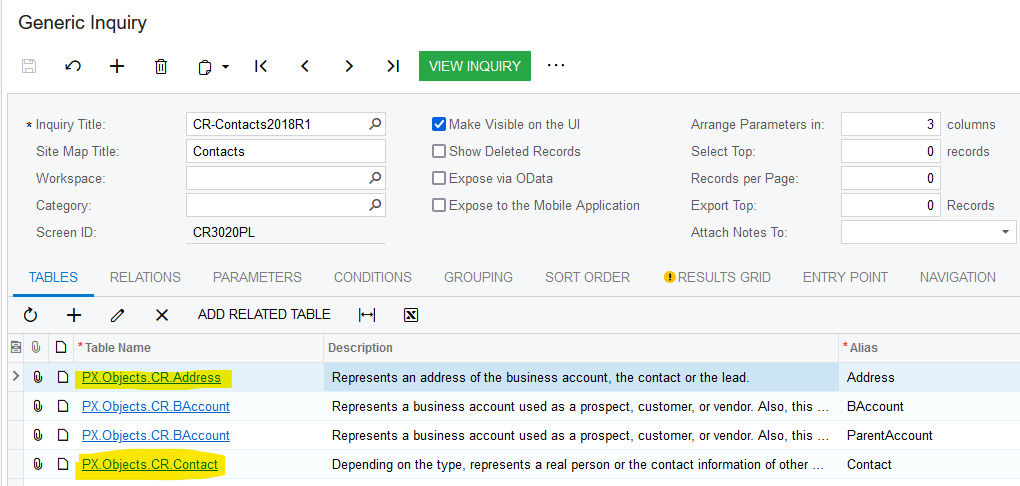
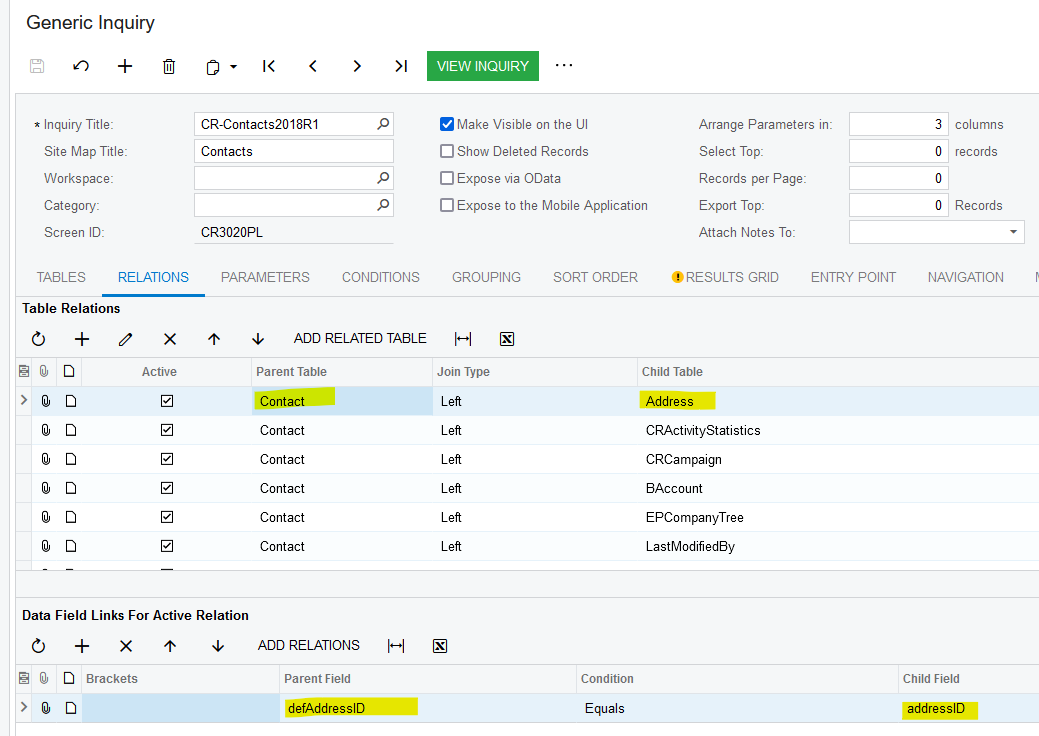
Please consider joining Customer to Contact, then Contact to Address. I am showing Acumatica standard Contacts Preview List, screen CR3020PL.
 

3 replies

Laura03
Captain II
Forum|alt.badge.img+19
  • Captain II
  • November 28, 2023

Hello,

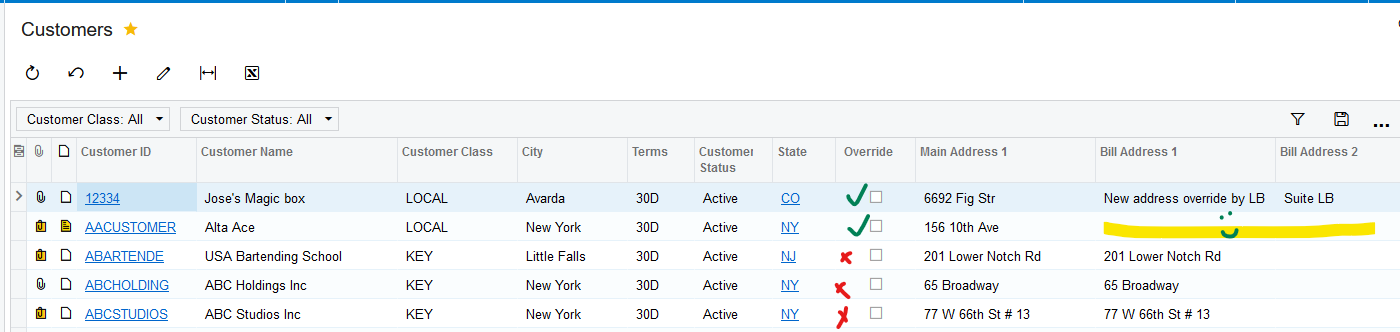
I experienced the same behavior as you with the Override checkbox. I attempted to create a GI that will allow you to compare addresses.  In the example, I used Override on the first two addresses, modifying the first and making the second billing address blank as you describe.  For those customers where Override Billing Address is NOT checked… the main address is populated:

Analyze Customers with blank override addresses

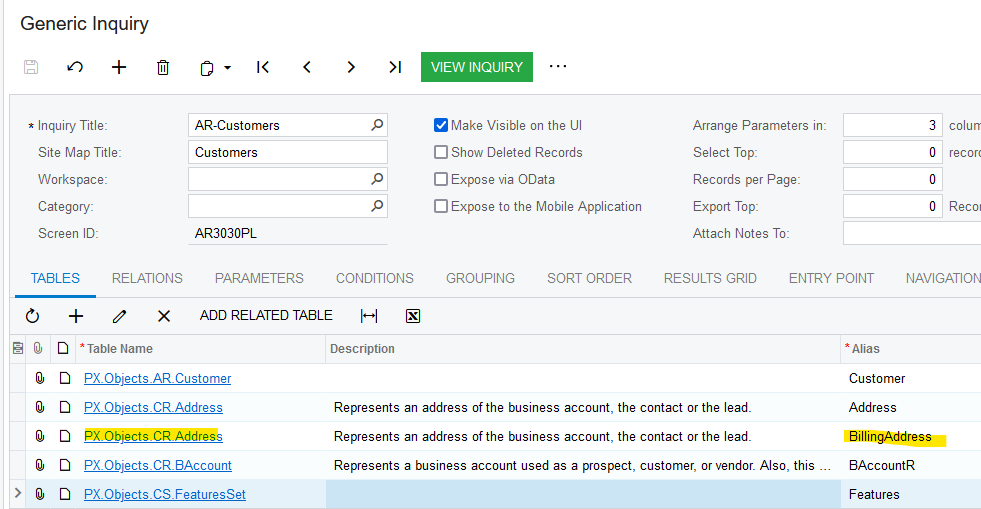
To create the above GI, I connected the Address table a second time with a different alias:

Add Address table as BillingAddress

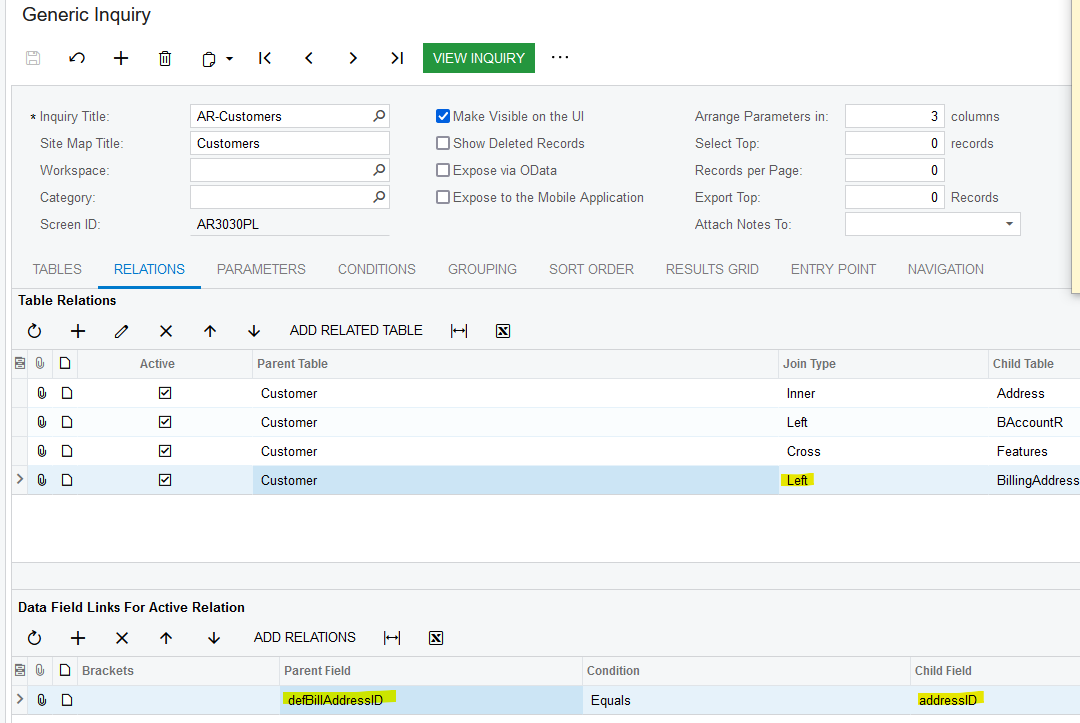
Join that I used for Billing Address:

Result is attached. I hope this helps you!

I found your question intriguing and interesting. Thanks!

Laura


  • Author
  • Freshman I
  • December 1, 2023

I understand what you are doing but it does not match the issue I am looking at.  It’s the contact address that has a blank entry, not the business address.  Since you are linking the address table to the customer, you will get the address record for the customer entity and not the address record for any of the contacts.  Or I misunderstand.


Laura03
Captain II
Forum|alt.badge.img+19
  • Captain II
  • Answer
  • December 4, 2023

I see what you mean. 

Please consider joining Customer to Contact, then Contact to Address. I am showing Acumatica standard Contacts Preview List, screen CR3020PL.