Change the functionality of the Navigation (Radio) Buttons when filtering results

  • December 16, 2021
  • 7 replies
  • 253 views

Forum|alt.badge.img

With the current function of the radio buttons, it adds unnecessary clicks for a user navigating the results of a filter.  This exists in all areas of Acumatica (e.g. Customers, Vendors, Projects, Change Orders, Invoices and Memos, Purchase Orders).

See attached file for an example of the function we would like to see changed.

  • Once you click on a PO and are taken to the PO entry screen, the filter is no longer a factor, so you are taken to the next PO in the list.  We would like the filter to continue to be used when on the entry screens.

7 replies

Forum|alt.badge.img+8
  • Semi-Pro I
  • December 20, 2021

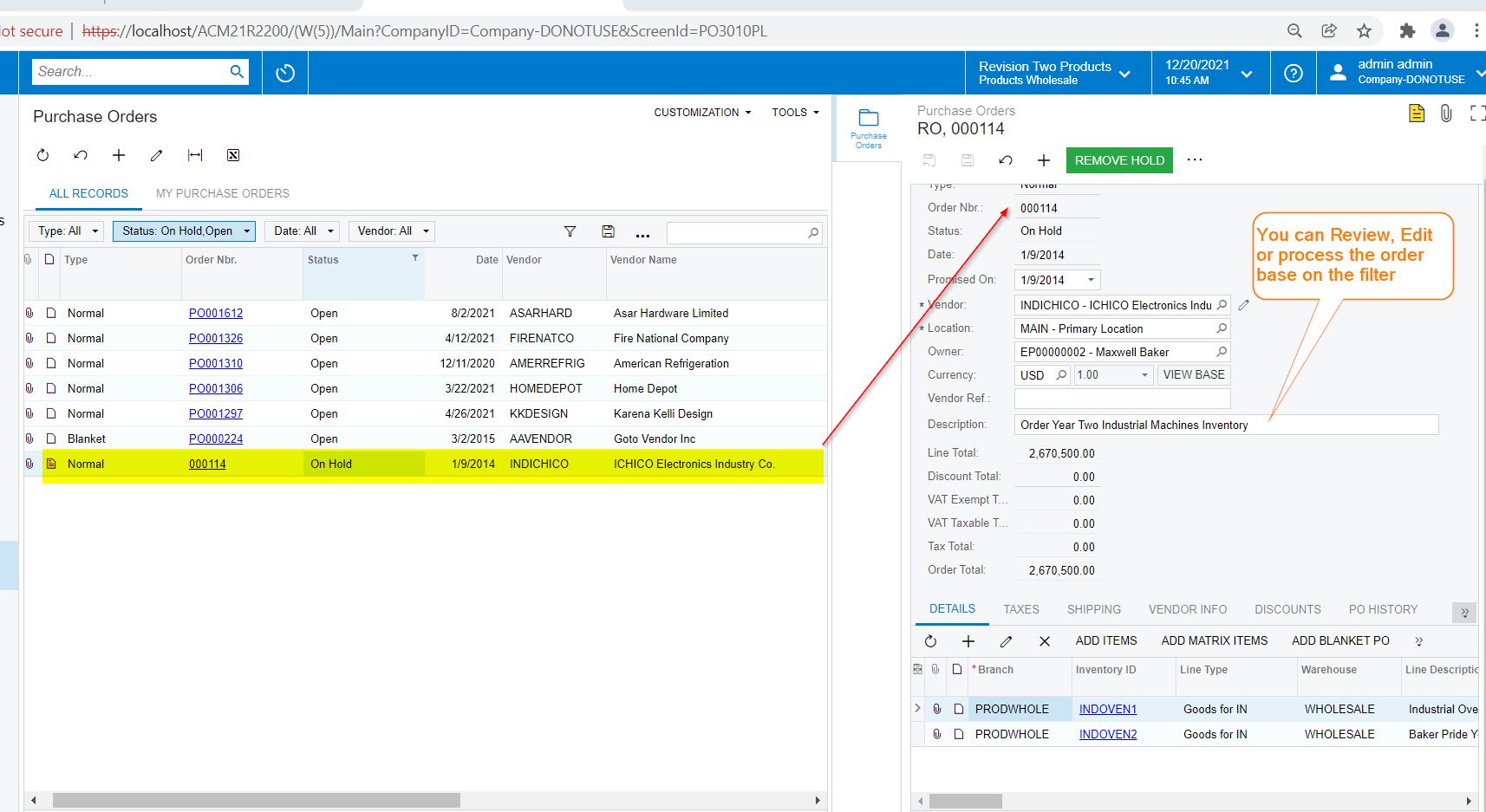
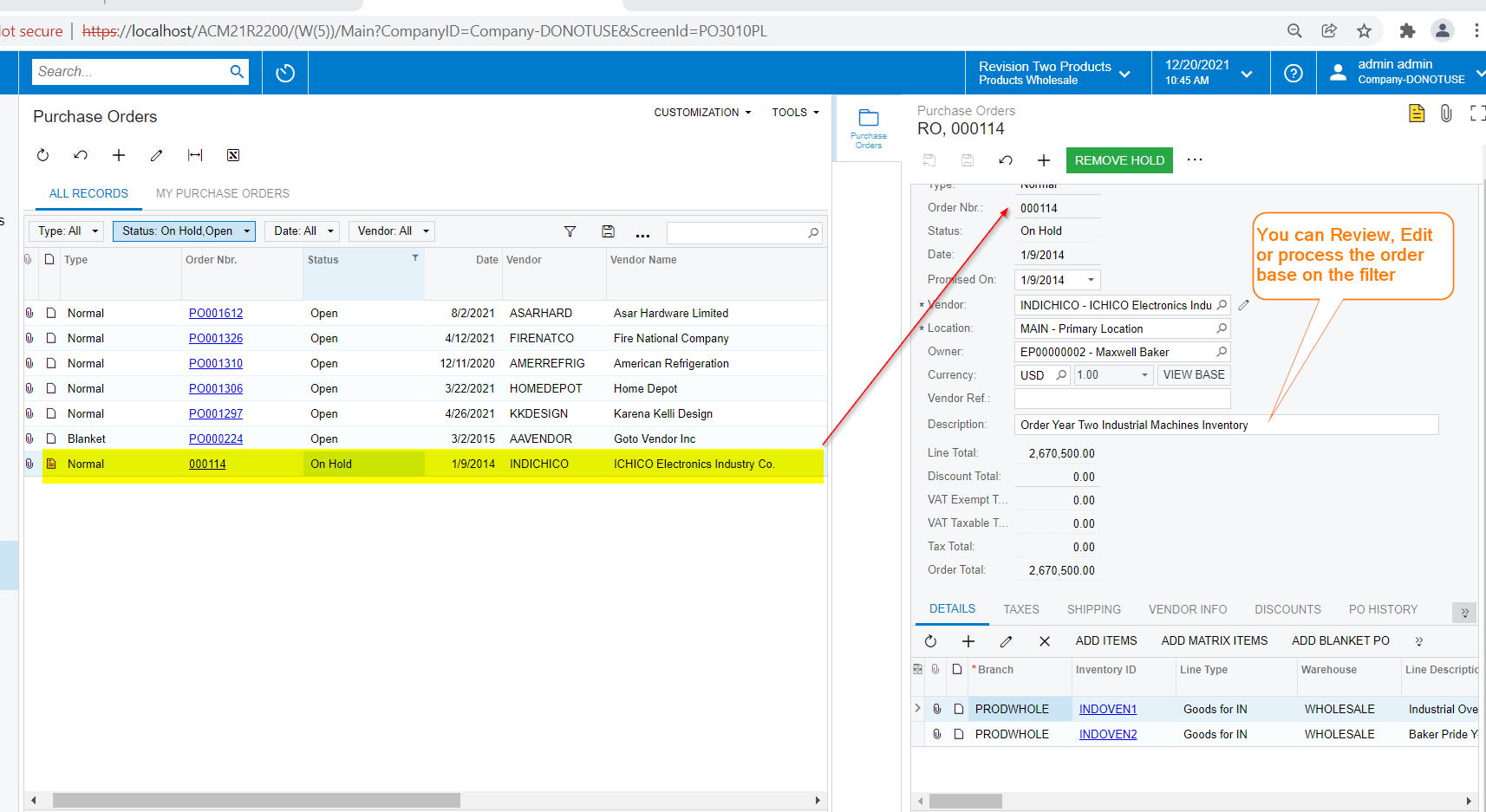
Hi @KempOdell68 The Solution would be to have  Side Panel for the Purchase Order Landing Page(filterable Generic Inquiry) in your example. 


Forum|alt.badge.img+8
  • Semi-Pro I
  • December 20, 2021

Hi @KempOdell68  Please find the below screenshot showing the output


Forum|alt.badge.img+8
  • Semi-Pro I
  • December 20, 2021

Hi @KempOdell68 There is no coding required for this. This is easy to create, please find the below screenshot showing the steps.


Forum|alt.badge.img+8
  • Semi-Pro I
  • December 20, 2021

Hi @KempOdell68 Please find the attached Generic Inquiry(Landing page of the Purchase Orders), that has the Side Panel configured as mentioned above. 


Forum|alt.badge.img
  • Author
  • Freshman I
  • January 17, 2022

@ChandrasekharM Thank you for this information.  It is helpful, and is a possible stopgap for the users, but would still like to see the functionality of the Radio Buttons changed so we can see the entire PO screen instead of having a split screen.


Chris Hackett
Community Manager
Forum|alt.badge.img
  • Acumatica Community Manager
  • January 17, 2022

Hi @KempOdell68 you may want to create an Idea for this desired functionality.


Forum|alt.badge.img
  • Author
  • Freshman I
  • January 17, 2022

Hi @KempOdell68 you may want to create an Idea for this desired functionality.

@Chris Hackett Done.


I thought I did originally, but I apparently selected the wrong section when I created this.

Thanks,

Kemp