Solved

Importing invoices with more than one line items

  • December 29, 2021
  • 10 replies
  • 1538 views
  • Translate All

Hi,

I have created import scenario to import invoces and line items, when i execute prepare and import action for each record from excel a new invoice is created.

In the excel there is only one invoice with 53 line items. But when import is done 53 invoices are getting created.

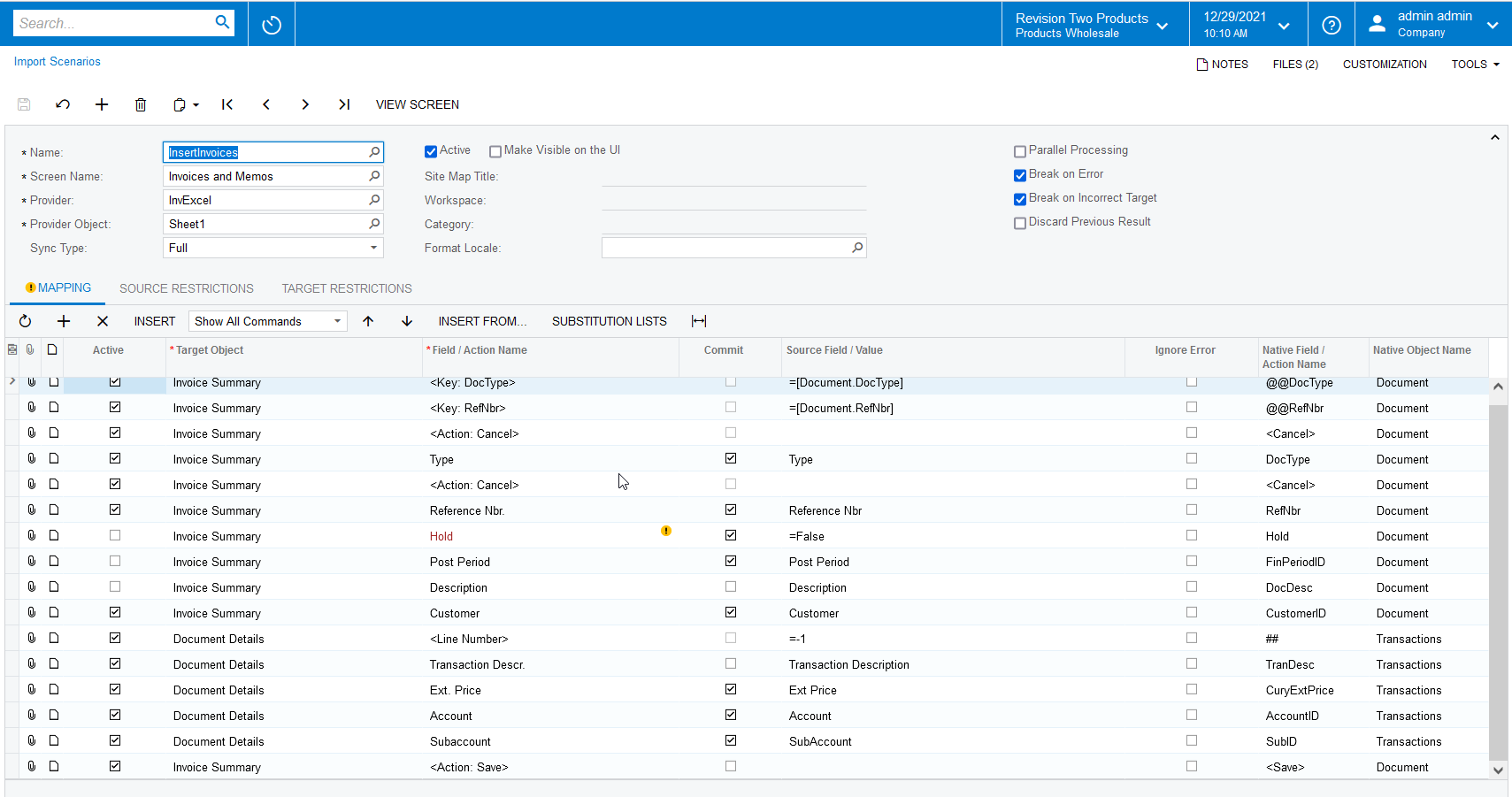
Following is the image shot of the Import Scenario i have created.
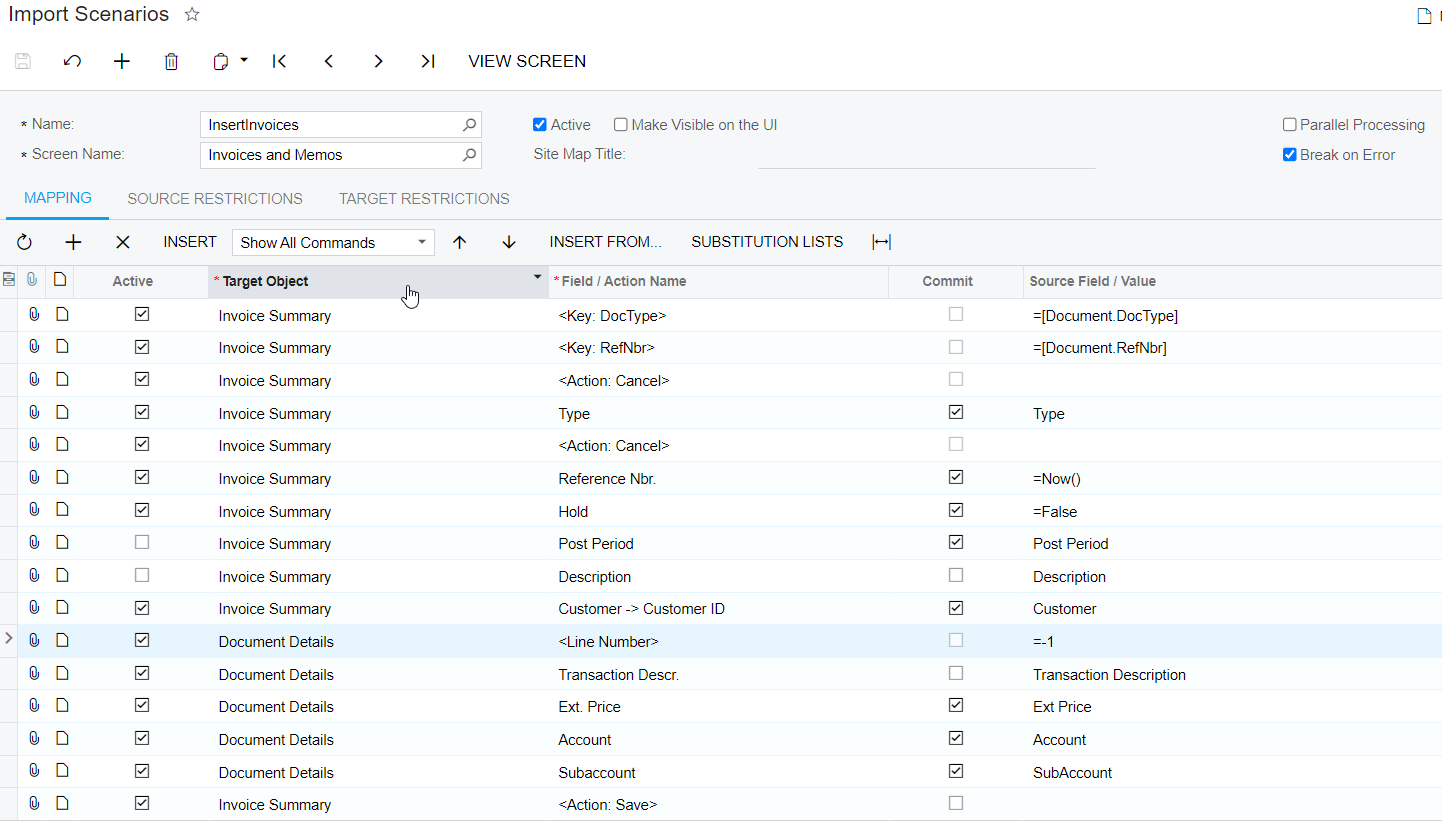
 

 Let me know what is the wrong in the above scenario.
Best answer by Naveen Boga

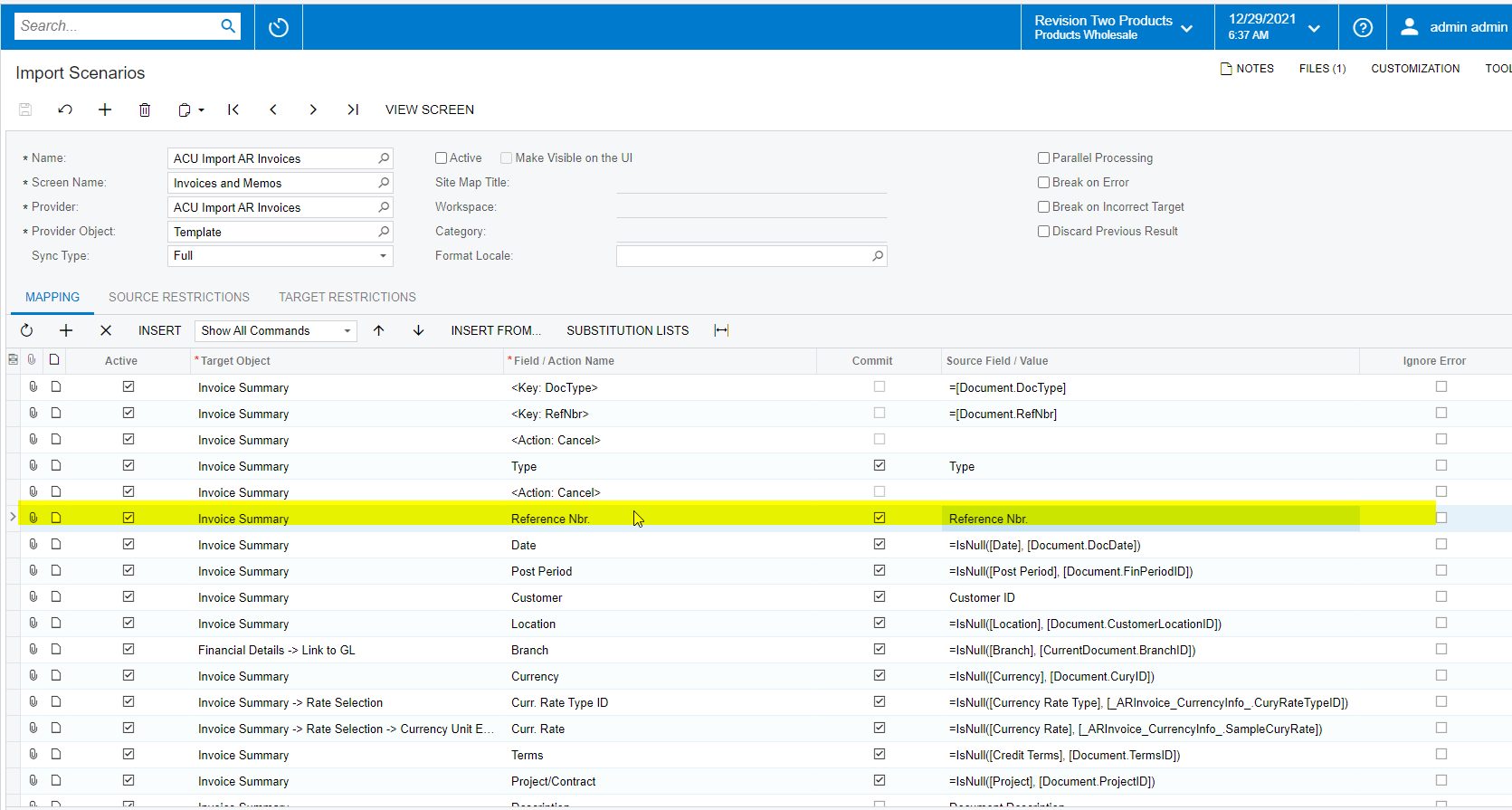
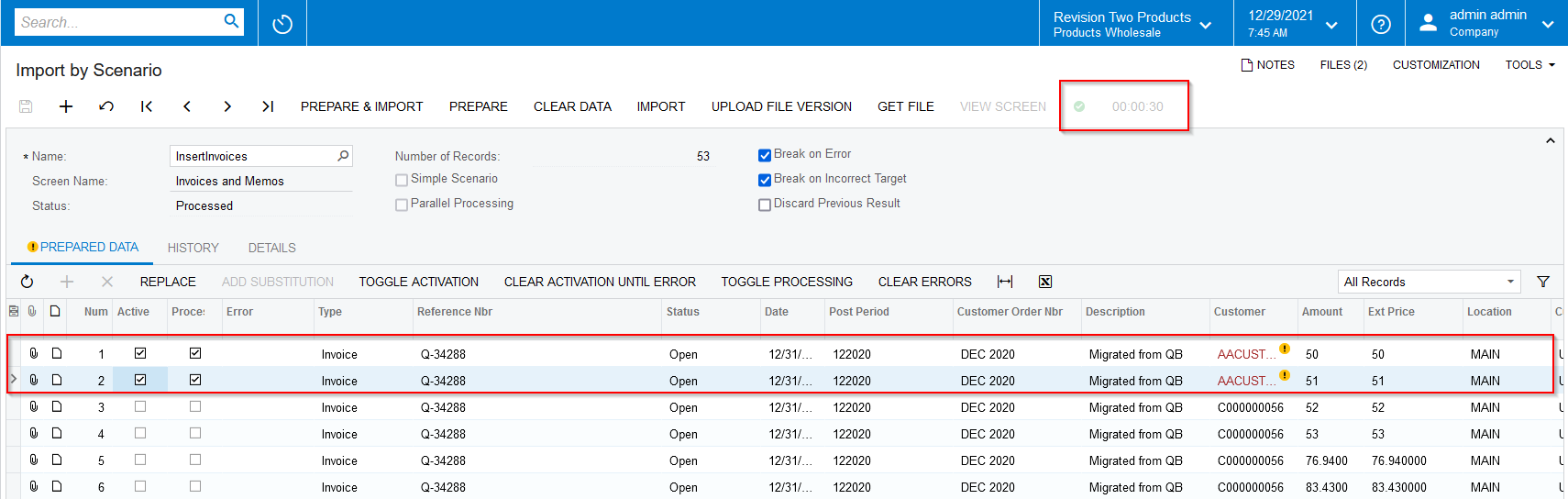
Hi @miketyson  I have modified your import scenario a bit and processed for 2 records. 

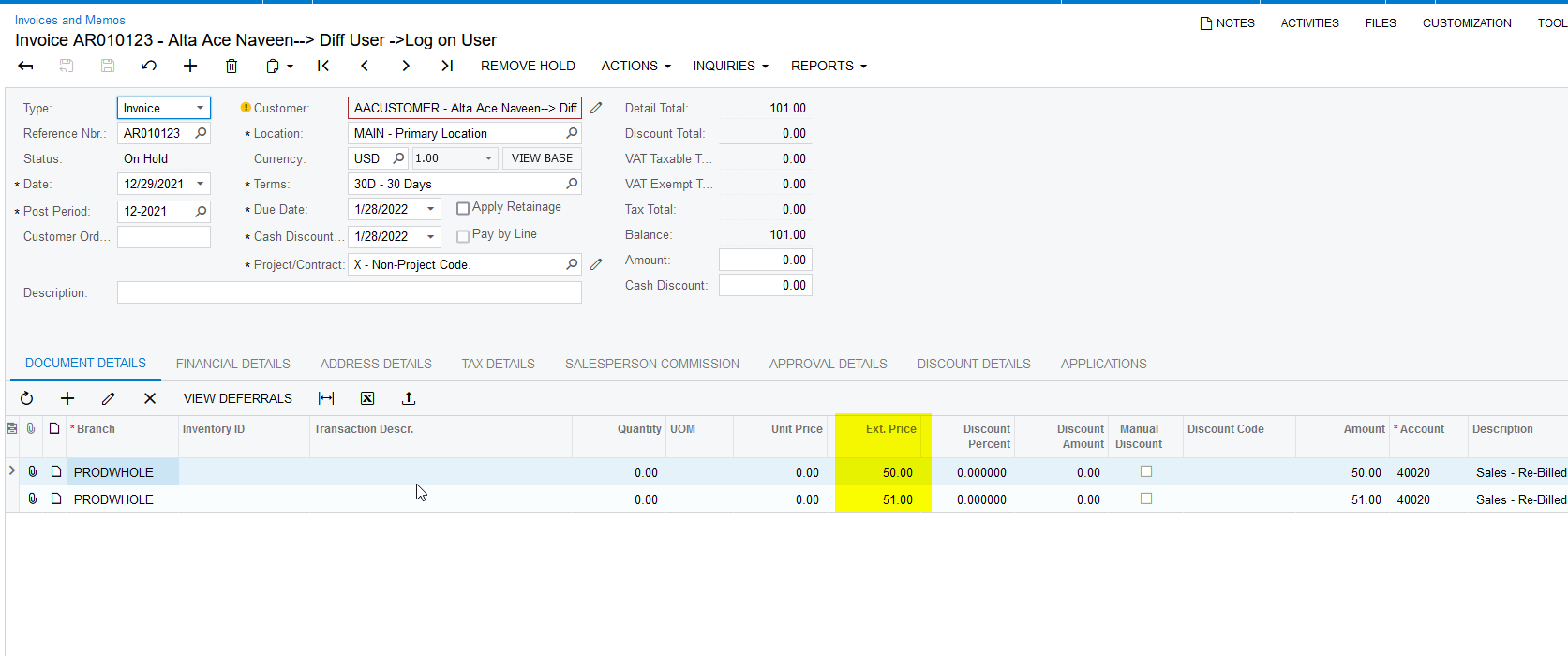
In this case, One document created with 2 lines. Please find the attached import scenario and screenshots for your reference.


If you don’t want to place the document on HOLD status, you need add the line in the REMOVE HOLD action in you import scenario.


View original

10 replies

Naveen Boga
Captain II
Forum|alt.badge.img+20

Hi @miketyson  Can you please share your XML format for Import Scenario here.


Translate

jinin
Pro I
Forum|alt.badge.img+12
  • Pro I
  • December 29, 2021

Hi @miketyson 

I think the issue is on the Reference Nbr field. Can you please correct the field and check like below?
Attached a sample XML. Please review


Translate

  • Author
  • Freshman I
  • December 29, 2021

Hi,

I tried updating Refrence # and it is giving error.

I have attached the xml.

Translate

Naveen Boga
Captain II
Forum|alt.badge.img+20
  • Captain II
  • Answer
  • December 29, 2021

Hi @miketyson  I have modified your import scenario a bit and processed for 2 records. 

In this case, One document created with 2 lines. Please find the attached import scenario and screenshots for your reference.


If you don’t want to place the document on HOLD status, you need add the line in the REMOVE HOLD action in you import scenario.


Translate

  • Author
  • Freshman I
  • December 29, 2021

Thanks Naveen creating invoice is working.

What if i want to update the invoice, when i am mapping reference nbr its giving error 

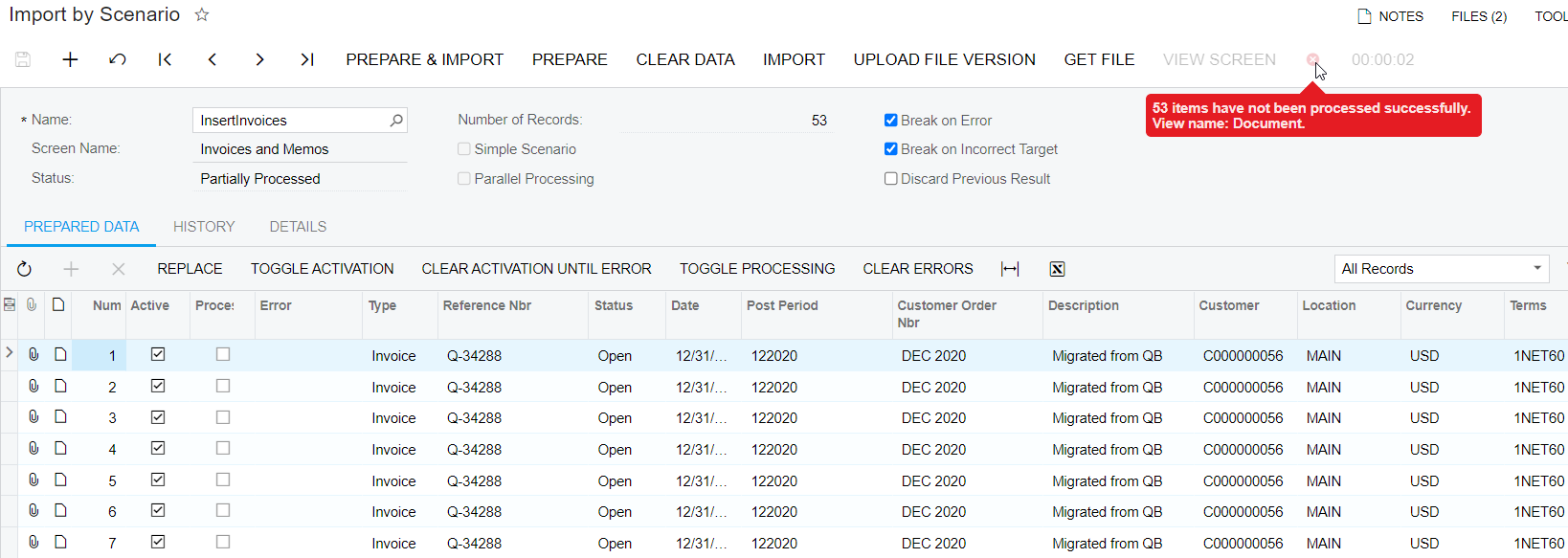
53 items have not been processed successfully. View name: Document.

XML is attached herewith.

Translate

Naveen Boga
Captain II
Forum|alt.badge.img+20

Hi @miketyson  Can you please share Error message, which you are getting at Grid Row level.

That will provide the more details about the issue.

Translate

  • Author
  • Freshman I
  • December 29, 2021

There is no error at Grid Row level


Translate

Naveen Boga
Captain II
Forum|alt.badge.img+20

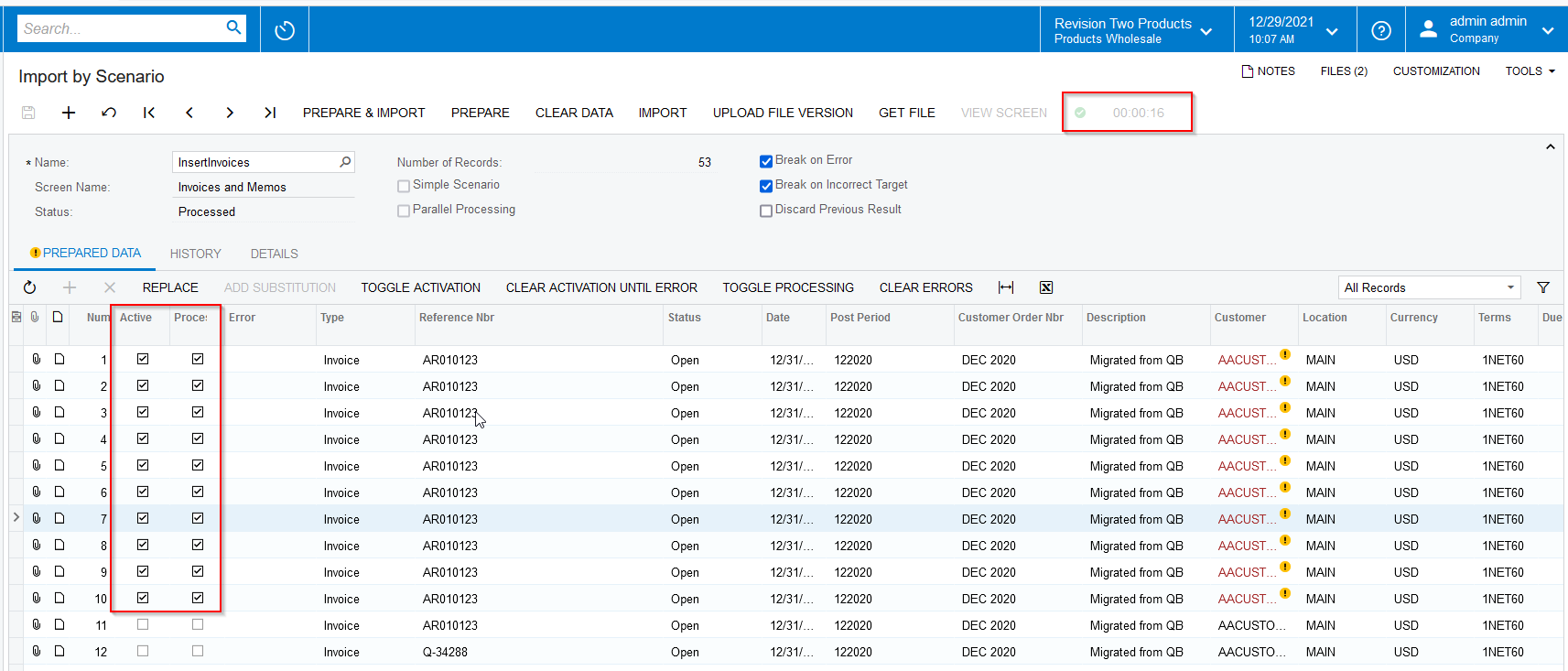
I don’t see any issue with the import scenario. I have processed 10 records successfully.

Here are the screenshots for reference.


Translate

wfilipiak67
Captain II
Forum|alt.badge.img+3

@miketyson , I have found that setting the AR Invoice numbering sequence to Manual will allow records with the same reference number to create additional lines on the document. 

When importing we usually set this to Manual & then set it back after the import is complete.


Translate

Forum|alt.badge.img+12
  • Acumatica Support Team
  • December 30, 2021

Hi @miketyson 

Have you got the import working at your end ? 

Happy Holidays,

Regards,

Translate