Question

Scheduled Business Event not triggering

  • February 12, 2026
  • 3 replies
  • 0 views

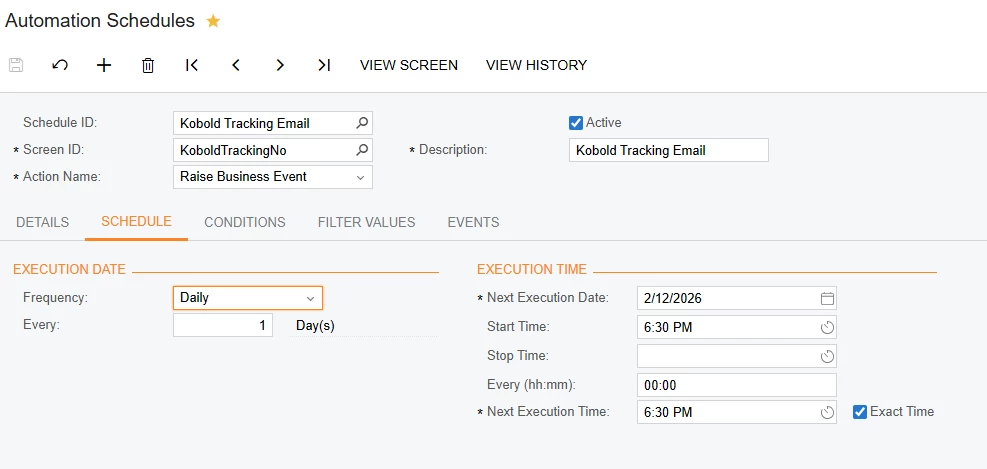
I am setting up a daily email for tracking information on Invoices that have been released and have a date of “today”.  My GI is working, the Business event runs manually, but I setup the schedule and it is not running.  It sends but sits in the “Pending Processing” and as soon as I open the BE, the emails pop into my email (I’m testing all of them to my email for now).  Any answers?


3 replies

mohammadnawaz51
Jr Varsity I
Forum|alt.badge.img+6

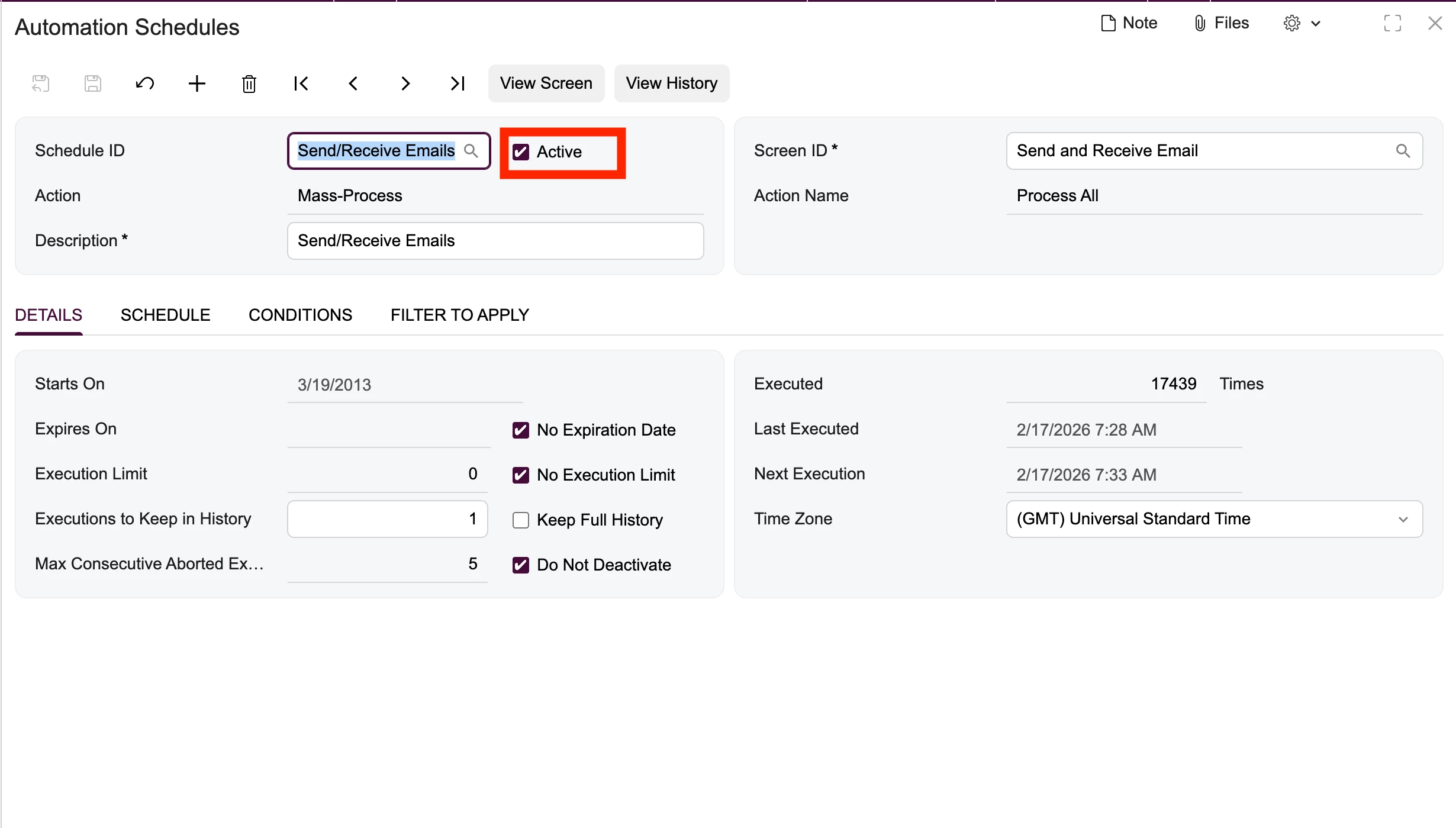
@koboldinst Are you sayings emails are triggering but not processing, if yes then you need a create a scheduler for emails which are pending processing.


Hi ​@koboldinst,
Since the emails are reaching Pending Processing, your Business Event schedule is working—please ensure the Send/Receive Emails automation schedule is active and running, as it processes the email queue in the background.


aryanjadhav50
Freshman II
Forum|alt.badge.img
  • Freshman II
  • February 13, 2026

Hi ​@koboldinst 
 

If the email shows as “Pending Processing” and only sends when you open the Business Event screen, that usually means the automation schedule processor is not running in the background. When you open the screen, it wakes up the application and processes the queue, which is why the emails go out at that moment.

1)

First, try going to Process Automation Schedules and manually click Process. If the emails send immediately, that confirms the schedule engine is not running automatically.

2)

If this is an on-premise installation, check IIS settings. Make sure the application pool is set to AlwaysRunning and that the Idle Time-out is set to 0. If IIS goes idle, scheduled automation and business events will not run until someone accesses the site.

3)

Also verify that the email processing is enabled and that the Process Emails screen is being executed automatically. If emails are queued but not processed, they will remain in Pending until the email processor runs.