Answer

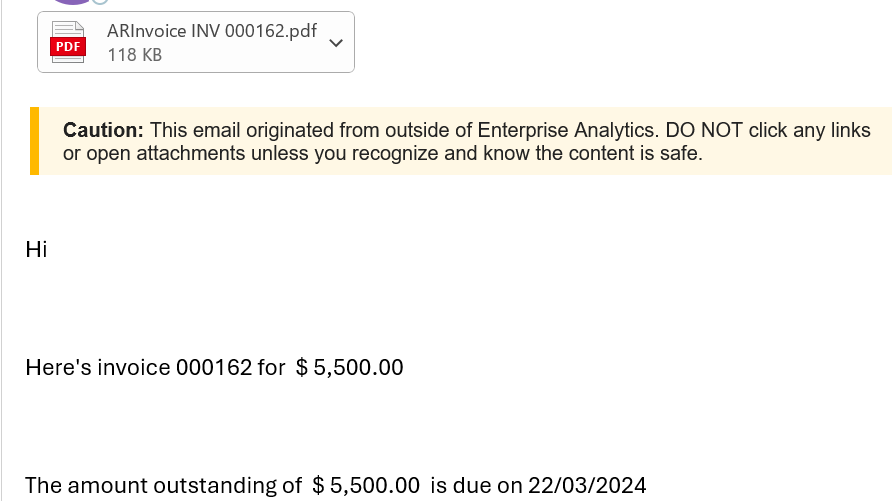
Recipient name is not visible on the mail body

  • June 11, 2024
  • 6 replies
  • 82 views

Forum|alt.badge.img

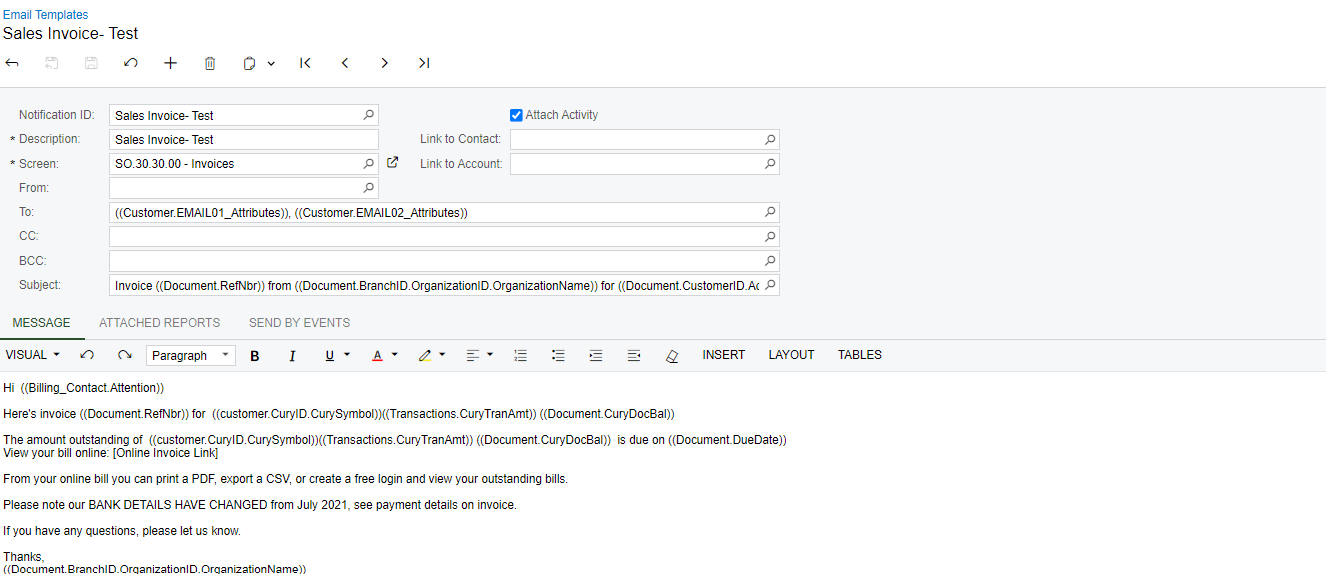
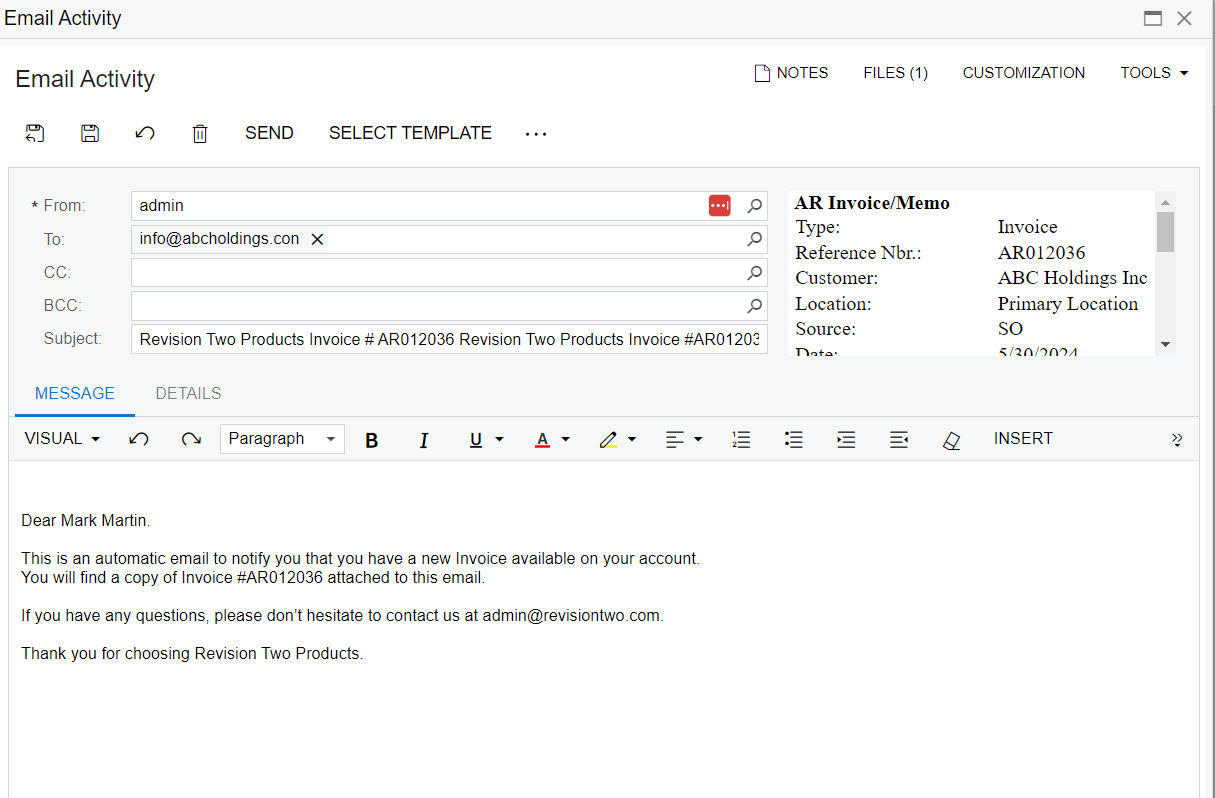
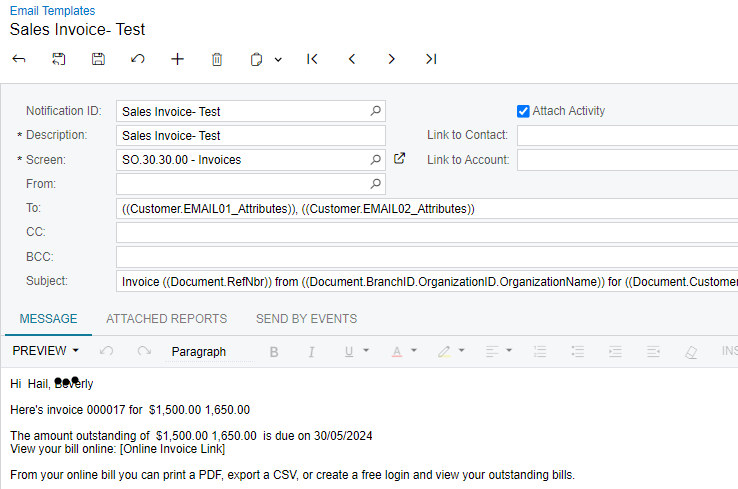
I created an email template for sales invoices. in the email body I have inserted (Billing_Contact.Attention))   as the attention. in preview mode name is visible. But when I send the email name is not visible. what can be the possible reason for this? all the other fields that I’ve inserted is visible in the email. 


Best answer by Manikanta Dhulipudi

Hi @MWijesuriya43 

Share me the Acumatica version and try again after restart application?

6 replies

Manikanta Dhulipudi
Captain II
Forum|alt.badge.img+15

Hi @MWijesuriya43 

Could you please share email template once?


Forum|alt.badge.img
  • Author
  • Jr Varsity II
  • June 11, 2024

@Manikanta Dhulipudi 


Manikanta Dhulipudi
Captain II
Forum|alt.badge.img+15

Is it possible to share the XML folder, Which I can check on My machine?


Manikanta Dhulipudi
Captain II
Forum|alt.badge.img+15

Hi @MWijesuriya43 I tested with the standard once and it is working fine.

Did you make any changes to the Standard GI of Invoices? Which version of Acumatica Using?


Forum|alt.badge.img
  • Author
  • Jr Varsity II
  • June 11, 2024

Hi @Manikanta Dhulipudi Thanks for the response. it was visible to me in the preview mode in the email template. But it was not available in the email when we actually sent it. 


Manikanta Dhulipudi
Captain II
Forum|alt.badge.img+15

Hi @MWijesuriya43 

Share me the Acumatica version and try again after restart application?