Answer

invisible PXToolBarButton “PACKAGES” in tab Shipping SO301000

  • March 14, 2023
  • 6 replies
  • 77 views

Forum|alt.badge.img

Hello expert.

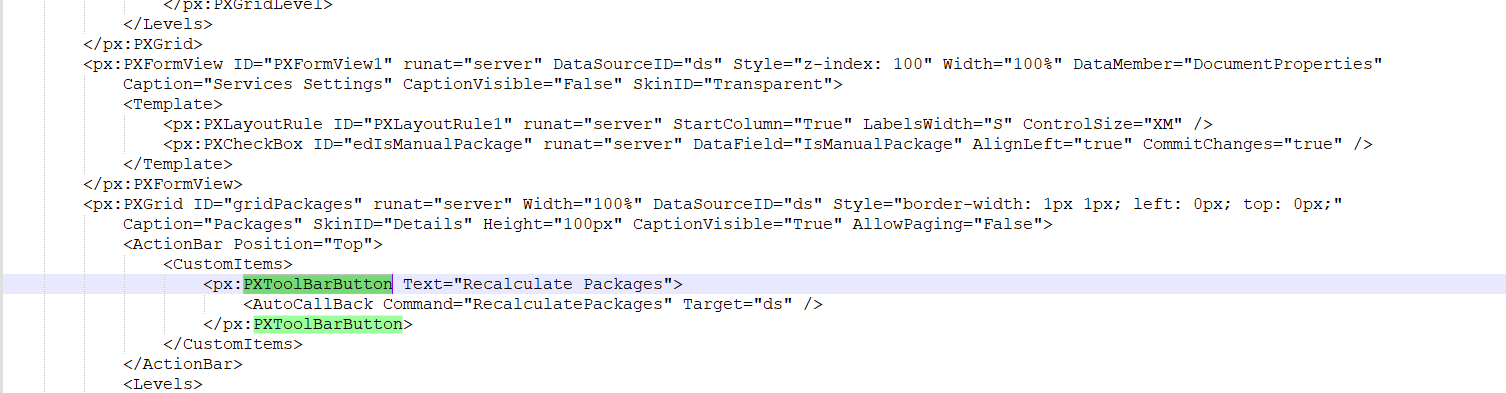
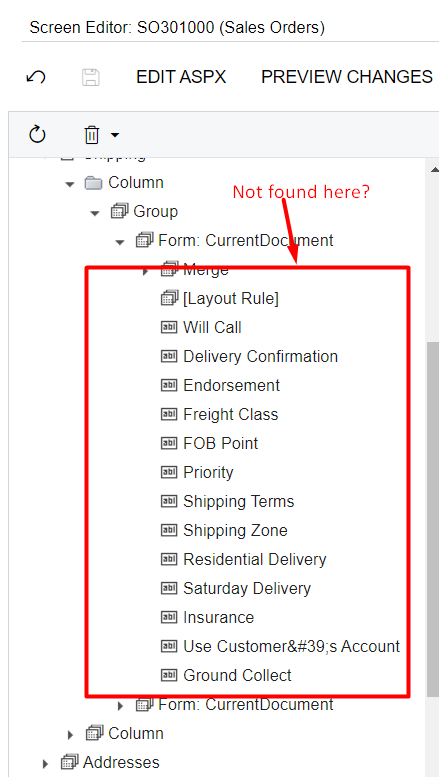
In the Sales Orders Screen. I want invisible PXToolBarButton “PACKAGES” but i not found it’ name in DAC and server-side code / graph extension anywhere. 
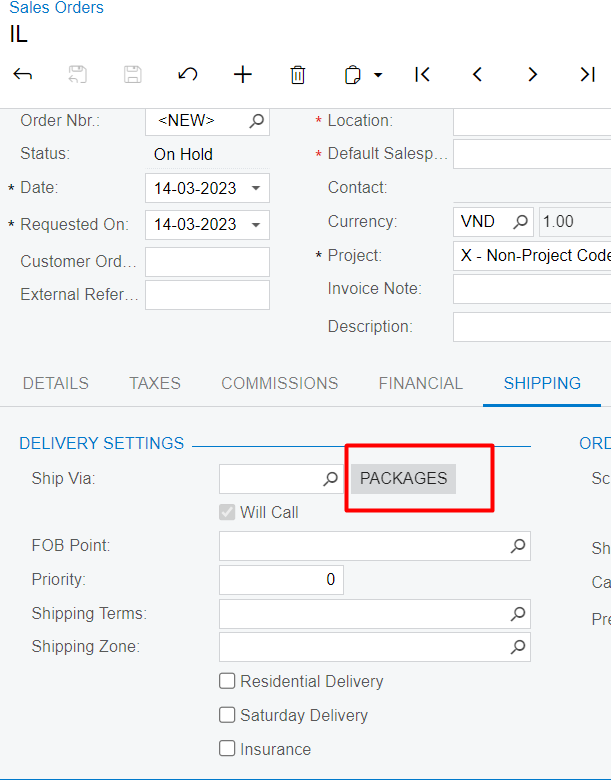
 

Can you help me? Very thank you.

Best answer by Naveen Boga

Yes, it seems it is Shop For Rates button. @thanhaim 

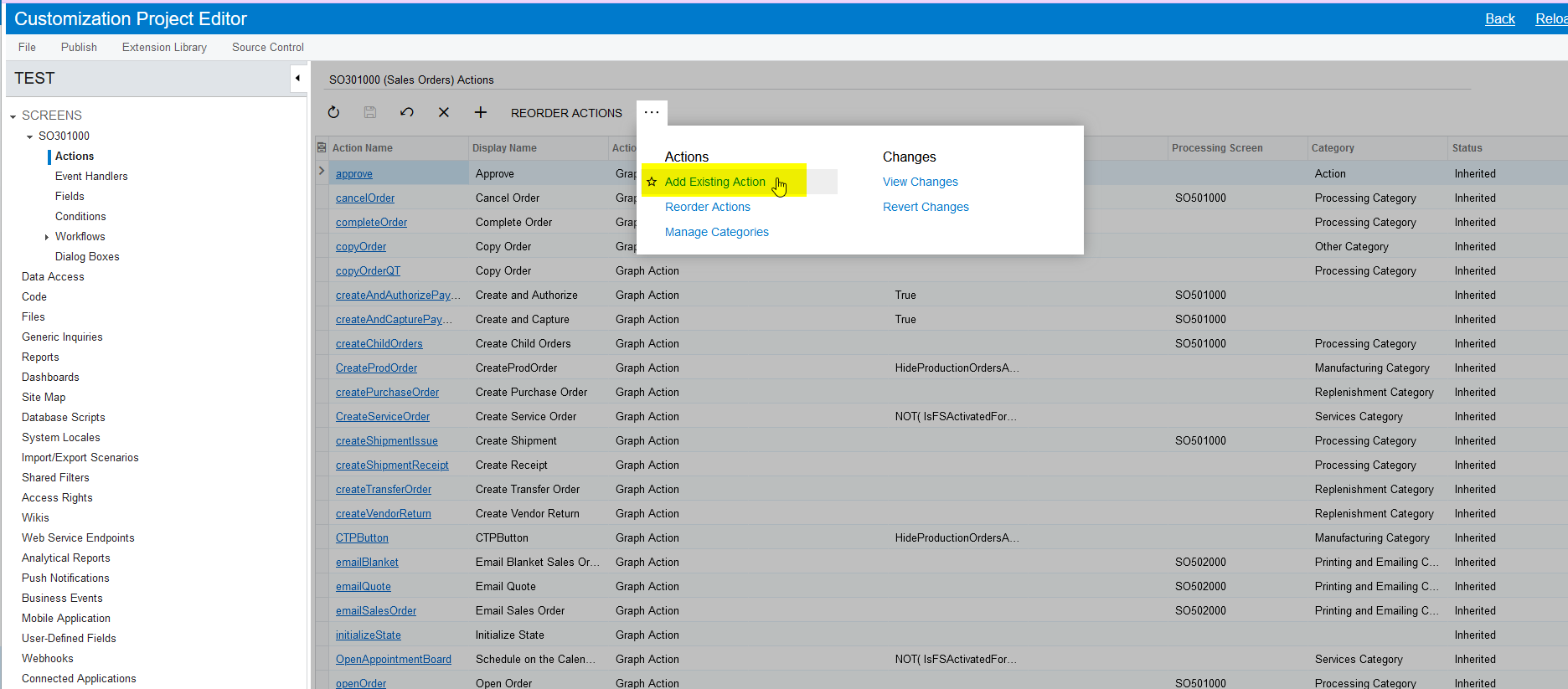
You can find this button in the Actions list. 

  1. Click on the Actions in the left side menu
  2. Click on the three dots, and select the Add Existing Action
  3. There you can see this button.

Please find the screenshot for reference.
 

6 replies

Forum|alt.badge.img
  • Author
  • Freshman II
  • March 14, 2023

@aaghaei I found you custom many case with visible/invisible button. Can you help me this situation. Thank you so much.


Naveen Boga
Captain II
Forum|alt.badge.img+19
  • Captain II
  • March 14, 2023

Hi @thanhaim  We do not have the PACKAGES button in the Sales Order screen, it might be renamed with Packages or it might be a custom action.

Can you please click on that button and share the screenshot?

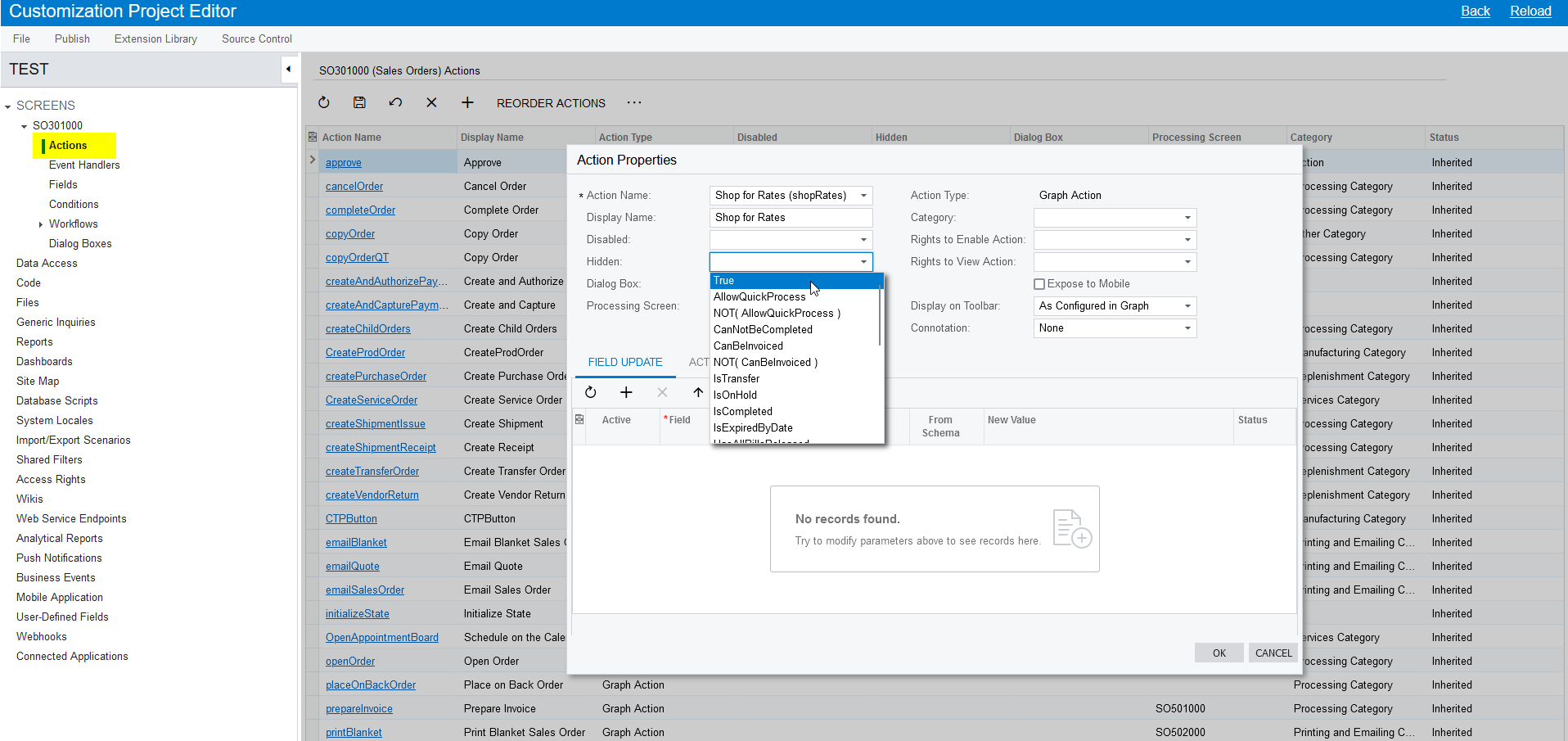
Also, to invisible button, there is no coding required, you can do it with the simple steps.

  • Open the Customization Package
  • Select the Sales Order screen
  • Select the Actions at the left menu
  • Select right action that you wanted to invisible from the list of actions
  • Select Hidden as TRUE

Below is the screenshot for reference.


Native Acumatica 


Forum|alt.badge.img
  • Author
  • Freshman II
  • March 14, 2023

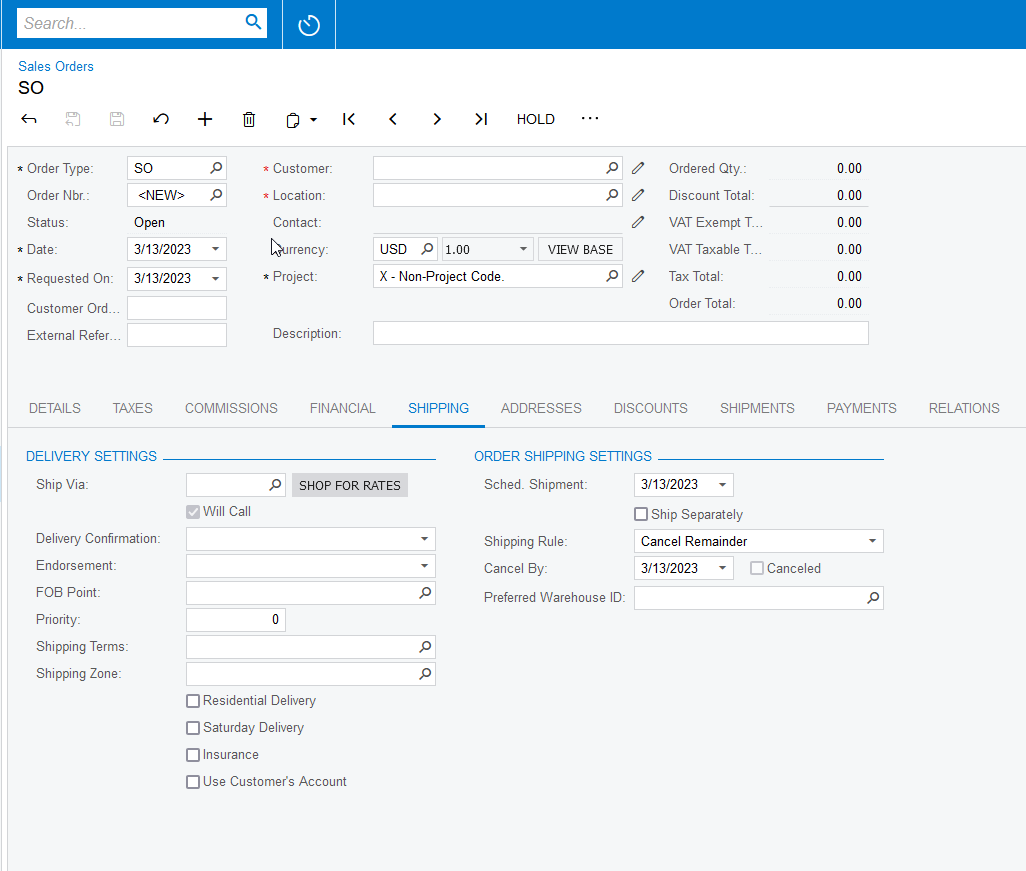
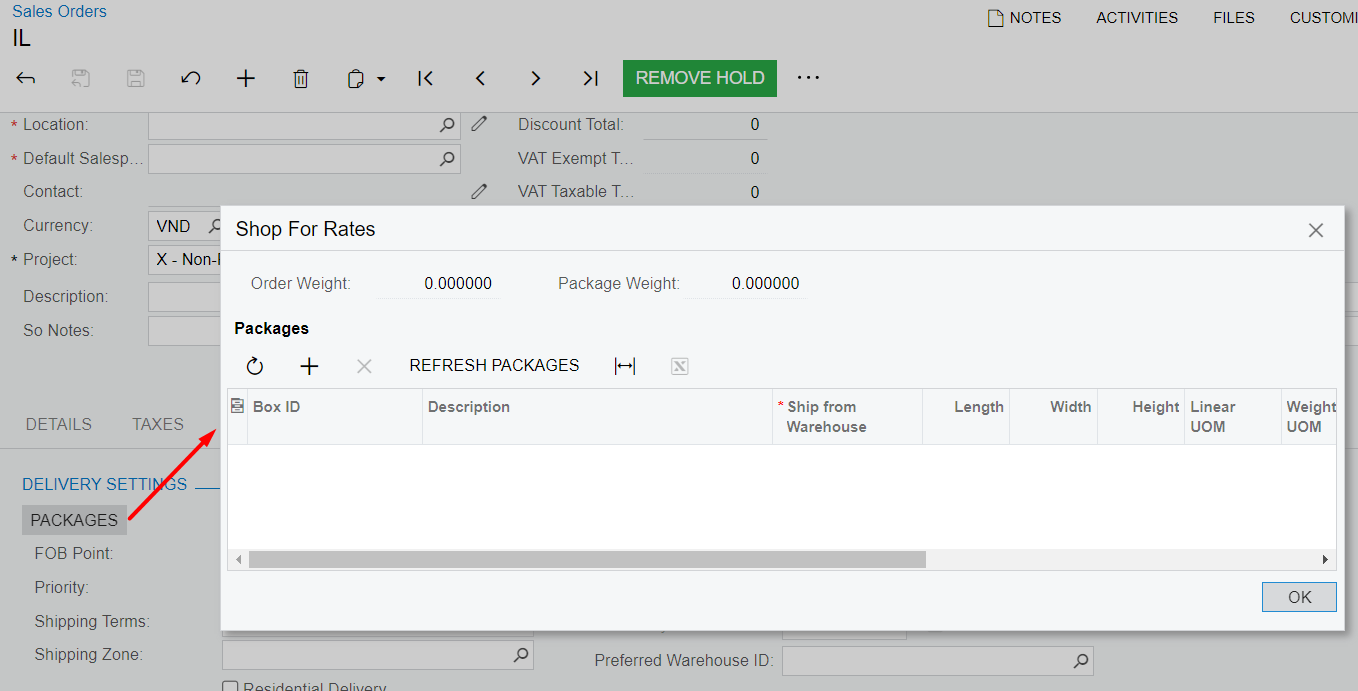
@Naveen Boga This dialog apper when I clicked button “PACKAGES”, I think button “PACKAGES” like button “SHOP FOR RATES”


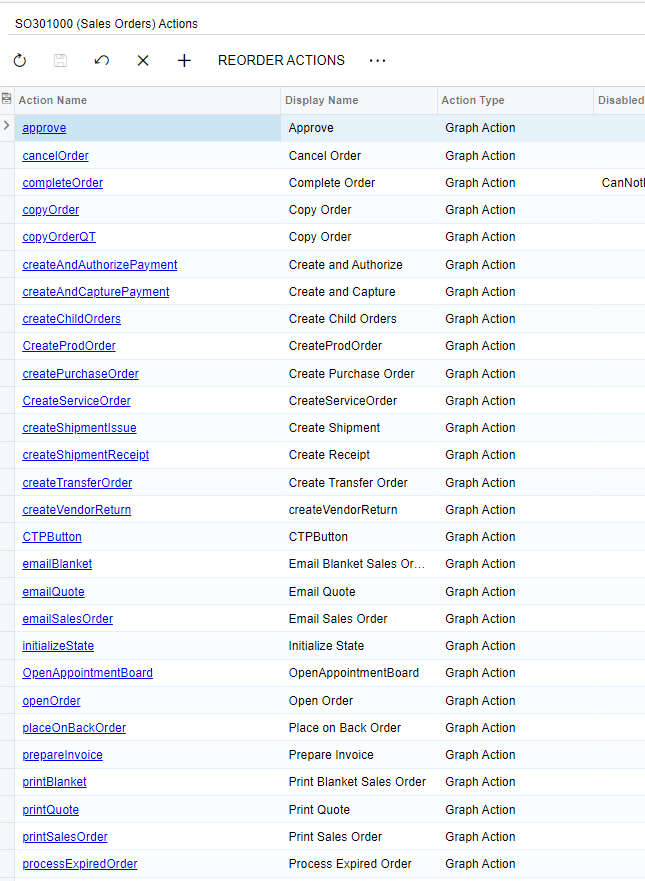
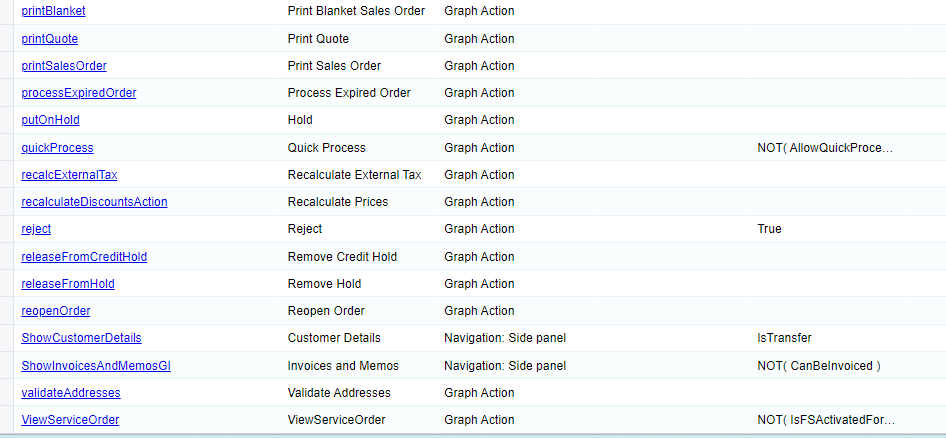
Here are all the actions:


Naveen Boga
Captain II
Forum|alt.badge.img+19
  • Captain II
  • Answer
  • March 14, 2023

Yes, it seems it is Shop For Rates button. @thanhaim 

You can find this button in the Actions list. 

  1. Click on the Actions in the left side menu
  2. Click on the three dots, and select the Add Existing Action
  3. There you can see this button.

Please find the screenshot for reference.


Forum|alt.badge.img
  • Author
  • Freshman II
  • March 14, 2023

@Naveen Boga I hiddent it succes. Thank you very much. Have a nice day!😊


Naveen Boga
Captain II
Forum|alt.badge.img+19
  • Captain II
  • March 14, 2023

@thanhaim I’m glad that I helped you and Most welcome :)