Answer

Exported Excel Name From GI or Document Primary List

  • March 13, 2023
  • 4 replies
  • 103 views

Forum|alt.badge.img

Hi Acumatica,

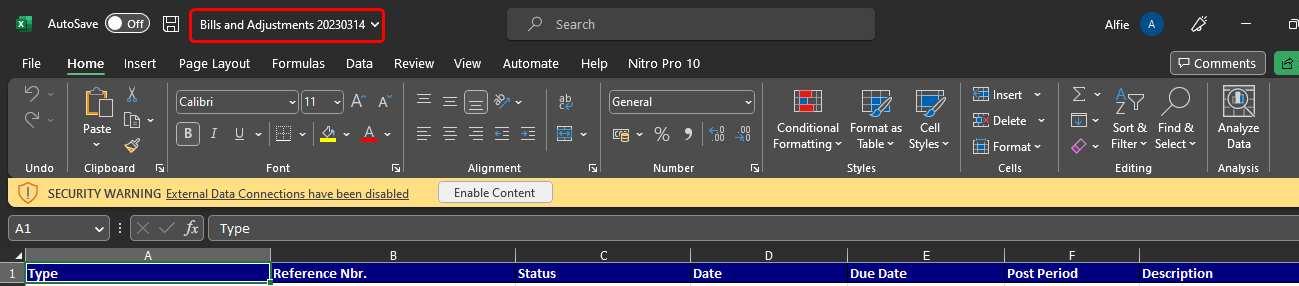
Just want to ask if the exported file name from a document primary list can be edited?

Please see attached :



Regards,

Best answer by Naveen Boga

@Fie  The Acumatica software currently not providing thsi feasibility as a configuration.

As a workaround, the program assigns a unique name to files by including the primary list GI screen name and the date to make the file uniqueness. This helps to ensure that each file is distinct and easily identifiable.

4 replies

Manikanta Dhulipudi
Captain II
Forum|alt.badge.img+15

Hi @Fie 

I dont think we dont have an option. We can post an Idea to Acumatica to provide an option for exporting files Like we have in reports to change the download format.

Thanks


aaghaei
Captain II
Forum|alt.badge.img+10
  • Captain II
  • March 14, 2023

@Fie you can name the file as you wish when you download. 


Naveen Boga
Captain II
Forum|alt.badge.img+19
  • Captain II
  • Answer
  • March 14, 2023

@Fie  The Acumatica software currently not providing thsi feasibility as a configuration.

As a workaround, the program assigns a unique name to files by including the primary list GI screen name and the date to make the file uniqueness. This helps to ensure that each file is distinct and easily identifiable.


Forum|alt.badge.img
  • Freshman I
  • July 7, 2025

At our office, we have a naming convention with yyyy/mm/dd then subject.  It would be great if Acumatica could allow us this option when exporting to Excel. 

ie:

2025-07-07 Transactions for Period