Solved

Subcontracts API

  • October 24, 2023
  • 11 replies
  • 282 views
  • Translate All

dpruckus
Freshman I
Forum|alt.badge.img

Hey team, need some assistance with creating subcontracts via rest api. Looks like subcontracts are just a type of the PO (which im able to create via api without a problem), but if I pass PO type as Subcontract Im getting an error :

 \"exceptionMessage\": \"Cannot generate the next number for the  sequence.\",


Anybody had any luck creating Subcontracts via API?

C# library Acumatica.Default_22_200_001.Model
PurchaseOrder model

Best answer by vramkrishna26partnerhold

Hi @dpruckus 

I was able to create a sample Subcontract.

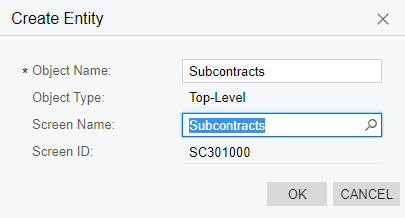
The solution was to extend the web service endpoint to expose the SubContract's screen and map the fields accordingly. 


You can follow the blog post  on extending the WebService Enpoint.

https://www.acumatica.com/blog/extending-acumatica-web-service-endpoints/


Perform a Put request using the url below:

API Request URL: - https://URL/InstanceName/entity/APISamplesEndpoint/22.200.001/Subcontracts

Request Body:
{
    "Approved": {
        "value": true
    },
    "Details": [
        {
            "Account": {
                "value": "XXXX"
            },
            "Amount": {
                "value": 100.0000
            }
        }
    ]
    "SubcontractNbr": {
        "value": "NEW"
    },
    "ExpiresOn": {},
    "Hold": {
        "value": true
    },
    "LineTotal": {
        "value": 100.0000
    },
    "Location": {
        "value": "MAIN"
    },
    "Project": {
        "value": "X"
    },
    "RetainageTotal": {
        "value": 0.0000
    },
    "Status": {
        "value": "On Hold"
    },
    "SubcontractTotal": {
        "value": 112.0000
    },
    "TaxTotal": {
        "value": 12.0000
    },
    "VATExemptTotal": {
        "value": 0.0000
    },
    "VATTaxableTotal": {
        "value": 100.0000
    },
    "Vendor": {
        "value": "XXXX"
    }
}


View original

11 replies

StevenRatner
Varsity I
Forum|alt.badge.img

@dpruckus - I suggest extending the endpoint to a new name via the 22.200.001 version.  Then I would look at the segmented keys ID for subcontracts -> numbering ID and see if you have a numbering id which is generating the number sequences populated.  If not you should create one and it should resolve that error via the API.

Translate

dpruckus
Freshman I
Forum|alt.badge.img
  • Author
  • Freshman I
  • October 25, 2023

@dpruckus- I suggest extending the endpoint to a new name via the 22.200.001 version.  Then I would look at the segmented keys ID for subcontracts -> numbering ID and see if you have a numbering id which is generating the number sequences populated.  If not you should create one and it should resolve that error via the API.

Hey Steven. Thanks for your reply. Can you elaborate a little bit more? I have already extended my endpoint but I cant seem to find anything about subcontracts there. Thanks!


Translate

RohitRattan88
Acumatica Moderator
Forum|alt.badge.img+5

@dpruckus 

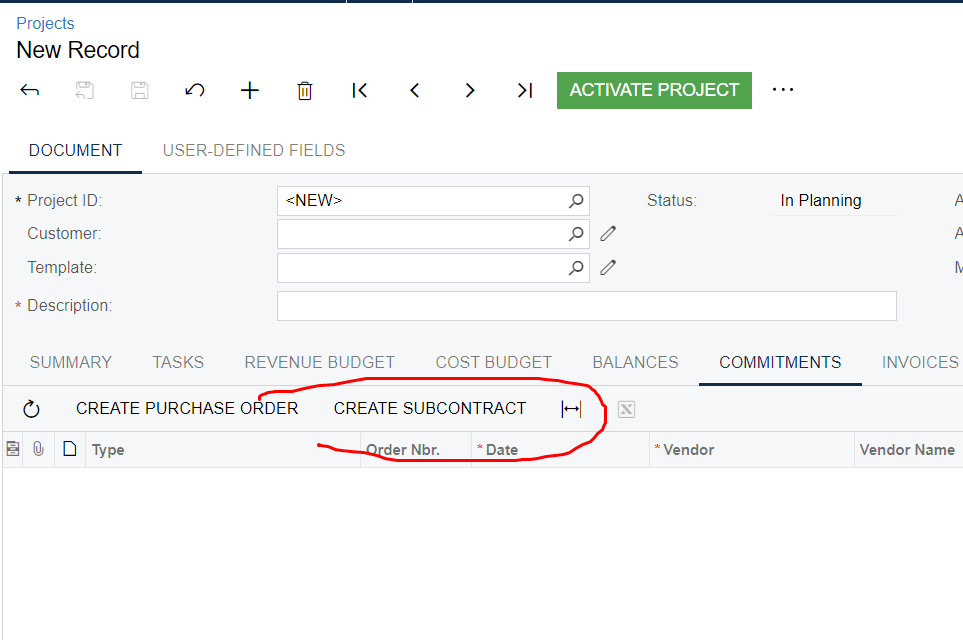
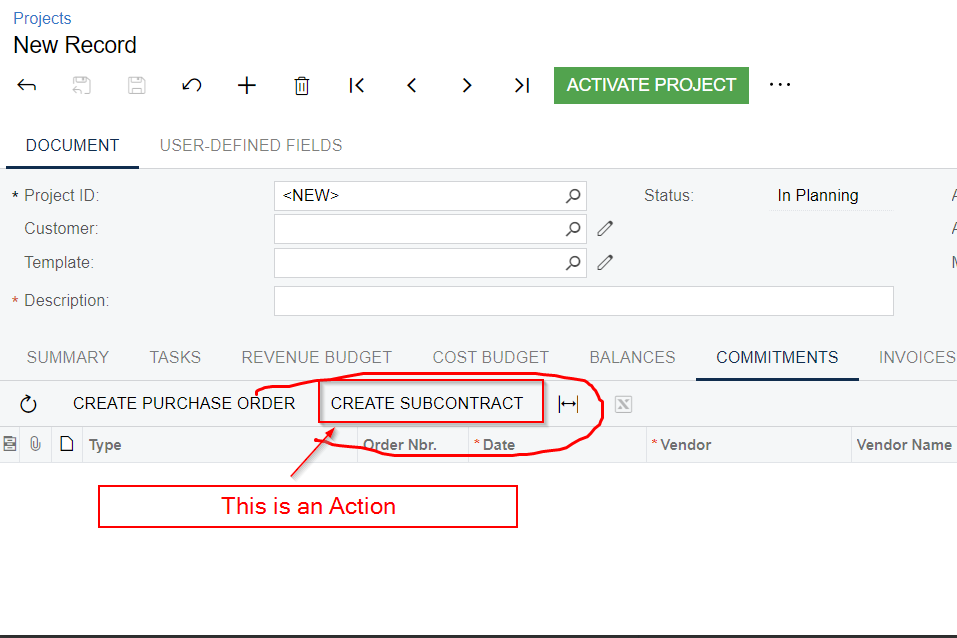
Could you please share some screenshots of what you trying to achieve and what is the behavior via UI(screen ID, some example)

Translate

dpruckus
Freshman I
Forum|alt.badge.img
  • Author
  • Freshman I
  • October 25, 2023

@dpruckus

Could you please share some screenshots of what you trying to achieve and what is the behavior via UI(screen ID, some example)

So instead of PO, Im trying to create Subcontract.


It works fine on UI, but via API it gives me the above error if I use POModel and set Type = “Subcontract”.

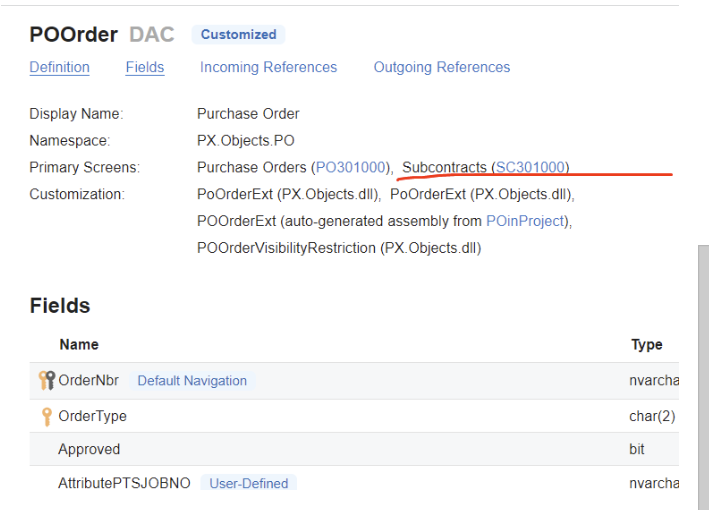
POs are created fine via API if Type = “Normal” or Type=’Project Drop-Ship’ It seems to me that Subcontracts are the same POs (same module) but Im still not sure how to set PO type to be Subcontract.




Translate

RohitRattan88
Acumatica Moderator
Forum|alt.badge.img+5

@dpruckus UI actions used to populate data/grid are not (I believe) supported via API.

Translate

dpruckus
Freshman I
Forum|alt.badge.img
  • Author
  • Freshman I
  • October 26, 2023

@dpruckus UI actions used to populate data/grid are not (I believe) supported via API.


Im sorry, what? That doesn't make any sense, sorry. 

Translate

RohitRattan88
Acumatica Moderator
Forum|alt.badge.img+5

@dpruckus 

from the screenshot, “CREATE SUBCONTRACT” seems to an action.

Last time I checked, populating grid via UI Actions was not supported via APIs.

Translate

dpruckus
Freshman I
Forum|alt.badge.img
  • Author
  • Freshman I
  • October 26, 2023

What is it different from Create PO?

Translate

RohitRattan88
Acumatica Moderator
Forum|alt.badge.img+5

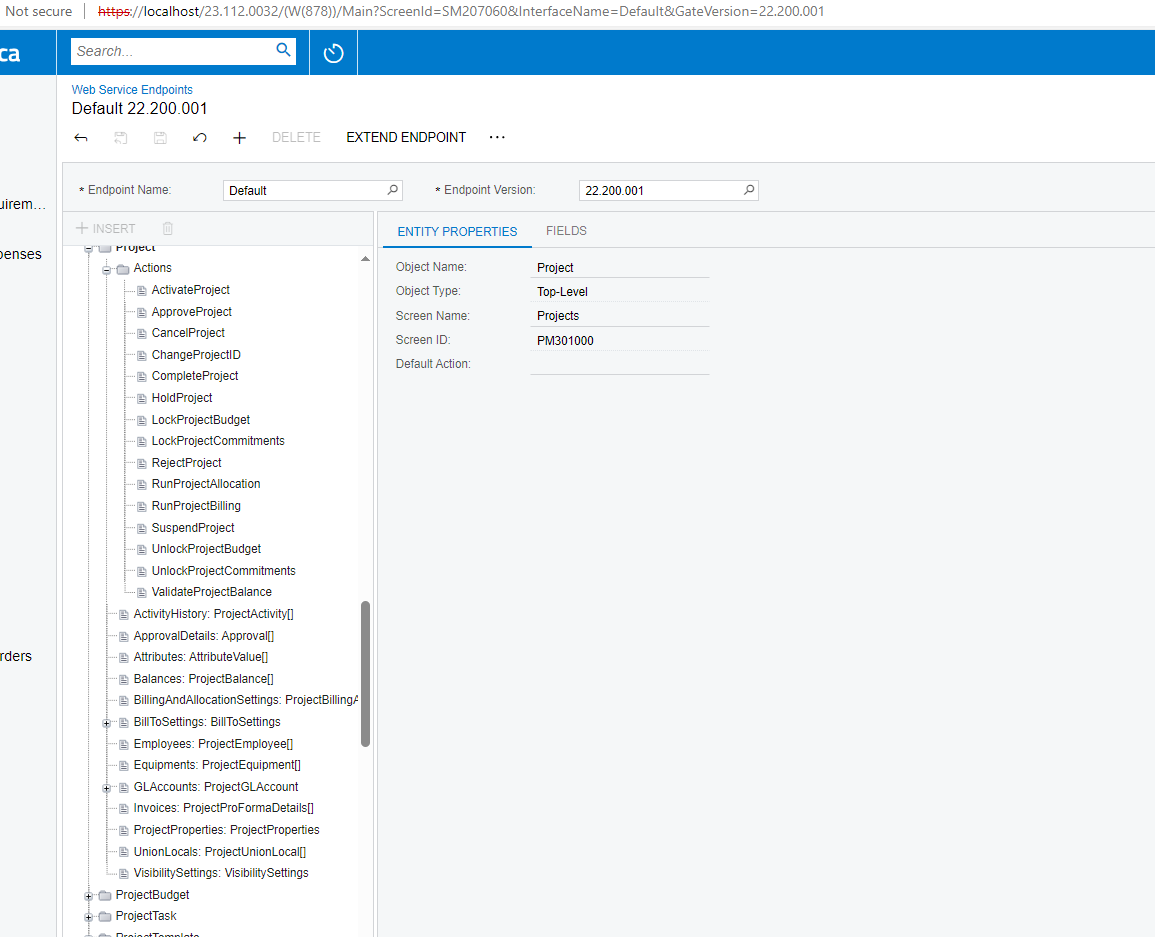
@dpruckus are you able to execute Create PO action from API.

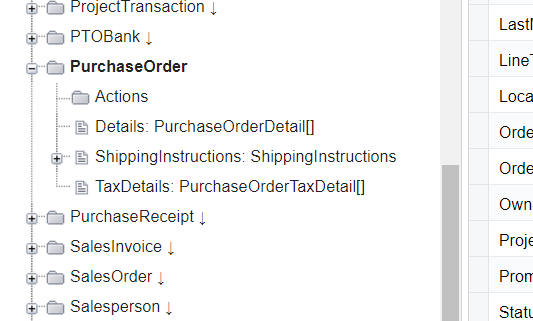
I checked the default endpoint definition but did not see any component relating to Create PO action:


Translate

Hi @dpruckus 

I was able to create a sample Subcontract.

The solution was to extend the web service endpoint to expose the SubContract's screen and map the fields accordingly. 


You can follow the blog post  on extending the WebService Enpoint.

https://www.acumatica.com/blog/extending-acumatica-web-service-endpoints/


Perform a Put request using the url below:

API Request URL: - https://URL/InstanceName/entity/APISamplesEndpoint/22.200.001/Subcontracts

Request Body:
{
    "Approved": {
        "value": true
    },
    "Details": [
        {
            "Account": {
                "value": "XXXX"
            },
            "Amount": {
                "value": 100.0000
            }
        }
    ]
    "SubcontractNbr": {
        "value": "NEW"
    },
    "ExpiresOn": {},
    "Hold": {
        "value": true
    },
    "LineTotal": {
        "value": 100.0000
    },
    "Location": {
        "value": "MAIN"
    },
    "Project": {
        "value": "X"
    },
    "RetainageTotal": {
        "value": 0.0000
    },
    "Status": {
        "value": "On Hold"
    },
    "SubcontractTotal": {
        "value": 112.0000
    },
    "TaxTotal": {
        "value": 12.0000
    },
    "VATExemptTotal": {
        "value": 0.0000
    },
    "VATTaxableTotal": {
        "value": 100.0000
    },
    "Vendor": {
        "value": "XXXX"
    }
}


Translate

dpruckus
Freshman I
Forum|alt.badge.img
  • Author
  • Freshman I
  • October 27, 2023

Hi @dpruckus 

I was able to create a sample Subcontract.

The solution was to extend the web service endpoint to expose the SubContract's screen and map the fields accordingly. 


You can follow the blog post  on extending the WebService Enpoint.

https://www.acumatica.com/blog/extending-acumatica-web-service-endpoints/


Perform a Put request using the url below:

API Request URL: - https://URL/InstanceName/entity/APISamplesEndpoint/22.200.001/Subcontracts

Request Body:
{
    "Approved": {
        "value": true
    },
    "Details": [
        {
            "Account": {
                "value": "XXXX"
            },
            "Amount": {
                "value": 100.0000
            }
        }
    ]
    "SubcontractNbr": {
        "value": "NEW"
    },
    "ExpiresOn": {},
    "Hold": {
        "value": true
    },
    "LineTotal": {
        "value": 100.0000
    },
    "Location": {
        "value": "MAIN"
    },
    "Project": {
        "value": "X"
    },
    "RetainageTotal": {
        "value": 0.0000
    },
    "Status": {
        "value": "On Hold"
    },
    "SubcontractTotal": {
        "value": 112.0000
    },
    "TaxTotal": {
        "value": 12.0000
    },
    "VATExemptTotal": {
        "value": 0.0000
    },
    "VATTaxableTotal": {
        "value": 100.0000
    },
    "Vendor": {
        "value": "XXXX"
    }
}


Thats exactly what I need! I think it should work now. Thanks

Translate