Answer

How to add a role in the Users Screen when the role is not visible ?

  • March 4, 2024
  • 2 replies
  • 218 views

Forum|alt.badge.img

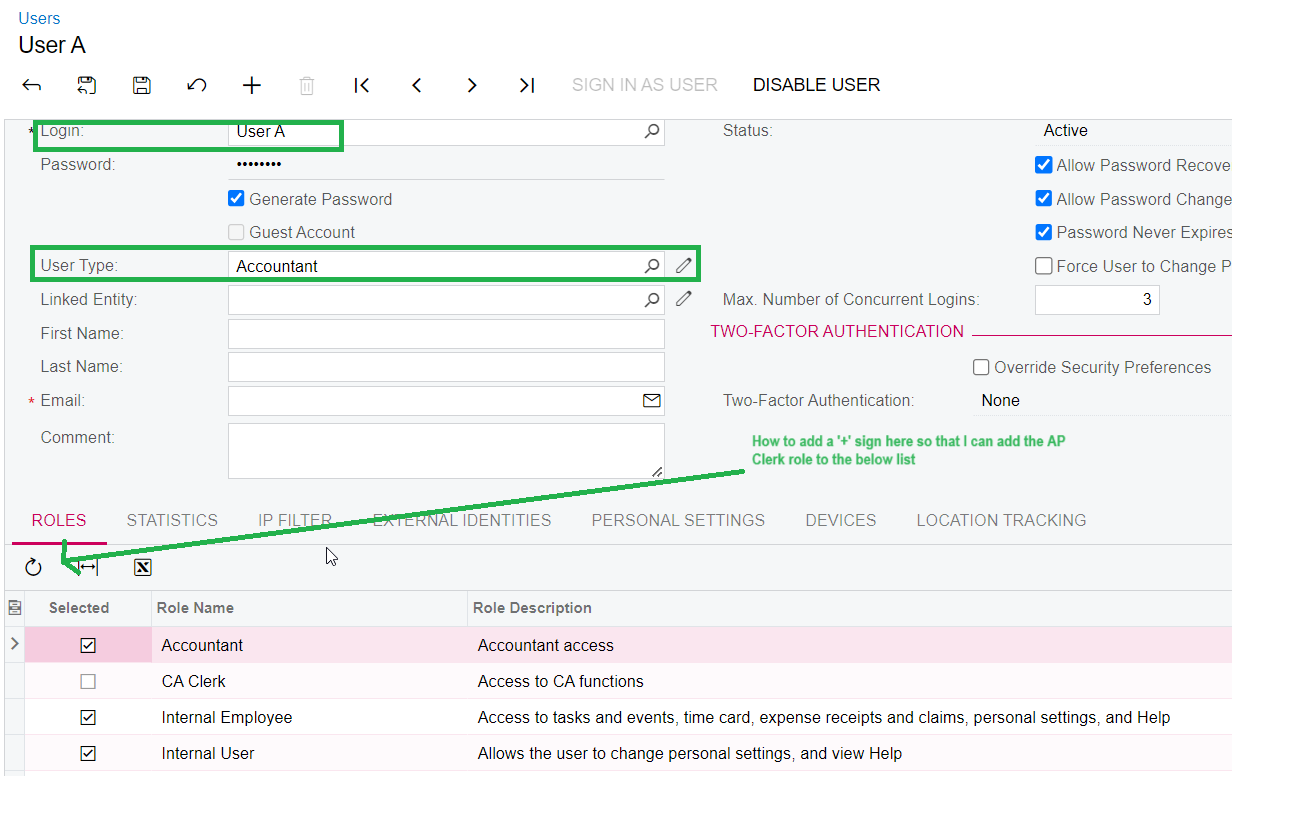
User A does not show AP Clerk role when the User Type is Accounting , however when the User Type is Purchasing , I can see AP Clerk available for User A. My question is with User Type as Accounting , how can I add the AP Clerk role when it is not even showing in the roles ?


Best answer by Laura03

Hello,

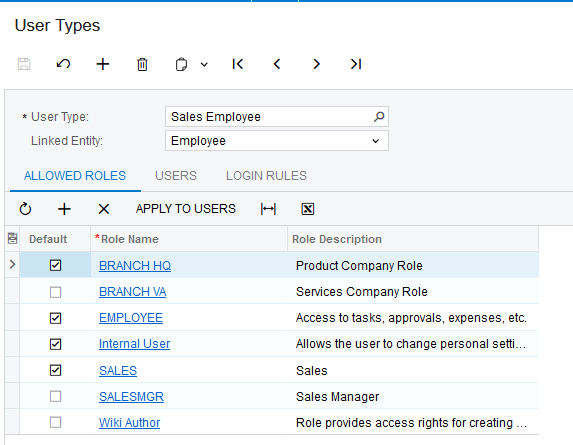
User Types are pre-defined groups of roles. If you want to hand-select roles, remove the User Type from the User record and all roles will appear on the Roles tab.

Another option is to add more Roles to the User Types in User Types Screen.

Laura

2 replies

Laura03
Captain II
Forum|alt.badge.img+19
  • Captain II
  • Answer
  • March 4, 2024

Hello,

User Types are pre-defined groups of roles. If you want to hand-select roles, remove the User Type from the User record and all roles will appear on the Roles tab.

Another option is to add more Roles to the User Types in User Types Screen.

Laura


AndrewBGL
Pro I
Forum|alt.badge.img
  • Pro I
  • March 4, 2024

Yes just delete the user type (Accounting) and the full list of roles you created will show up. 


Also the User Roles and Access Rights by role are useful for checking the permissions.