Answer

Tax not getting recorded

  • May 6, 2023
  • 5 replies
  • 235 views

Forum|alt.badge.img+3

Hello Linkies,
I have been trying to record the taxes payable and claimable by created SO/AR Invoices & PO/AP Bills, but not able to show it up on the Prepare Tax Reports (TX501000) form nor on the Tax Summary/Details reports. Kindly let me know what I am missing here.
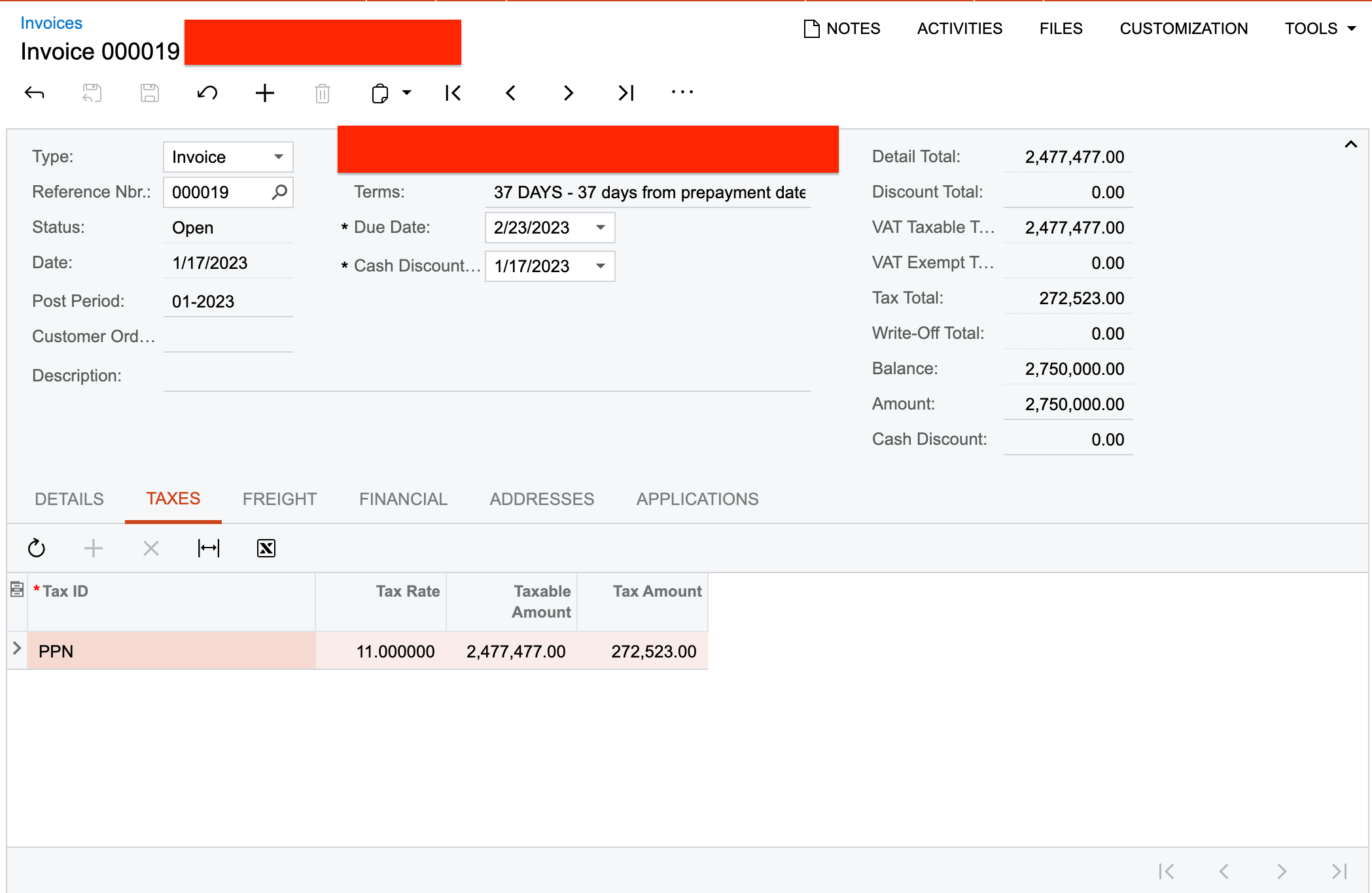
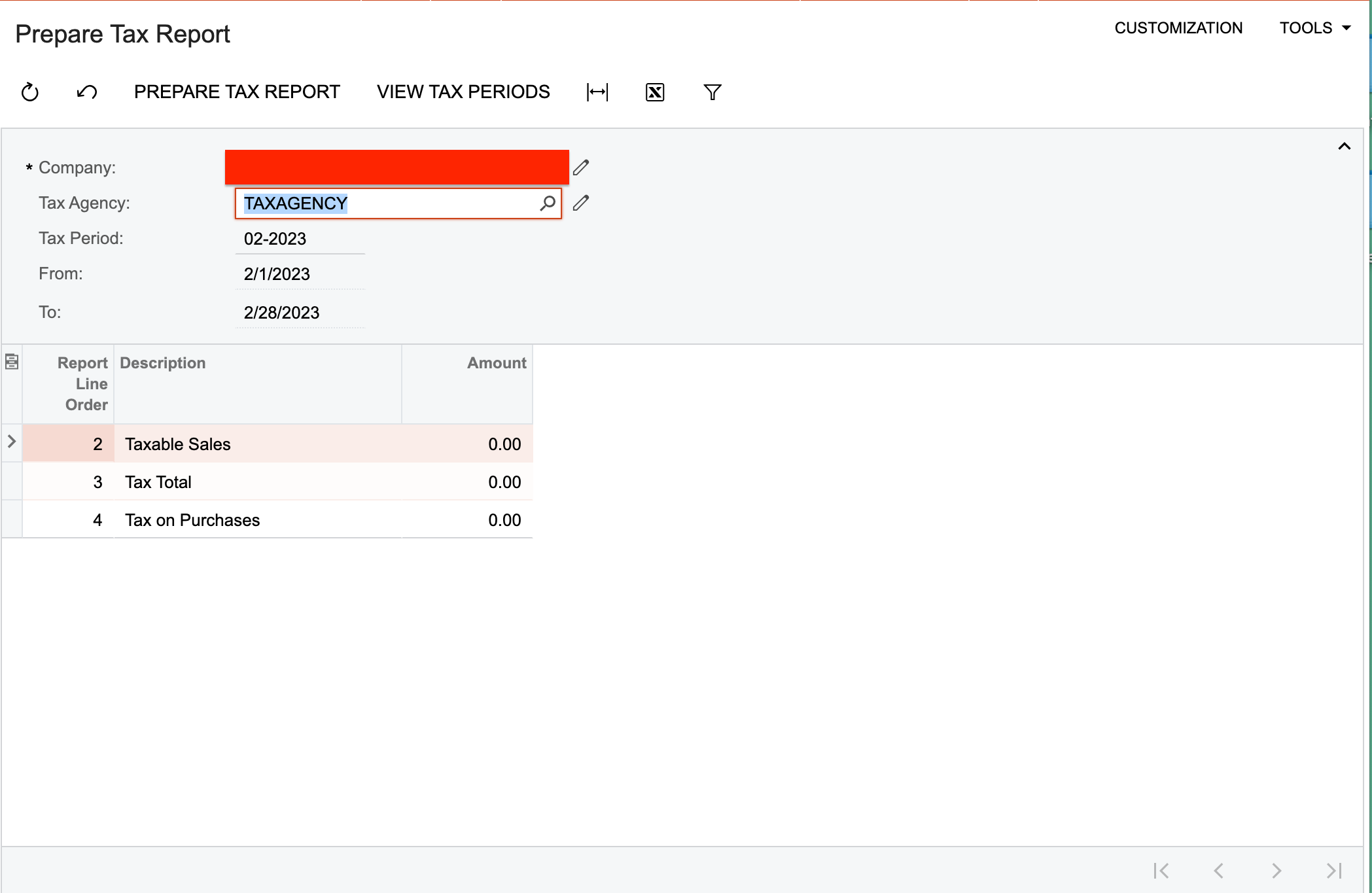


The Tax Periods are also open.

Thanks in advance.

Best answer by Laura03

Hello @Harshita ,

Below are a few configurations you can check; these are prerequisite setting necessary for preparing tax reports.

Have tax reports been configured in Taxes — Preferences — Reporting Settings/Reporting Groups screens?

In Taxes screen, Tax Schedule tab, is the Reporting Group populated with a valid Reporting Group? 
 

Are the tax agency Vendors identified as Tax Agencies on the General tab of Vendors screen, Vendor Properties area? Is the Tax Agency tab of Vendor Profile , Tax Report Settings area completed correctly?

5 replies

Laura03
Captain II
Forum|alt.badge.img+19
  • Captain II
  • Answer
  • May 6, 2023

Hello @Harshita ,

Below are a few configurations you can check; these are prerequisite setting necessary for preparing tax reports.

Have tax reports been configured in Taxes — Preferences — Reporting Settings/Reporting Groups screens?

In Taxes screen, Tax Schedule tab, is the Reporting Group populated with a valid Reporting Group? 
 

Are the tax agency Vendors identified as Tax Agencies on the General tab of Vendors screen, Vendor Properties area? Is the Tax Agency tab of Vendor Profile , Tax Report Settings area completed correctly?


Forum|alt.badge.img+3
  • Author
  • Captain II
  • May 7, 2023

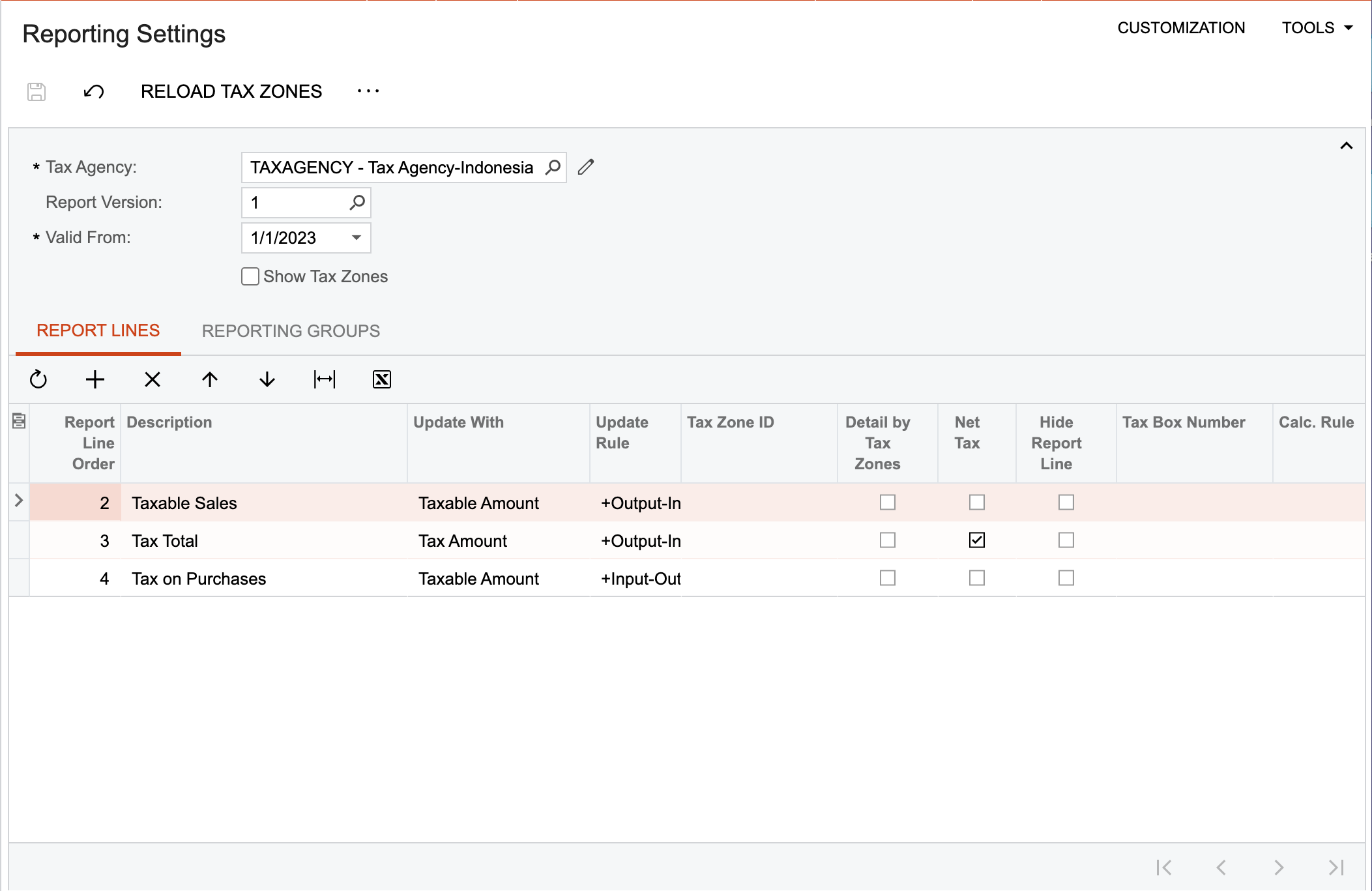
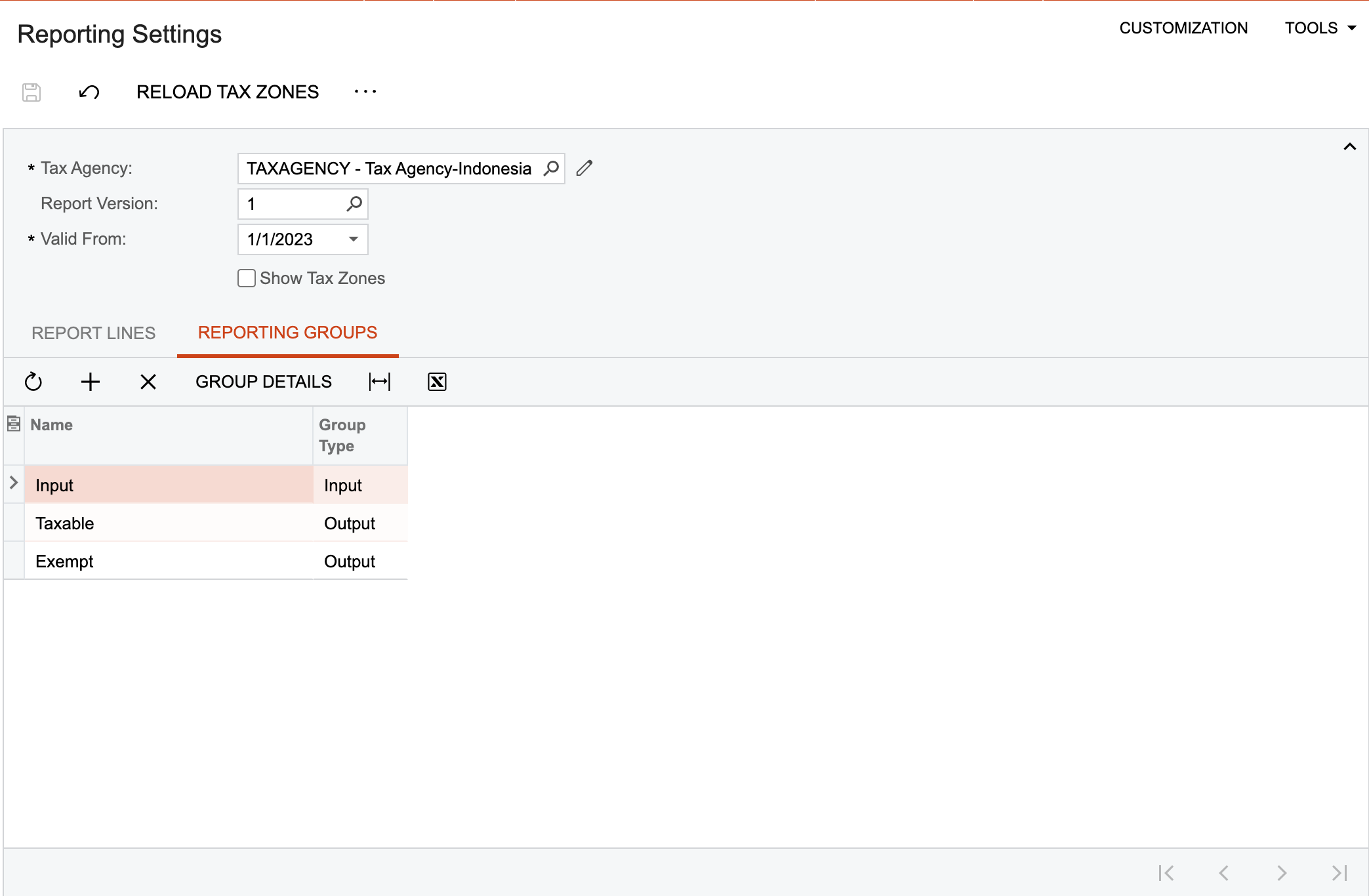
Hello @Laura02 , as per your suggestion I have configured the Reporting settings & groups as follows:


Similarly, I have defined the Tax Payable/Claimable accounts under the Tax Agency Tab -> Vendors screen.

Still not able to show up the details on the Tax Reports.


Forum|alt.badge.img+3
  • Author
  • Captain II
  • May 7, 2023

Hello @Laura02 , just an update, I tried to reconfigure the reporting settings/groups for the taxes and it came out that they were not configured to be displayed up on the tax reports.

Thank you for your guidance.


jo70
Freshman II
Forum|alt.badge.img
  • Freshman II
  • May 14, 2024

I am having the same issue with tax report, after 1 month of transactions from a recent Go Live…

Can you please let me know what you did to fix this?


  • Freshman I
  • June 20, 2024

If cash basis, will need to run Recognize Input GST (ScreenId=TX503500) and Recognize Output GST (ScreenId=TX503000) processes first before running the Prepare Tax Report process.