Answer

Long text cut then export to PDF from custom report

  • February 24, 2021
  • 3 replies
  • 469 views

Forum|alt.badge.img

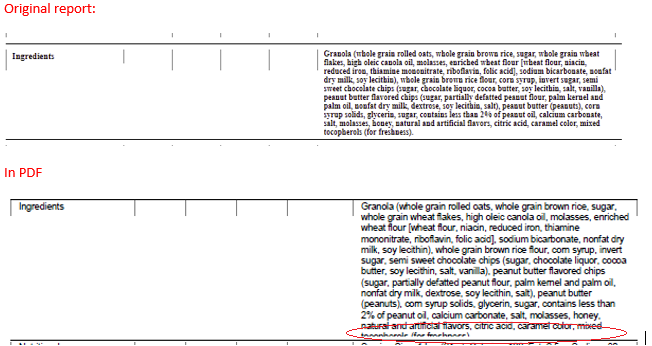
Have custom report created in Report designer. Long comment field on the report ic cut when exported to PDF. Tried to add some spacing between sections - no change. WratText=True, CanGrow=True for the field.
 

Best answer by Irina

 Hello @nadiyahnatyuk58,

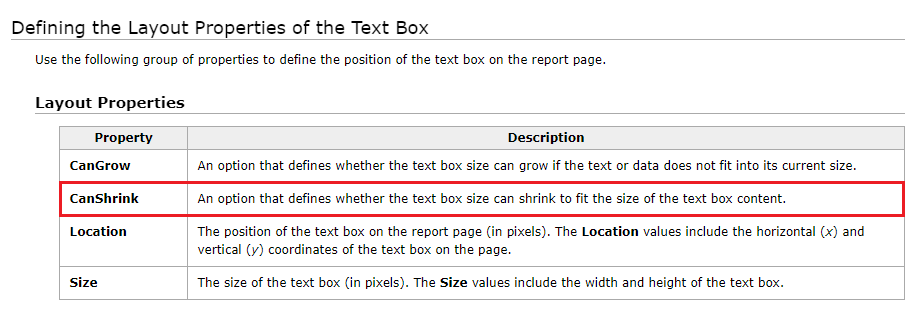
Please try the CanShrink option as well. For more info, refer to the Adding a Text Box to the Report Section help article.
 

3 replies

Irina
Community Manager
Forum|alt.badge.img+8
  • Acumatica Platform Analyst
  • Answer
  • March 1, 2021

 Hello @nadiyahnatyuk58,

Please try the CanShrink option as well. For more info, refer to the Adding a Text Box to the Report Section help article.


Forum|alt.badge.img

Thanks Irina for the great idea!

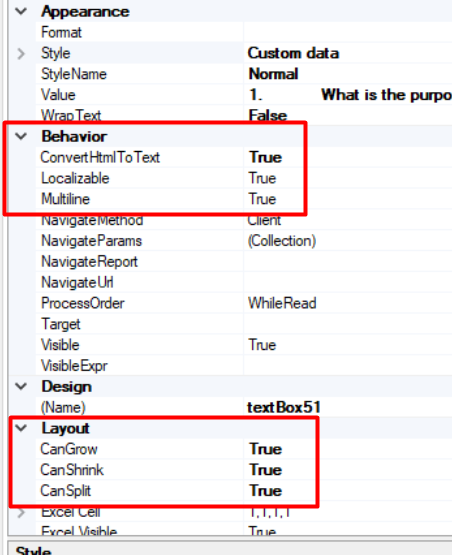
Next set of the field properties fixed the problem:

CanGrow=true,

CanShrink=true,

CanSplit=true.

WIth CanSplit=false comment in .pdf was still cut.


Forum|alt.badge.img
  • Varsity I
  • March 26, 2022

Hi Guys,

Hope you are doing well..!

I’m also facing same issue, I’ve added a annexure (Terms & Condition) page on AR Invoice “AR641000” format. but when I view report in PDF viewer or export to PDF then some content will cut off and content is fully printing on normal view.

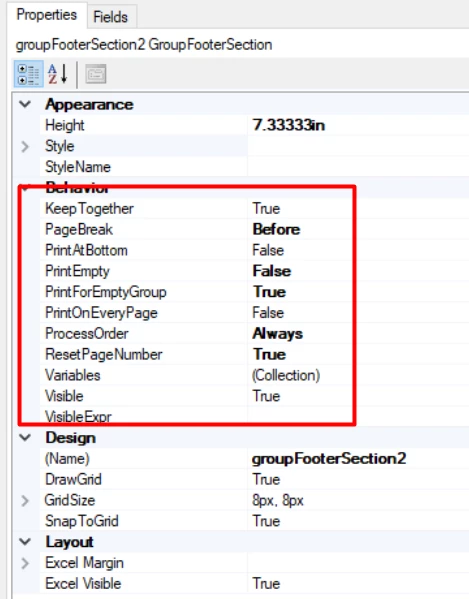
here is the condition and setting I've set on the group footer section part. Since Terms & Condition content is very long. so it should go to 2nd page. 

how we can solve this ?


Groupfooter section setting