Solved

How to get Vendor Attribute details to the Purchase Order Report(PO641000)?

  • January 29, 2024
  • 3 replies
  • 130 views

Forum|alt.badge.img+1

I want to get the Vendor’s Bank Name, Bank Address, Account No, and SWIFT Code for the the Purchase Order report as shown in the below screenshot.

Intended Output for the report

I know these attributes are in the CSAnswers DAC. But it is somewhat confusing. I need to add these bank details as shown in the below screenshot.
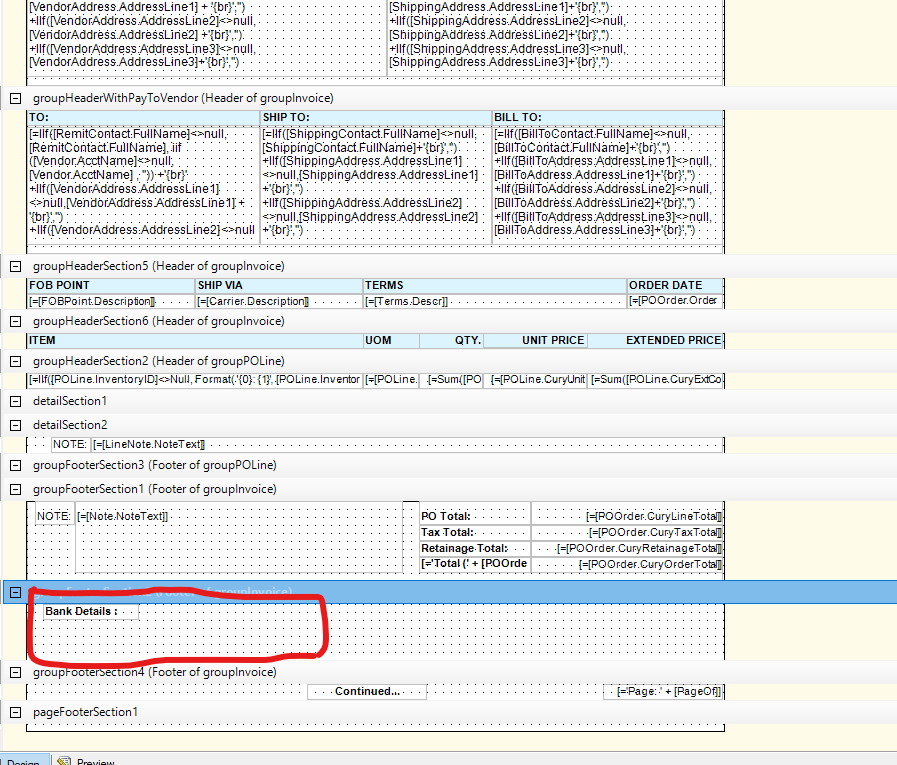
Can I know how to accomplish this as in above?

Best answer by miguel80

Hi!


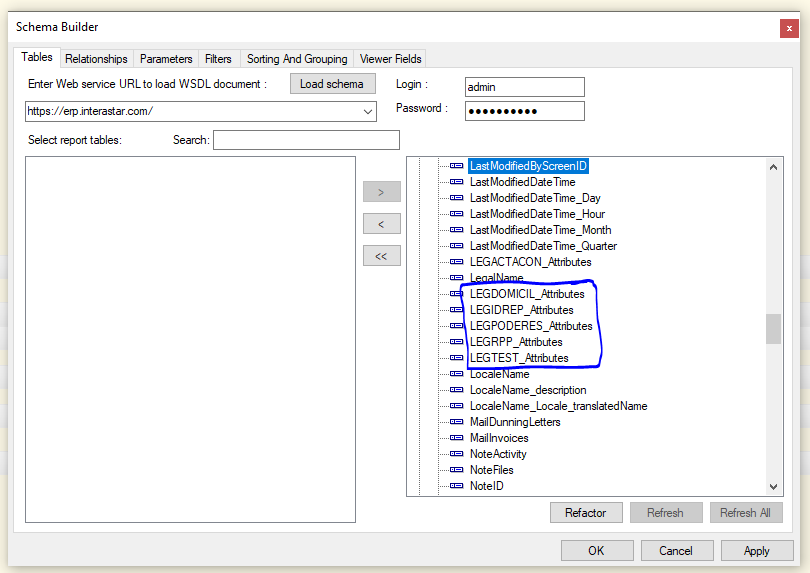
I don’t think you need to neccesariy join the CSAnswers table. The attributes generally appear in the table you added them. For example: here’s an image of the Customer table:


You can find them there.

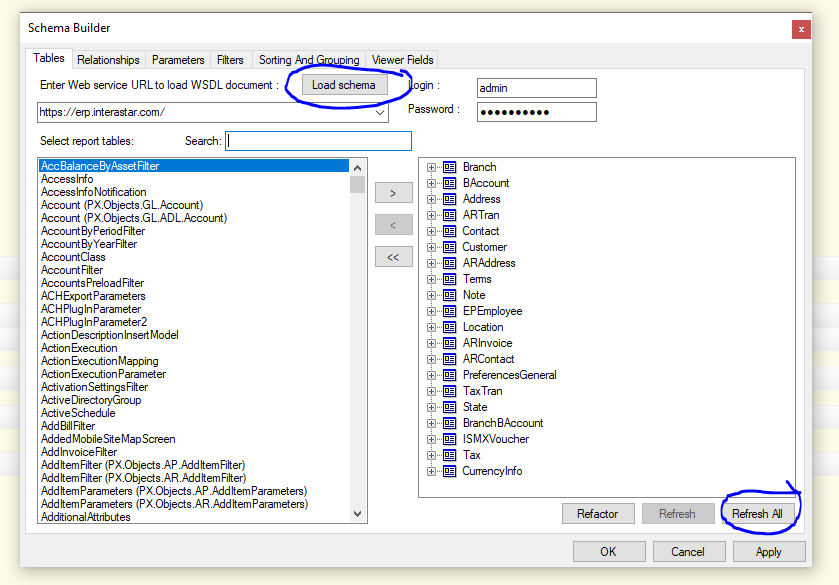
Don’t forget to refresh the fields in the report. It’s possible that you don’t see them because you haven’t refreshed them. First reload the schema and the click “refresh all”:

I hope this works.

3 replies

Forum|alt.badge.img+1

Thank you so much @Laura02  and @miguel80 for your valuable responses. For my scenario miguel80’s answer fits well. Thanks.


laurabarber45
Captain II
Forum|alt.badge.img+19
  • Captain II
  • 3135 replies
  • January 29, 2024

Hello, Please see the below link that shows how to add Vendor Payment details to a report.


Laura


miguel80
Semi-Pro III
Forum|alt.badge.img+3
  • Semi-Pro III
  • 83 replies
  • Answer
  • January 29, 2024

Hi!


I don’t think you need to neccesariy join the CSAnswers table. The attributes generally appear in the table you added them. For example: here’s an image of the Customer table:


You can find them there.

Don’t forget to refresh the fields in the report. It’s possible that you don’t see them because you haven’t refreshed them. First reload the schema and the click “refresh all”:

I hope this works.