Answer

Get Total Based on Custom Field

  • November 10, 2021
  • 3 replies
  • 227 views

Forum|alt.badge.img+2

I have a report requirement where I need to calculate totals based on the field HSCODE, if detail lines have the same HSCODE then their total is calculated in the footer, considering those lines together. Please let me know a solution to cater this requirement.

Best answer by Vinay Koppula

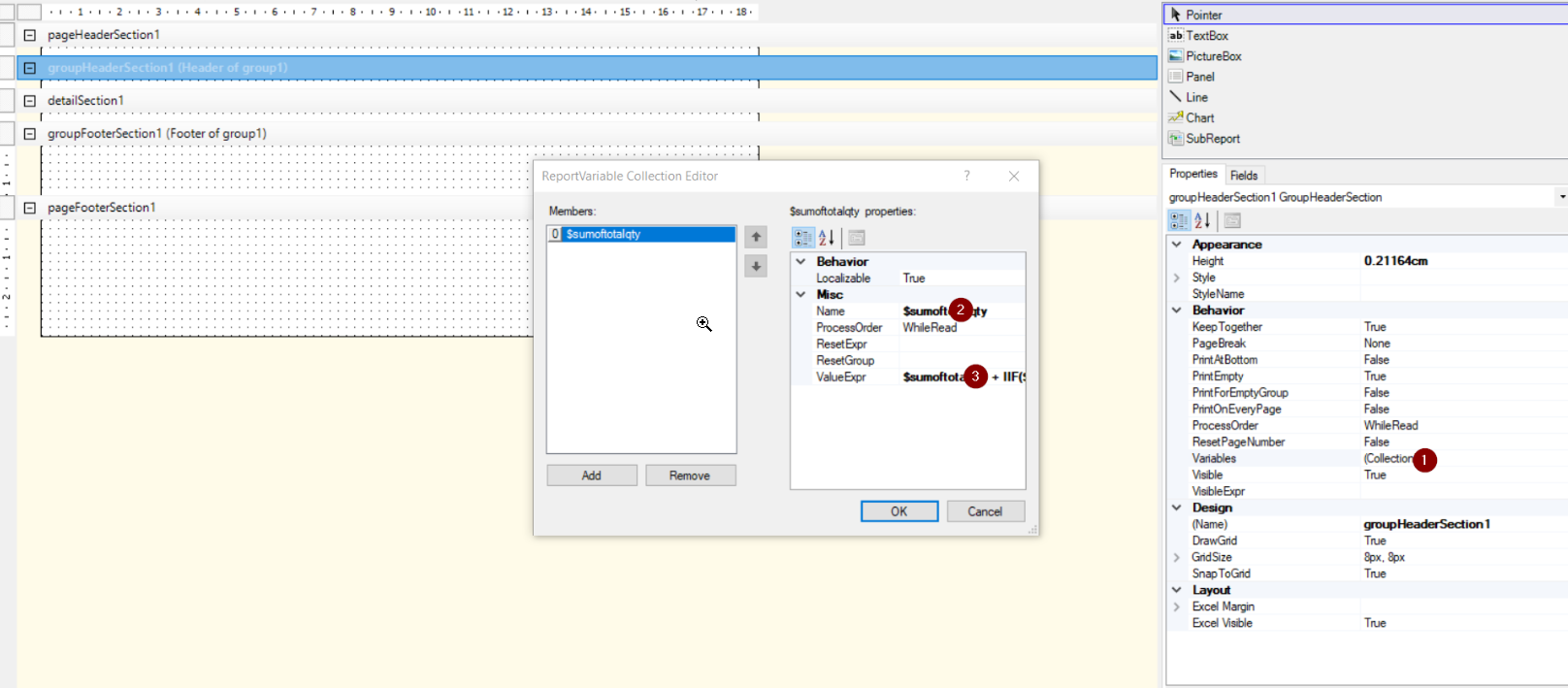
@TharidhiP you can do something like create a variable in that particular grouby section below is the example of it

$sumoftotalqty + IIF($inventoryid=True,qty,0)

and place a text box at the footer and just provide the value as $sumoftotalqty

3 replies

Naveen Boga
Captain II
Forum|alt.badge.img+19
  • Captain II
  • November 10, 2021

Hi @TharidhiP  If I understood correctly that you wanted get sum value from detail lines (HSCode) and populate that in header field. 

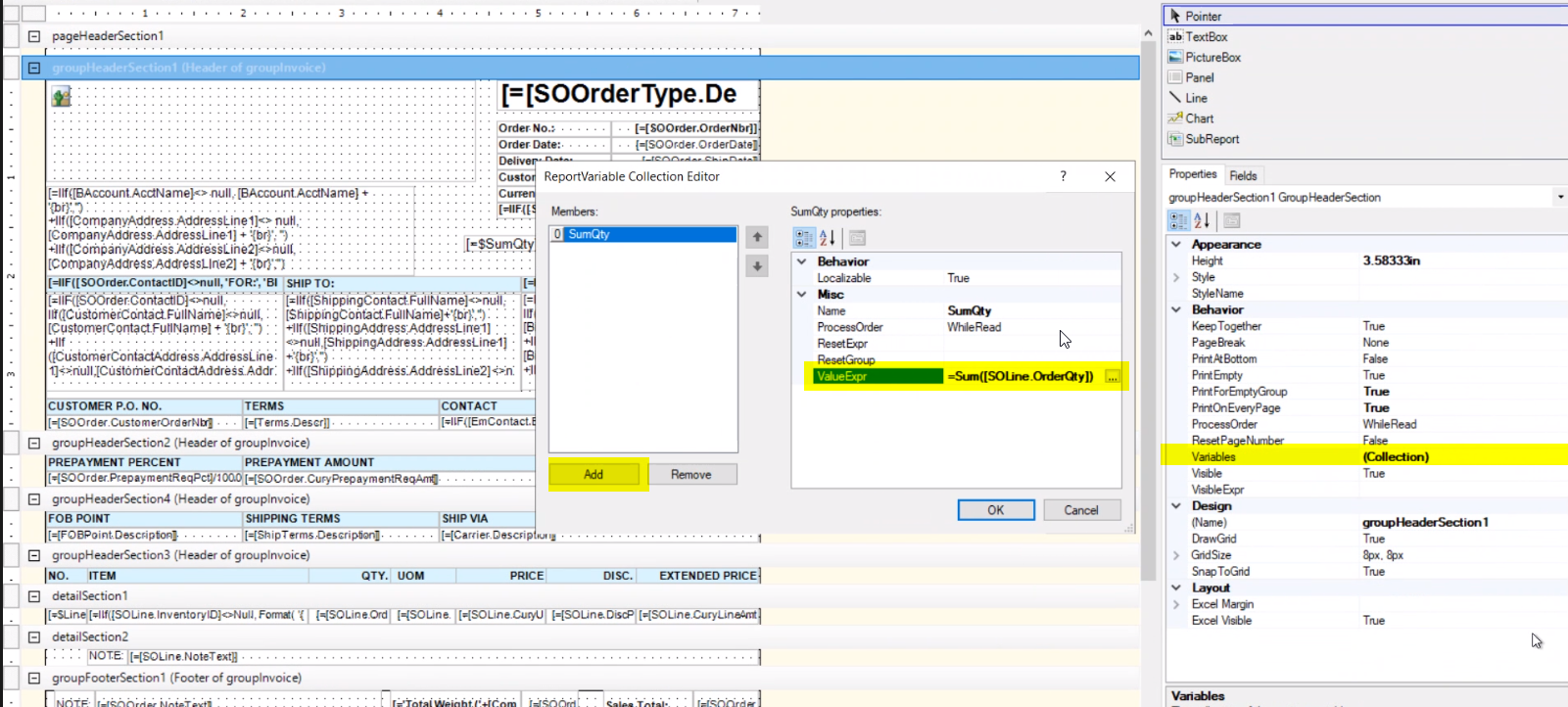
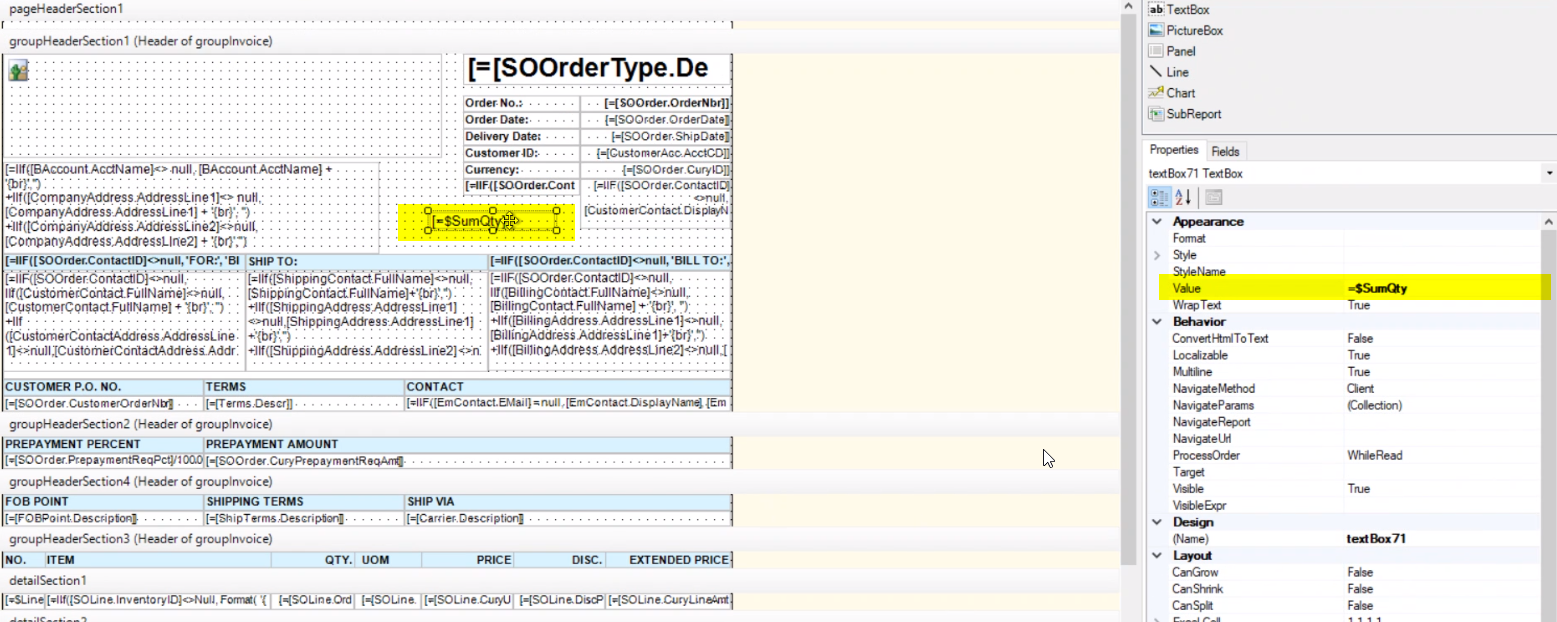
If yes, then you need to create a variable in the header section and assign value expression as “Sum(DAC.FieldName)” and then assign this variable to the Header Field.


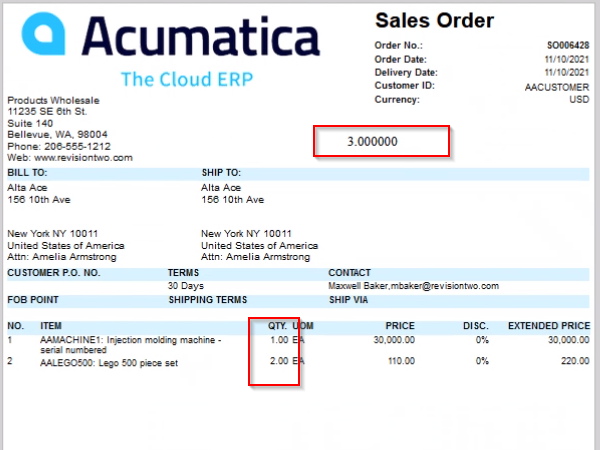
Here is sample example for your reference. I have customized Sales Order report that getting sum value of QTY at line level and assigning it to new Header field by using variable. Please find the screenshots for reference.


Forum|alt.badge.img+2
  • Author
  • Pro III
  • November 11, 2021

Hi @Naveen B, this solution takes into regard any QTY summation, but the requirement is to get the total if the line levels have the same HSCODE to cumulate their total, if not ignore.


Vinay Koppula
Semi-Pro II
Forum|alt.badge.img+1
  • Semi-Pro II
  • Answer
  • November 11, 2021

@TharidhiP you can do something like create a variable in that particular grouby section below is the example of it

$sumoftotalqty + IIF($inventoryid=True,qty,0)

and place a text box at the footer and just provide the value as $sumoftotalqty