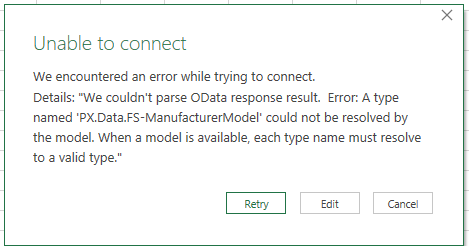
For some reason when I expose the FS-ManufacturerModel GI to OData I cannot connect to it in excel. This is the error I get:
I was able to connect to the FS-Manufacturer GI without any issues. We haven’t modified that GI so I’m not sure what could be causing the problem.
Best answer by Yuri Karpenko
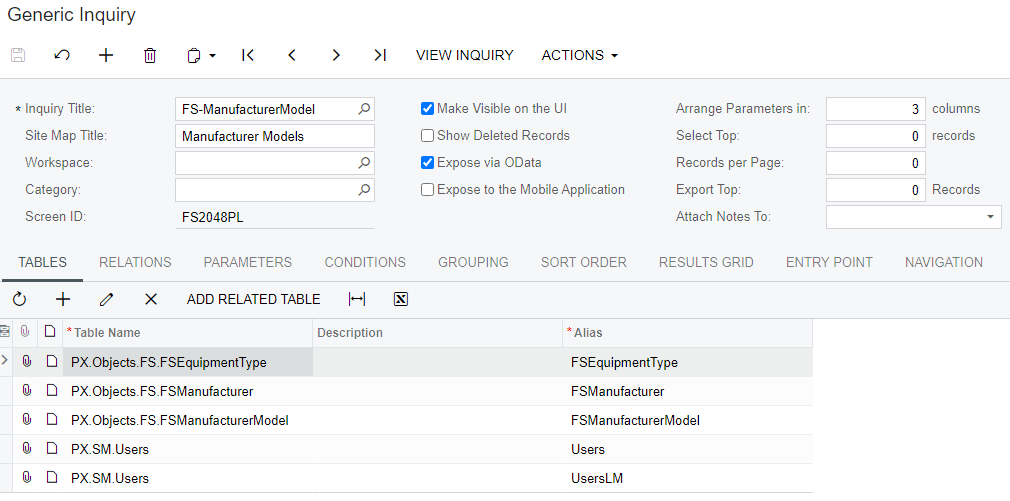
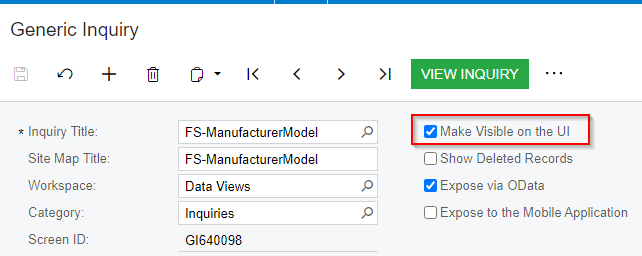
Weird. I just tried with 21.207. Had the same issue at the beginning (FS2048PL was not available in the UI, even though I added the GI to the site map). So if I have a set up like this:
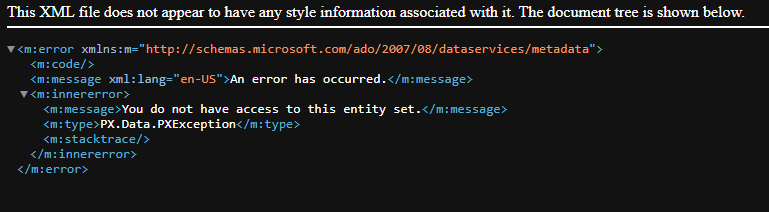
When I click VIEW INQUIRY, the screen ID is 0000000. And if I try to access this GI through OData, I get:
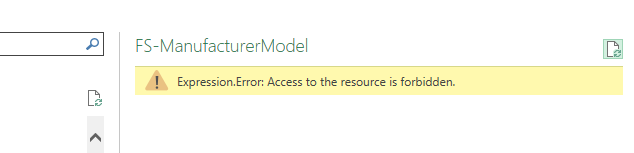
If I try to pull it down into Excel using OData, I’m getting:
Loading data results in the same error.
Then I uncheck ‘Make Visible on the UI’, save, check it again, save. And now everything works.
Seems like you have a different issue, since I never hit that error.
@vpoulson , hello. When you click View Inquiry in Acumatica UI, what is the screen ID? If it’s like this:
, try changing the screen ID to something else.
The easiest way to do it, is to uncheck this box, save the record, and then check it again, and save the GI:
Let me know if this doesn’t solve the problem.
P.S. As a troubleshooting step, do you have access to the GI’s OData feed in the browser? It would be something like https://[instance_url]/odata/FS-ManufacturerModel (replace instance_url with your path).
Thanks for your reply. The screen id is ScreenId=FS2048PL and I was able to access the GI’s OData feed in the browser. I’ve created a custom GI that only uses the FSManufactureModel DAC and i get the same error. I have ScreenId=GI640118 and i’m also able to access that one in the browser. I think I’ll see if I can connect in Power BI to them. I wonder if it’s something with the FSManufactureModel DAC?
@vpoulson , when you add table to the GI, is it PX.Objects.FS.FSManufacturerModel or PX.Data.FS-ManufacturerModel? For me, it’s the former. Also, which Acumatica version / build are you doing this in?
Weird. I just tried with 21.207. Had the same issue at the beginning (FS2048PL was not available in the UI, even though I added the GI to the site map). So if I have a set up like this:
When I click VIEW INQUIRY, the screen ID is 0000000. And if I try to access this GI through OData, I get:
If I try to pull it down into Excel using OData, I’m getting:
Loading data results in the same error.
Then I uncheck ‘Make Visible on the UI’, save, check it again, save. And now everything works.
Seems like you have a different issue, since I never hit that error.
Interesting that it works using the OData URL in the browser, but it doesn’t work in Excel. I’m curious, does it work in Excel if you add $format=json to the end of the URL as discussed in this post?