Question

How to Update the Pay By Line (AP or AR) using a Business Event.

  • January 2, 2024
  • 6 replies
  • 172 views

Michaelh
Pro I
Forum|alt.badge.img+2

I have an inquiry that shows all Bills who need to have the Pay by Line box checked (next I am doing Invoices and Memos). I have a business event that triggers off an import scenario every time a new qualifying record is created.


Below is my import, it shows that it runs successfully in the event history, but the PAY BY LINE box is never checked like I need. Anyone know what I may be missing???
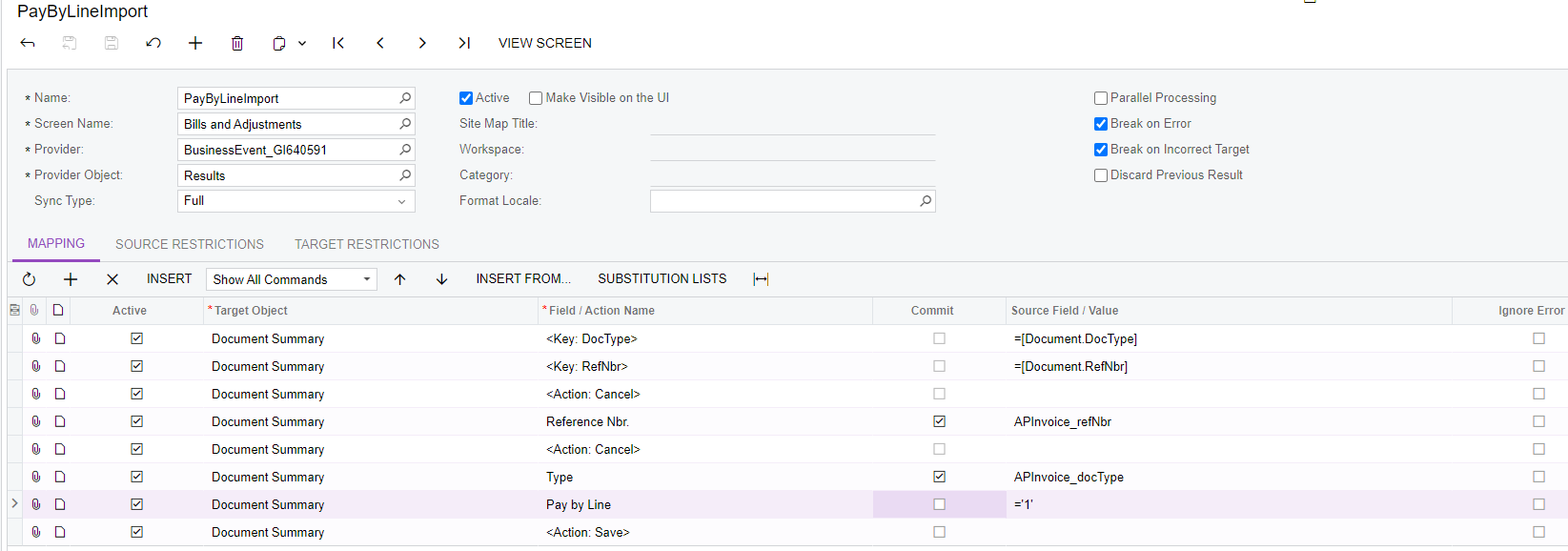


I have tried setting the checkbox value to:

=’1’

=1

=’True’

=True


Nothing seems to stick. The history says it accessed the proper document, but nothing is ever changed. Thanks for the help!

6 replies

Laura03
Captain II
Forum|alt.badge.img+19
  • Captain II
  • January 2, 2024

Hello,

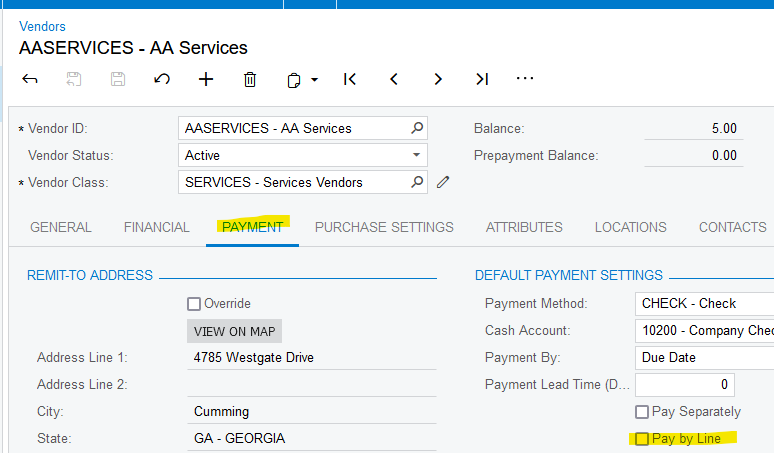
Is Pay by Line selected ON in the Default Payment Settings section of Payment tab on the Vendor profiles on the bills that are being imported?

Laura


Michaelh
Pro I
Forum|alt.badge.img+2
  • Author
  • Pro I
  • January 2, 2024

Yes it is, I can MANUALLY select the PAY BY LINE button and save without issue or pop-up windows. 


Laura03
Captain II
Forum|alt.badge.img+19
  • Captain II
  • January 2, 2024

If the vendor is checked ON for Pay by Line, all their AP Bills should default themselves to Pay by Line being checked ON.  I’m thinking you shouldn’t have to import the field at all.

When you manually add a bill for the same vendor, is Pay by Line defaulting ON? If not, do you have any customizations?  If you have customizations, do you see the same default Pay by Line behavior with customizations temporarily unpublished?

What is your version of Acumatica?

Edited to add one more thought - Are you trying to update bills that are already Open status?

Laura


Michaelh
Pro I
Forum|alt.badge.img+2
  • Author
  • Pro I
  • January 2, 2024

Acumatica 2023 R1
Build 23.113.0042

These are coming from Bills who were checked (but an employee unchecked the box on the form) and also from Submitted Expense Reports, where the employee is checked for PAY BY LINE, but the expense claims come across as unchecked. In either case, my inquiry shows them when they get made, then I’m HOPING to get an import to check the PAY BY LINE box.


Chris Hackett
Community Manager
Forum|alt.badge.img
  • Acumatica Community Manager
  • February 21, 2024

Hi @Michael Hansen were you able to find a solution? Thank you!


  • Freshman I
  • October 10, 2024

If the vendor is checked ON for Pay by Line, all their AP Bills should default themselves to Pay by Line being checked ON.  I’m thinking you shouldn’t have to import the field at all.

When you manually add a bill for the same vendor, is Pay by Line defaulting ON? If not, do you have any customizations?  If you have customizations, do you see the same default Pay by Line behavior with customizations temporarily unpublished?

What is your version of Acumatica?

Edited to add one more thought - Are you trying to update bills that are already Open status?

Laura


If the Bills are Open Status does it mean that you can’t change it?