Answer

Setting Business Date in automation schedules

  • July 24, 2024
  • 4 replies
  • 117 views

Is it possible to set the business date in an automation schedule? Invoices are prepared using the process at month end because consolidation of sales orders is necessary. The volumes are high and when users run the process it may fail when it gets over 1 hour, resulting in no consolidation. So running the prepare in an automation should take care care of this. However invoicing does not start until day1 of the new period. Users set their business date back to ensure correct invoice date/period, hence the request. 

Best answer by MichaelShirk

Since it’s locked down by the system, I would suggest creating a support case to see if there is a recommended method to accomplish this. I don’t think it’s a bug, but I don’t know why they would lock it down. It seems like your requirement would be a common business case…. 

4 replies

MichaelShirk
Captain II
Forum|alt.badge.img+5

@sangland2 Hey!
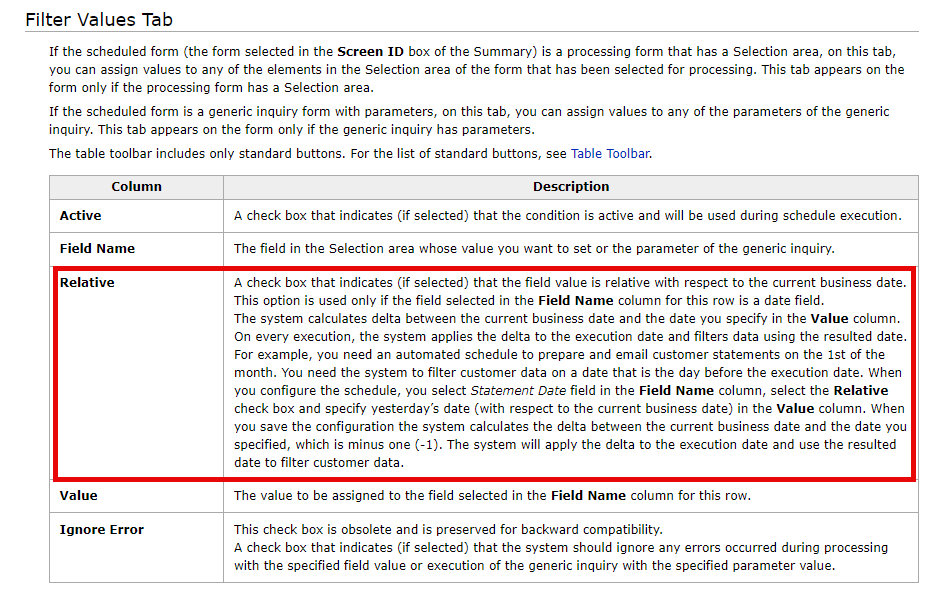
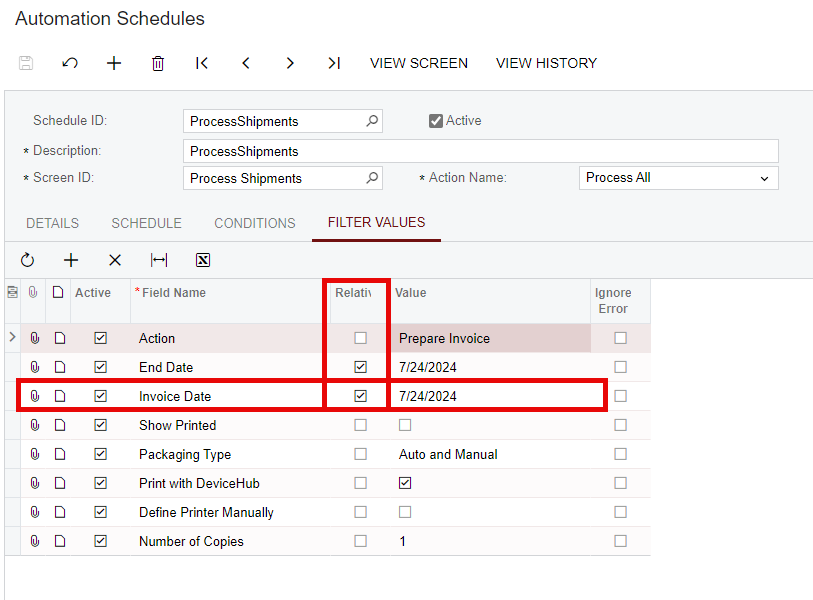
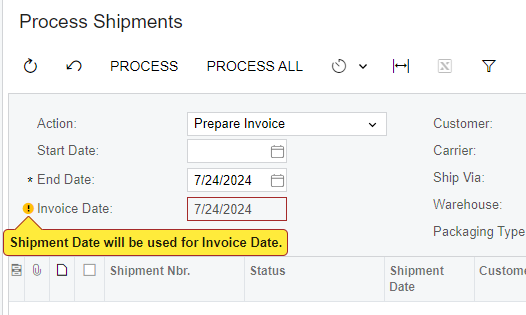
I’m pretty sure the “Relative” CheckBox is intended for this sort of situation, but I wasn’t able to quickly figure out how to set it, since the invoice date seems to be locked to the shipment date.

Maybe this is the situation you ran into and why you asked the question?


sangland
Varsity I
Forum|alt.badge.img
  • Varsity I
  • July 24, 2024

Yes, no way to control the invoice date except with the business date as far as I can find. Coming from IN sales order type so skips shipments.


MichaelShirk
Captain II
Forum|alt.badge.img+5
  • Captain II
  • Answer
  • July 24, 2024

Since it’s locked down by the system, I would suggest creating a support case to see if there is a recommended method to accomplish this. I don’t think it’s a bug, but I don’t know why they would lock it down. It seems like your requirement would be a common business case…. 


Chris Hackett
Community Manager
Forum|alt.badge.img
  • Acumatica Community Manager
  • August 20, 2024

Hi @sangland were you able to find a solution? Thank you!