

Solved

Updating Attributes for a StockItem (REST)

  • December 1, 2023
  • 3 replies
  • 217 views

Forum|alt.badge.img+2

For some reason, I am required to pass the AttributeID when updating the value for a StockItem attribute. I’m using this URL:

https://site.com/entity/Default/22.200.001/StockItem


For example, when I want to update “Color”, I have to pass this in the JSON body

    "Attributes": [

        {

            "AttributeID": {

                "value": "A372"

            },

            "Value": {

                "value": "Black"

            }

        }

    ],

Instead of finding all the IDs, I want to be able to just pass this:

    "Attributes": [

        {

            "Attribute": {

                "value": "Color"

            },

            "Value": {

                "value": "Black"

            }

        }

    ],

Does anyone know how to do this?
Best answer by jinin

Hi @bpgraves 

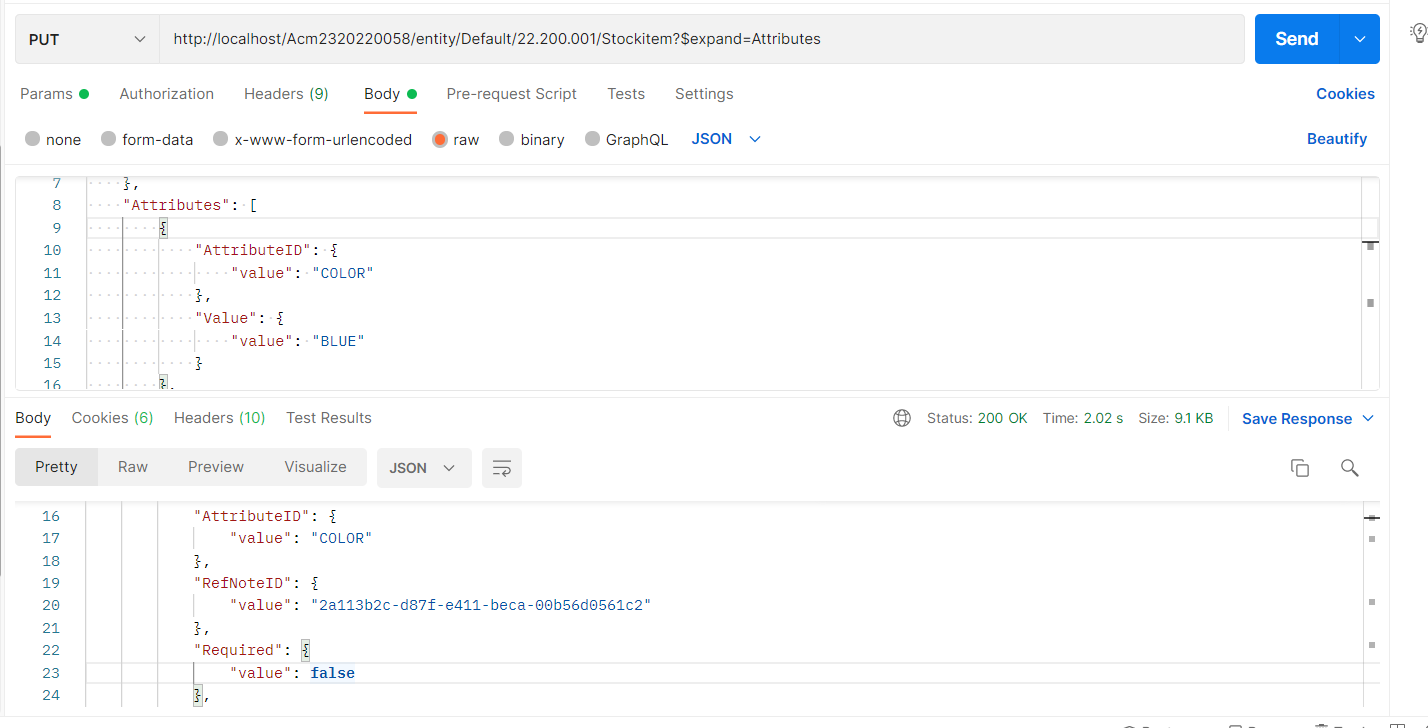
In the JSON request, you can pass the 'AttributeID' as 'Color'; there is no need to include any 'Ids'


Sample JSON:
{

    "InventoryID": {

        "value": "AACOMPUT01"

    },

    "Description": {

        "value": "Acer Laptop Computer"

    },

    "Attributes": [

        {

            "AttributeID": {

                "value": "COLOR"

            },

            "Value": {

                "value": "BLUE"

            }

        },

        {

            "AttributeID": {

                "value": "WIDEANGLE"

            },

            "Value": {

                "value": "WIDE2"

            }

        }

    ]

}

3 replies

Forum|alt.badge.img+7
  • Captain II
  • December 1, 2023

Does this discussion help?


jinin
Pro I
Forum|alt.badge.img+11
  • Pro I
  • Answer
  • December 1, 2023

Hi @bpgraves 

In the JSON request, you can pass the 'AttributeID' as 'Color'; there is no need to include any 'Ids'


Sample JSON:
{

    "InventoryID": {

        "value": "AACOMPUT01"

    },

    "Description": {

        "value": "Acer Laptop Computer"

    },

    "Attributes": [

        {

            "AttributeID": {

                "value": "COLOR"

            },

            "Value": {

                "value": "BLUE"

            }

        },

        {

            "AttributeID": {

                "value": "WIDEANGLE"

            },

            "Value": {

                "value": "WIDE2"

            }

        }

    ]

}


Forum|alt.badge.img+2
  • Author
  • Semi-Pro I
  • December 1, 2023

Does this discussion help?


Actually this discussion is what caused my problem since using Attribute (unlike AttributeID) didn’t change any data.  In fact, using Attribute (like that discussion recommends) has no effect whatsoever on the Stock Item.  I was able to finally get it working using “Color” for AttributeID.

