Solved

Issue Extending Web Service for Stock Item Inventory Related Items

  • December 8, 2023
  • 8 replies
  • 126 views

robgriffin00
Jr Varsity II
Forum|alt.badge.img

I am working with a dev team and they are connecting a website to Acumatica.  We are trying to get to the Related Items data on a Stock Items.

I created a new endpoint named RelatedItems.  I have created other endpoints this way and they have worked, but the dev team is reporting this one is not working.  What is different about this one?
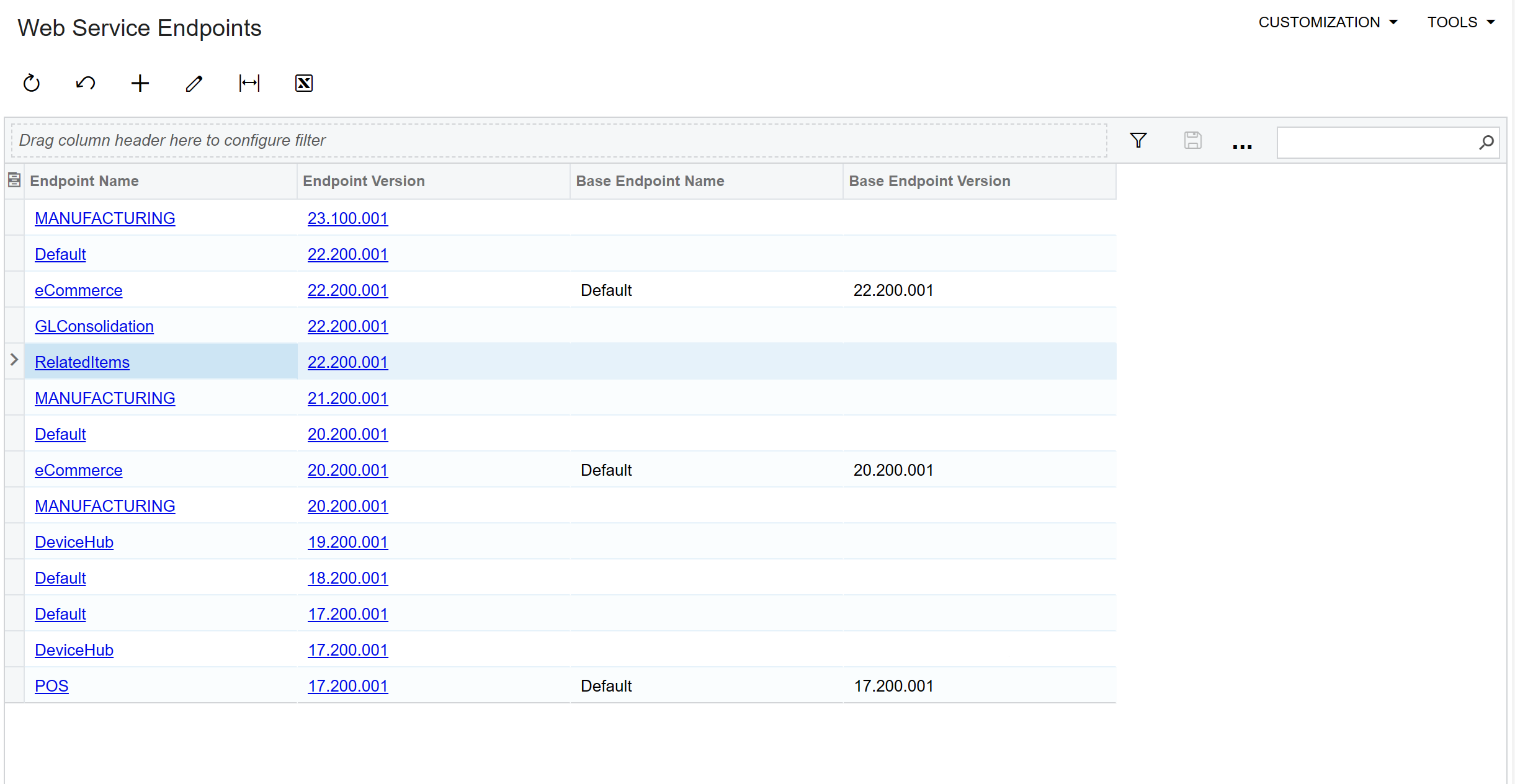
 

Testing this in Postman generates an error.  


I also had the dev team try the web service on the screen

I created a new endpoint named RelatedItems.  I have created other endpoints this way and they have worked, but the dev team is reporting this one is not working.  What is different about this one?
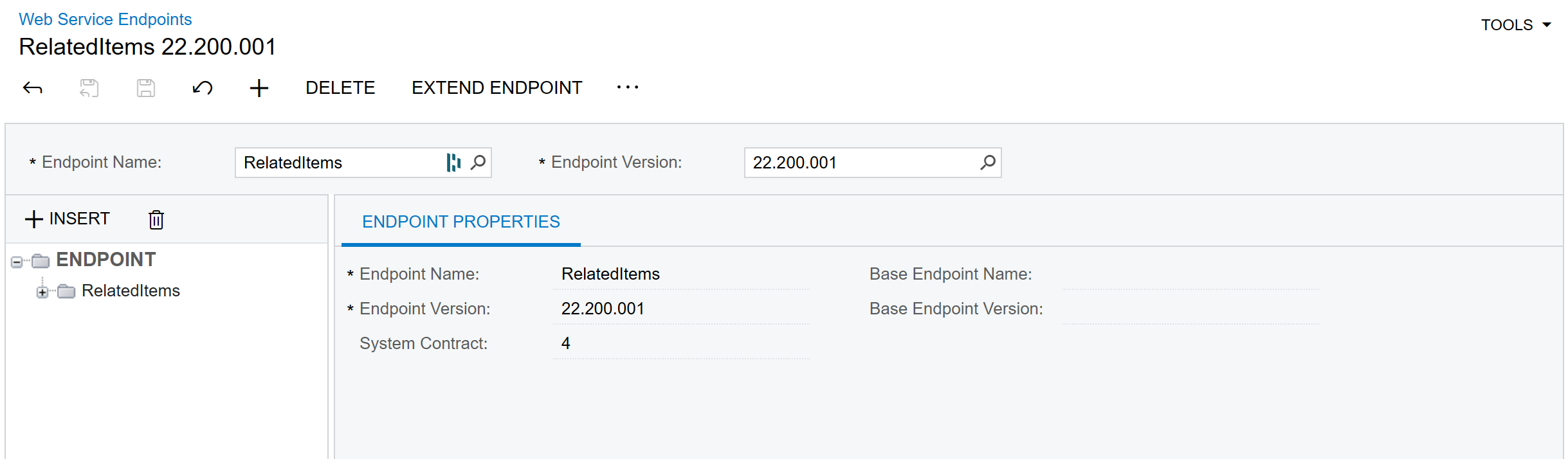
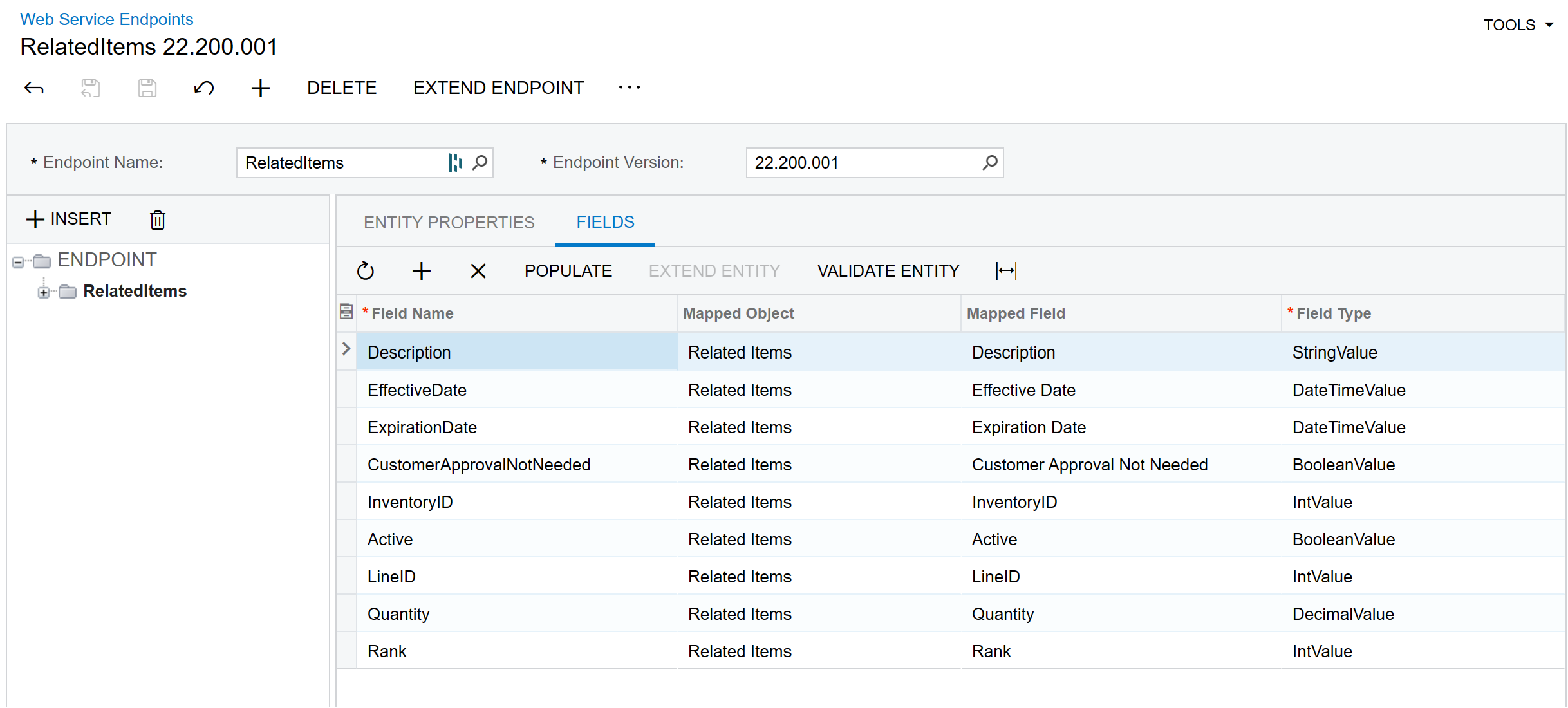
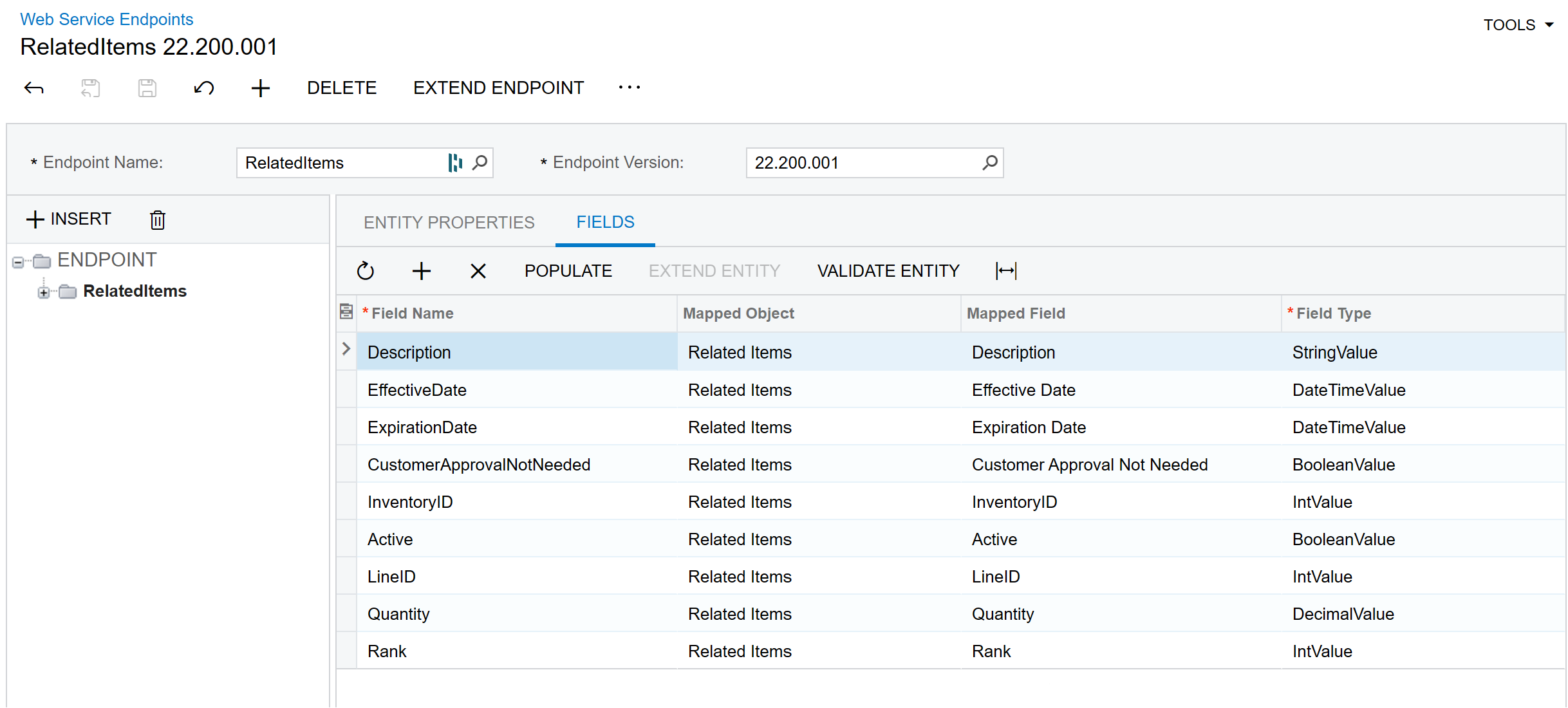
Web Service for RelatedItems


Fields that are available for RelatedItems


The web service attached to the Related Items screen also generates an error when called.
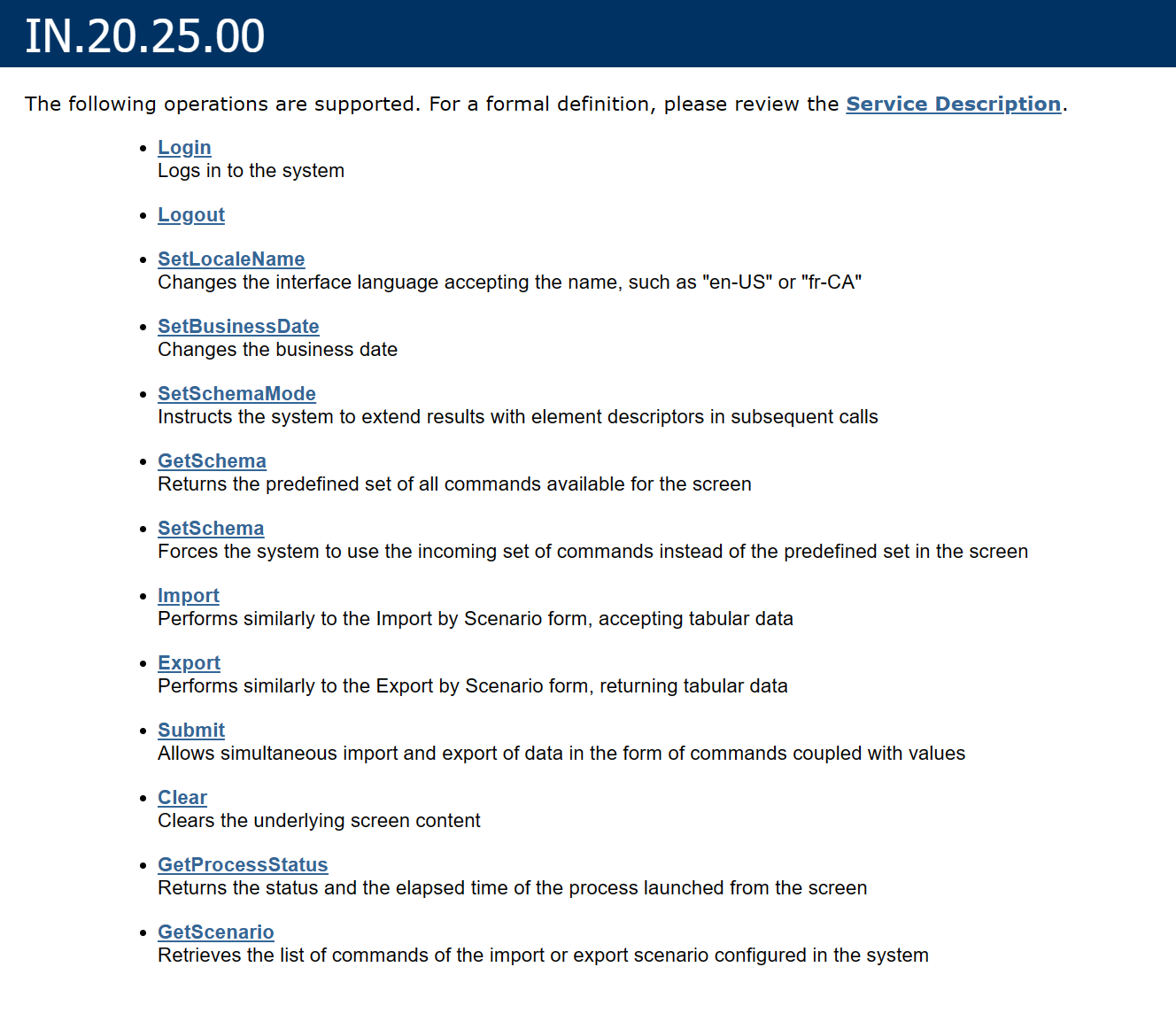
This is from the Web Services Link on the Acumatica Related Items screen


Best answer by Troy Vars

Keep in mind there is extending an Endpoint and extending an Entity. These are related actions. 


Typically I will extended the default endpoint to create a copy of Default that I will call Default Ext.

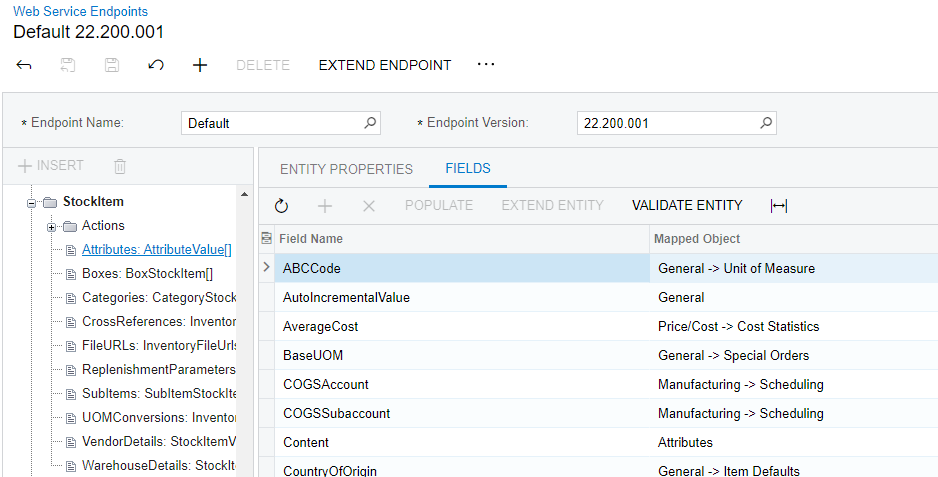
I would then extend the Stock Item Entity to include the related entity similar to what see for boxes and Replenishment parameters.

You then need to update your url for your put, get, post etc. to include the 

baseurl + ‘/entity/Default/22.200.001/Employee?’ is updated to

baseurl + ‘/entity/DefaultExt/22.200.003/Employee?’ 


8 replies

Troy Vars
Semi-Pro II
Forum|alt.badge.img+3
  • Semi-Pro II
  • Answer
  • December 8, 2023

Keep in mind there is extending an Endpoint and extending an Entity. These are related actions. 


Typically I will extended the default endpoint to create a copy of Default that I will call Default Ext.

I would then extend the Stock Item Entity to include the related entity similar to what see for boxes and Replenishment parameters.

You then need to update your url for your put, get, post etc. to include the 

baseurl + ‘/entity/Default/22.200.001/Employee?’ is updated to

baseurl + ‘/entity/DefaultExt/22.200.003/Employee?’ 


robgriffin00
Jr Varsity II
Forum|alt.badge.img
  • Author
  • Jr Varsity II
  • December 10, 2023

Resolved...thank you Troy, I was going the about this the wrong way.  I was able to extend as you suggested, and it is now working. Appreciate the guidance.


  • Freshman I
  • January 6, 2026

Resolved...thank you Troy, I was going the about this the wrong way.  I was able to extend as you suggested, and it is now working. Appreciate the guidance.


I followed you example but get the folloing error in postman. it seems like it cannot match the lookop keys for the $expand. 


any ideas?

"exceptionType": "System.Collections.Generic.KeyNotFoundException",

"stackTrace": " at System.ThrowHelper.ThrowKeyNotFoundException()\r\n at System.Collections.Generic.Dictionary`2.get_Item(TKey key)\r\n at Microsoft.Data.OData.Query.SyntacticAst.ExpandBinder.GenerateExpandItem(ExpandTermToken tokenIn)\r\n at System.Linq.Enumerable.WhereSelectEnumerableIterator`2.MoveNext()\r\n at System.Linq.Enumerable.WhereEnumerableIterator`1.MoveNext()\r\n at System.Collections.Generic.List`1..ctor(IEnumerable`1 collection)\r\n at System.Linq.Enumerable.ToList[TSource](IEnumerable`1 source)\r\n at Microsoft.Data.OData.Query.SyntacticAst.ExpandBinder.Bind(ExpandToken tokenIn)\r\n at Microsoft.Data.OData.Query.SelectExpandSemanticBinder.Parse(IEdmEntityType elementType, IEdmEntitySet entitySet, ExpandToken expandToken, SelectToken selectToken, ODataUriParserConfiguration configuration)\r\n at PX.Api.ContractBased.OData.Helpers.ParseSelectCustomAndExpand(ODataUriParser uriParser, String select, String expand, String custom, IEdmEntityType elementType, EntityImpl entity, Nullable`1 returnBehaviorToSet)\r\n at PX.Api.ContractBased.OData.Helpers.FillRestQueryOptions(IEdmModel edmModel, EntityImpl entity, String filter, String select, String expand, String custom)\r\n at PX.Api.ContractBased.WebApi.Controllers.EntityController.<GetList>d__14.MoveNext()\r\n--- End of stack trace from previous location where exception was thrown ---\r\n at System.Runtime.ExceptionServices.ExceptionDispatchInfo.Throw()\r\n at System.Runtime.CompilerServices.TaskAwaiter.HandleNonSuccessAndDebuggerNotification(Task task)\r\n at lambda_method(Closure , Object )\r\n at Microsoft.AspNetCore.Mvc.Internal.ActionMethodExecutor.AwaitableObjectResultExecutor.<E


Forum|alt.badge.img+8
  • Captain II
  • January 6, 2026

Can you share the URL you used in Postman?


  • Freshman I
  • January 6, 2026

Forum|alt.badge.img+8
  • Captain II
  • January 6, 2026

I think you want this:

https://ourinstance.acumatica.com/entity/JIGXSALES/23.200.001/StockItem?$top=10&$expand=RelatedItems


  • Freshman I
  • January 6, 2026

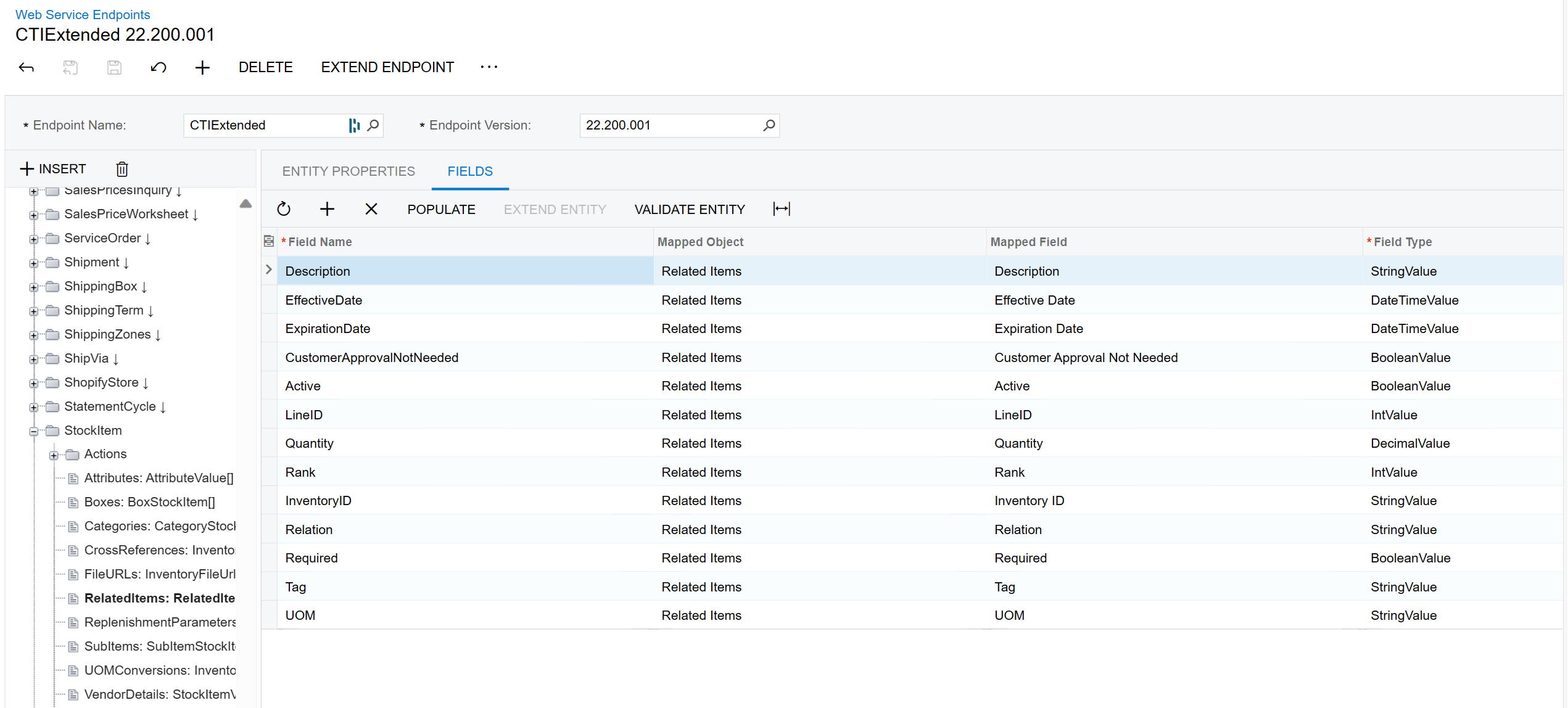
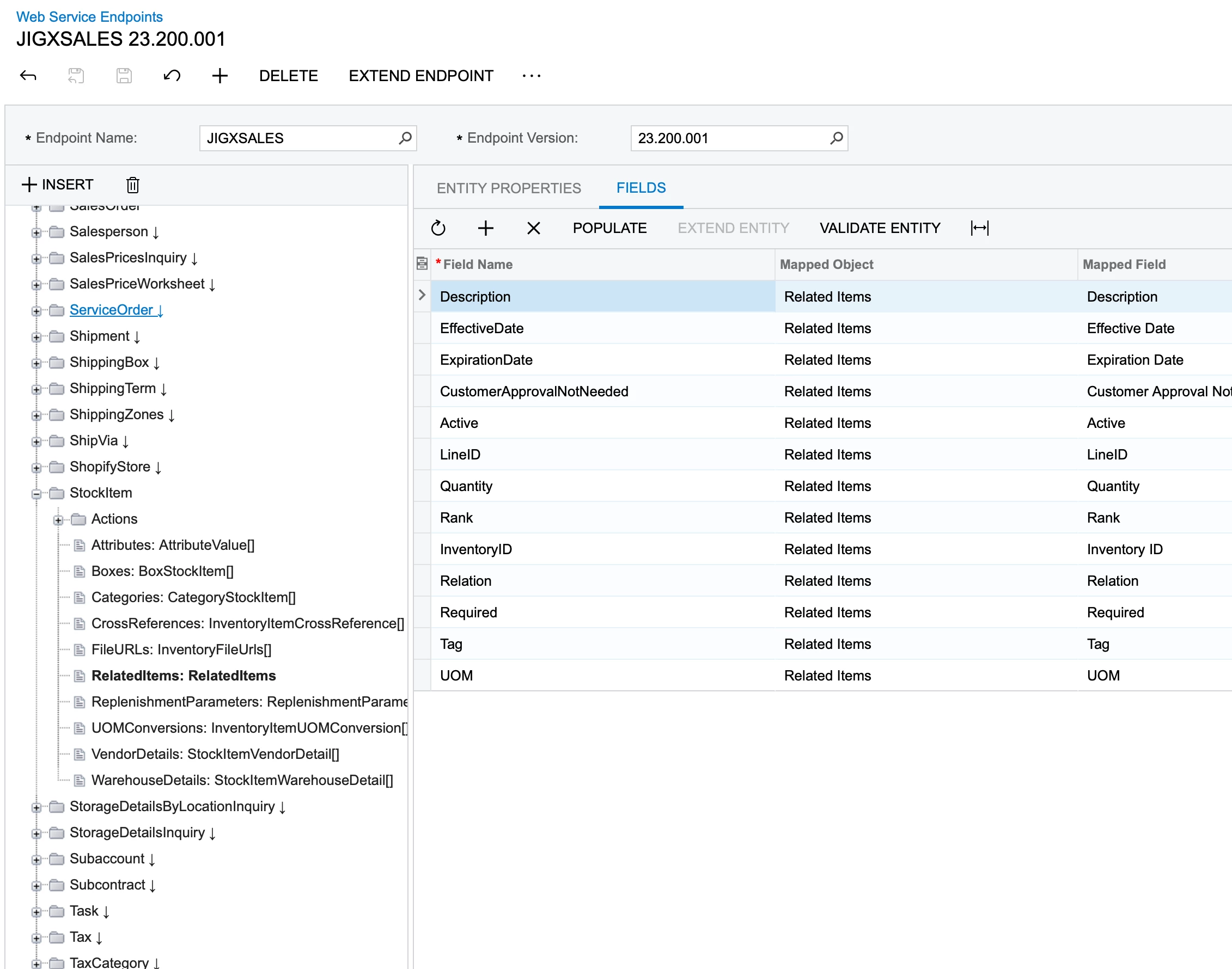
i just added a screenshot of my endpoint config. it is in the JIGXSALES endpoint


  • Freshman I
  • January 6, 2026

Thank you!! i have no idea how i have been missing that for the last 2 days 😋. basic mistake. i appreciate the help