Question

Test SDK: How to Select Row by Column Name and Value

  • November 15, 2023
  • 4 replies
  • 102 views

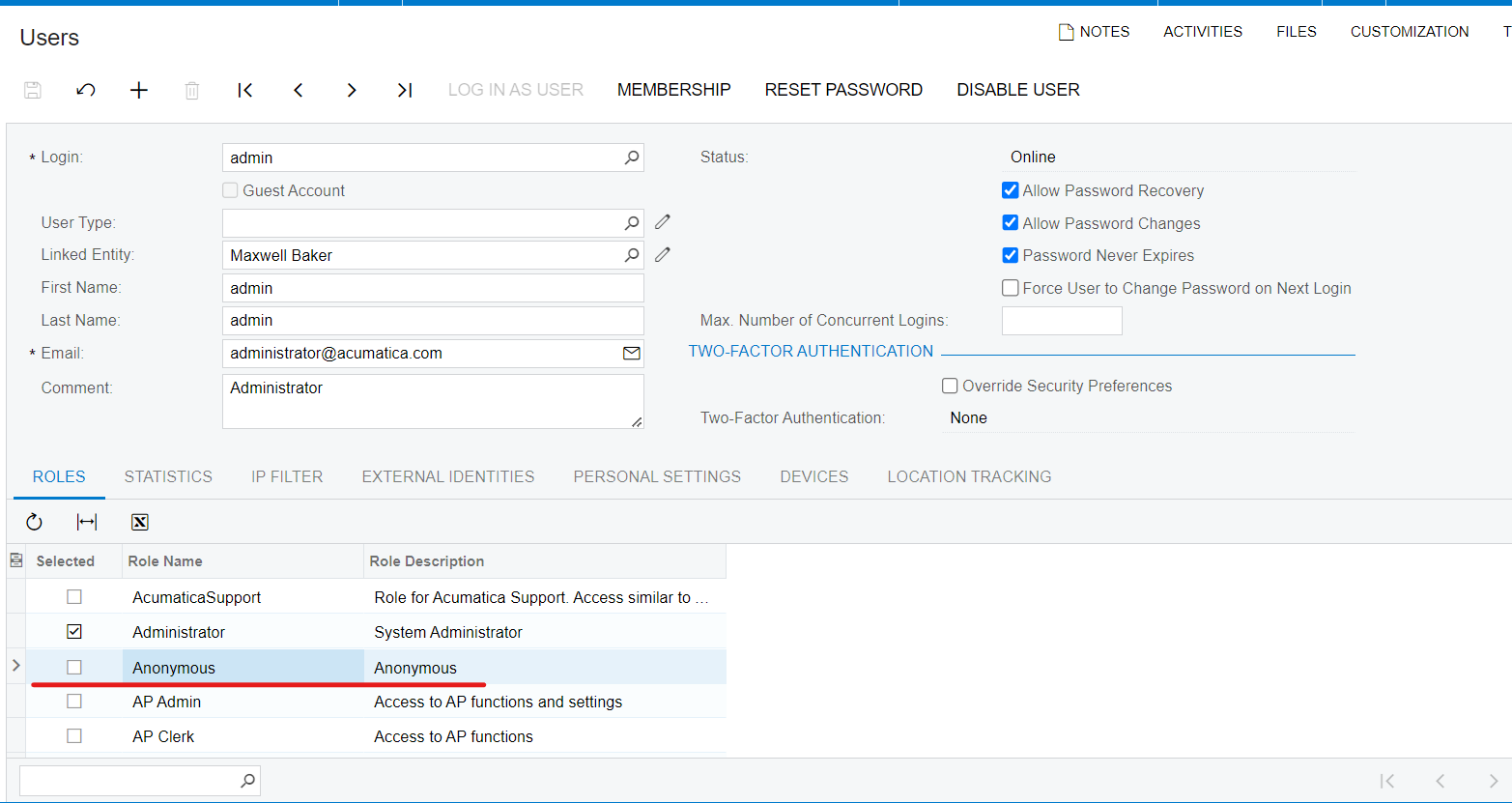
I’m creating SDK tests and I need to select the row by column name and value. However, it throws error “Element is not interactable” when I use this: 

users.UserRoles.SelectRow("Role Name", "Anonymous"); 

or this:

users.UserRoles.SelectRow(users.UserRoles.Columns.Rolename, "Anonymous");

It only works with index: users.UserRoles.SelectRow(10);

Could someone please help me out?
 

4 replies

AaronB
Varsity II
Forum|alt.badge.img+1
  • Varsity II
  • November 15, 2023

Hello,
Both your first attempts should have worked, but here is a full example
This code should work:


PxLogin.LoginToDestinationSite();
User.OpenScreen();
User.Summary.Username.Select("admin");
User.Roles.SelectRow(User.Roles.Columns.Rolename, "Anonymous");
User.Roles.Row.Selected.SetTrue();
User.Save();


Yes, same as I have, but it doesn’t work from my side. Have I imported correct namespaces ?

using Controls.CheckBox;
using Core.Login;
using Core.TestExecution;

using Tests_ASC.Extensions;


AaronB
Varsity II
Forum|alt.badge.img+1
  • Varsity II
  • November 15, 2023

You should review your error in the log folder or in the compiler.
Looks good to me but your error says the page is not accessible. Ensure you are using the correct website and have it configured to use that same one.


Chris Hackett
Community Manager
Forum|alt.badge.img
  • Acumatica Community Manager
  • December 14, 2023

Hi @annanykolenko71 were you able to find a solution? Thank you!