Solved

Modifying a custom field on a closed record

  • March 19, 2026
  • 7 replies
  • 77 views

Hello Acumatica community 😀


I'd like to know the best practice for creating a custom field on screens (Customer Payments and Supplier Payments).

I need a boolean value that can be modified even after a payment has been closed.

However, a custom field on the corresponding tables doesn't allow modification once it's closed.

What's the best practice? Should I create a new extension table with the same key as the payments table?

Or is there another solution?
Thank you for your feedback.

Have a good day everyone 😁

Best answer by KrunalDoshi

Hi ​@yinvernon,

As ​@Django has suggested, you need to enable the field in code and then add it to the workflow to enable it. I believe that is the only option unless as you have mentioned to create a separate DAC to store this value which I doubt as Acumatica framework disables the entire form once the status is closed. In my opinion, enabling the field using code and through workflow is completely upgrade safe.

7 replies

Forum|alt.badge.img+8
  • Captain II
  • March 19, 2026

The main thing is that you have extend the graph and write a few lines of code to allow you to access that field.  This blog post covers that topic:


https://asiablog.acumatica.com/index.php/2021/10/enable-customization-fields-when-document-is-completed/


  • Author
  • Freshman I
  • March 19, 2026

Thank you for your feedback and for sharing the article 👍

Indeed, the proposed approach (via graph extension + workflow modification + AllowUpdate) makes the field editable after closing.

However, after analysis, I have some reservations about this method in a long-term project context:

  • It essentially removes the standard document locking (Released/Completed), which can have side effects on business integrity.
  • AllowUpdate = true affects the entire cache, not just the targeted field.
  • This could potentially introduce regression risks during version upgrades.

In my case, the need is for a purely informational Boolean field, editable after closing without impacting the accounting logic.

Therefore, I'm leaning more towards an approach with a linked custom table (DocType + RefNbr), exposed via a PXSelect. This allows us to:

  • maintain standard payment behavior
  • completely isolate the field from the document lifecycle
  • stay aligned with framework best practices

Have any of you already implemented this approach in production?

Thanks again for your feedback 🙂


Forum|alt.badge.img+8
  • Captain II
  • March 19, 2026

When you use the method in the blog post, you still have to indicate which fields are going to be accessible so you’re not opening up the entire screen to be edited. 

Isolating your field in an Extension Table sounds like a very clean option.


bwhite49
Captain II
Forum|alt.badge.img+12
  • Captain II
  • March 19, 2026

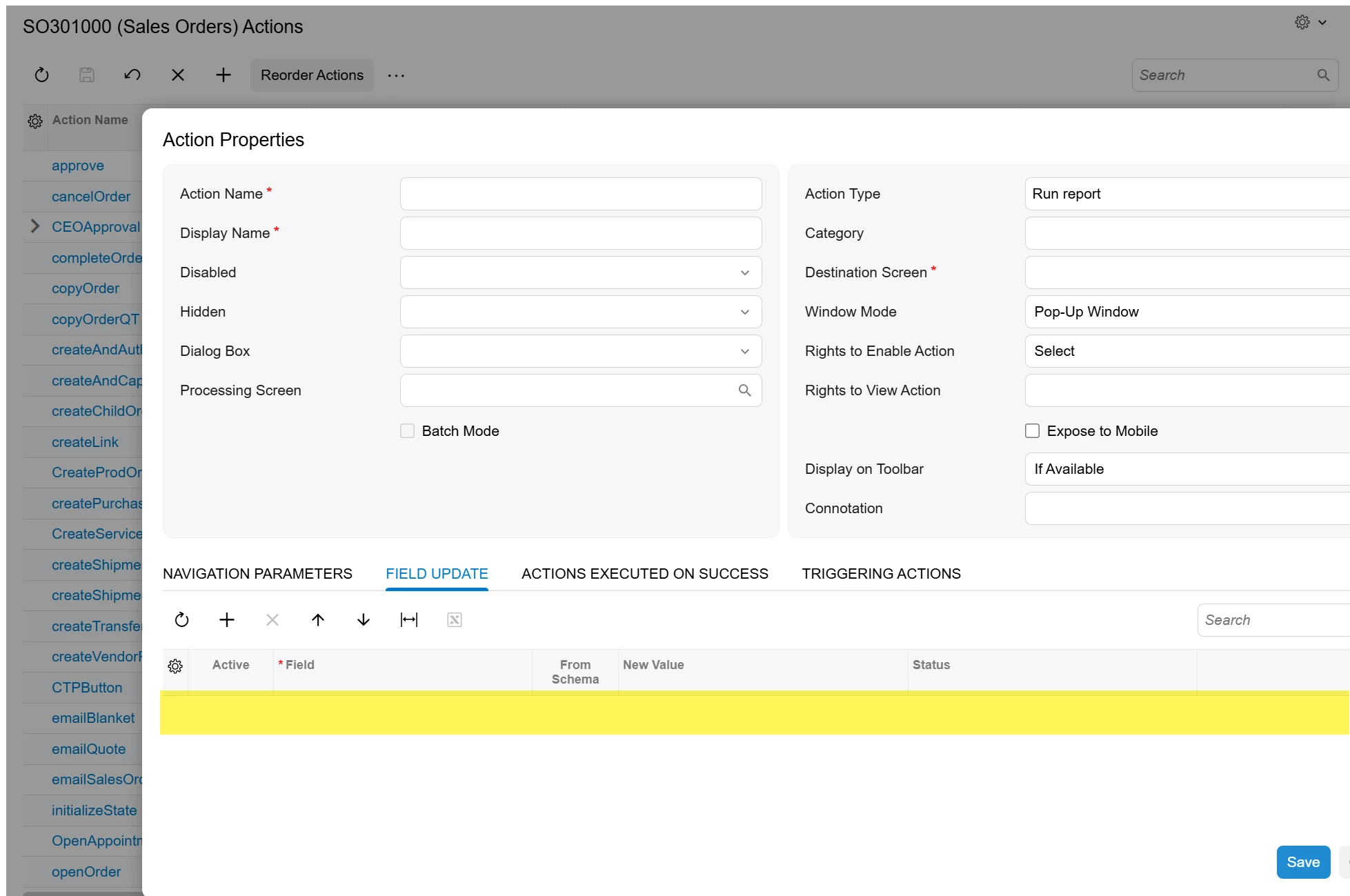
When running an action, the field update tab will update the field no matter the transaction status.

You could create a new action or leverage an existing action to update this field. You can hide the action based on user permissions as well. 


kbibelhausen
Freshman I
  • Freshman I
  • March 20, 2026

When you need to modify a custom field on a closed record in Acumatica, you have several approaches depending on your specific requirements:


**1. Modify Field Editability Rules**

Create a DAC extension to override the field's editability based on document status:


```csharp

public class SOOrderExt : PXCacheExtension

{

[PXDBString(30)]

[PXUIField(DisplayName = "Custom Field")]

public virtual string UsrCustomField { get; set; }

public abstract class usrCustomField : PX.Data.BQL.BqlString.Field { }

}


public class SOOrderEntryExt : PXGraphExtension

{

protected virtual void _(Events.RowSelected e)

{

if (e.Row == null) return;


// Allow editing custom field even when document is closed

PXUIFieldAttribute.SetEnabled(

e.Cache, e.Row, true);

}

}

```


**2. Use Direct Database Updates**

For bulk updates or system processes, you might need to bypass business logic:


```csharp

PXDatabase.Update(

new PXDataFieldAssign("New Value"),

new PXDataFieldRestrict("SO001234"));

```


**3. Temporarily Reopen Records**

If business rules require it, programmatically reopen the record, update the field, then close it again.


**Important Considerations:**

- Ensure your customization doesn't violate business rules or audit requirements

- Test thoroughly in development environments

- Consider using PXFieldState to conditionally enable fields

- Document any overrides for future maintenance


The specific implementation depends on which document type you're working with and your business requirements.


---

Drafted by AcuDev (AI) · Reviewed by Kevin Bibelhausen, Studio B

AcuOps — AI-powered environment management for Acumatica · b.studio


Forum|alt.badge.img+8
  • Captain II
  • March 20, 2026

@kbibelhausen - the AI generated answer you supplied and reviewed, according to the footer of your post, really isn’t offering clarity. In addition the code for using PXDatabase is wrong. The code for updating the field doesn’t consider that the transaction has been released and that other business logic in the graph has locked down the cache for updates.


KrunalDoshi
Varsity I
Forum|alt.badge.img
  • Varsity I
  • Answer
  • March 20, 2026

Hi ​@yinvernon,

As ​@Django has suggested, you need to enable the field in code and then add it to the workflow to enable it. I believe that is the only option unless as you have mentioned to create a separate DAC to store this value which I doubt as Acumatica framework disables the entire form once the status is closed. In my opinion, enabling the field using code and through workflow is completely upgrade safe.