Answer

Increase decimal length past 6

  • January 7, 2022
  • 5 replies
  • 631 views

asmith50
Jr Varsity III
Forum|alt.badge.img+1

I am wondering if anyone has had any luck increasing the decimal length higher than 6 (Acumatic's OOB limit)?

Best answer by Naveen Boga

Hi @asmith50  In Acumatica, OOB we can not provide the decimals more than 6.

If you wanted increase the decimals more than 6 decimal, it requires small piece of customisation.

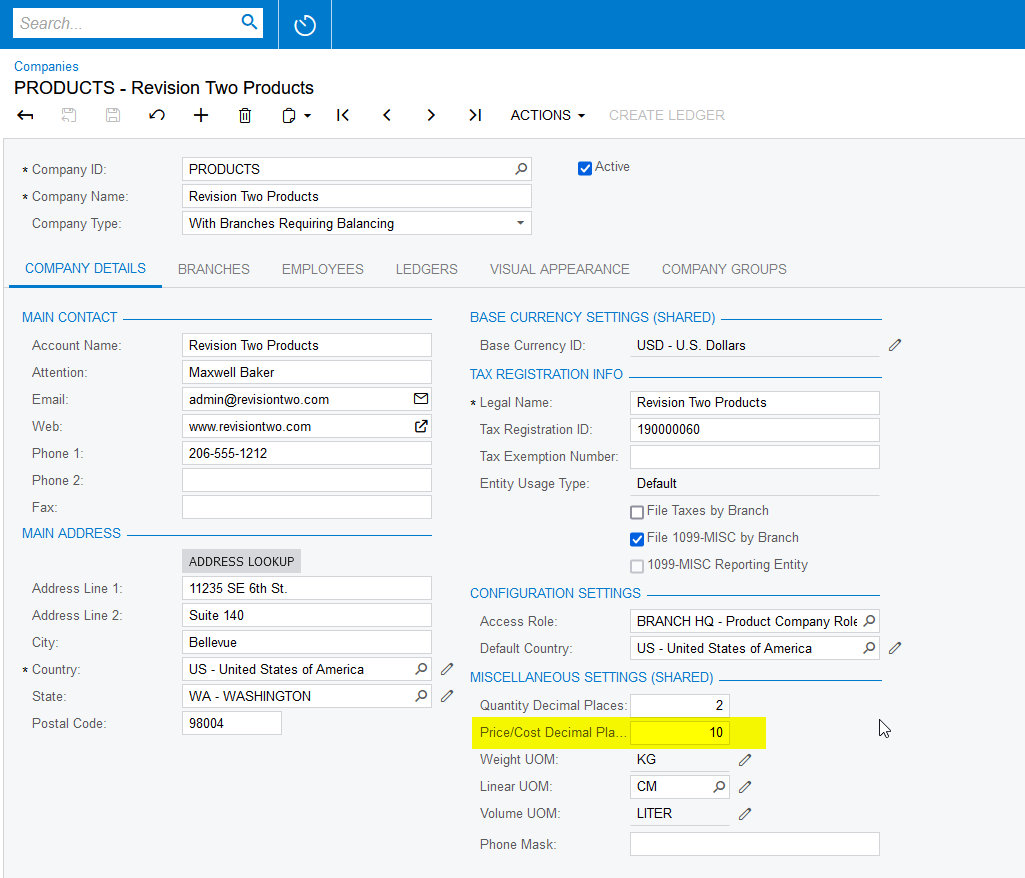
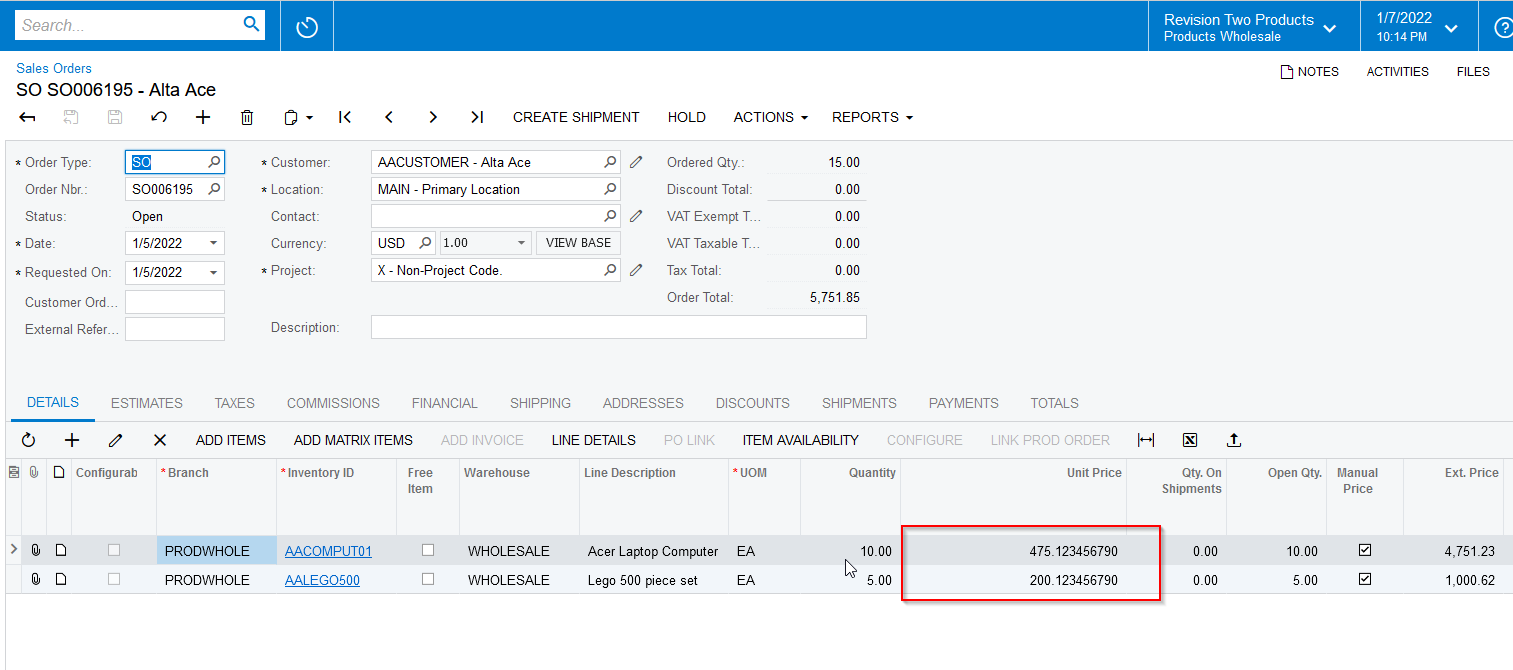
I just worked on this customisation and hope this helps you. 

Please find the source code for your reference.


 public class OrganizationMaint_Extension : PXGraphExtension<OrganizationMaint>
{
[PXMergeAttributes(Method = MergeMethod.Merge)]
[PXRemoveBaseAttributeAttribute (typeof(PXDBShortAttribute))]
[PXDBShort(MinValue = 0, MaxValue = 10)]
public virtual void CommonSetup_DecPlPrcCst_CacheAttached(PXCache sender)
{
}
}


5 replies

Naveen Boga
Captain II
Forum|alt.badge.img+19
  • Captain II
  • Answer
  • January 8, 2022

Hi @asmith50  In Acumatica, OOB we can not provide the decimals more than 6.

If you wanted increase the decimals more than 6 decimal, it requires small piece of customisation.

I just worked on this customisation and hope this helps you. 

Please find the source code for your reference.


 public class OrganizationMaint_Extension : PXGraphExtension<OrganizationMaint>
{
[PXMergeAttributes(Method = MergeMethod.Merge)]
[PXRemoveBaseAttributeAttribute (typeof(PXDBShortAttribute))]
[PXDBShort(MinValue = 0, MaxValue = 10)]
public virtual void CommonSetup_DecPlPrcCst_CacheAttached(PXCache sender)
{
}
}


wyattERP
Freshman I
  • Freshman I
  • January 21, 2022

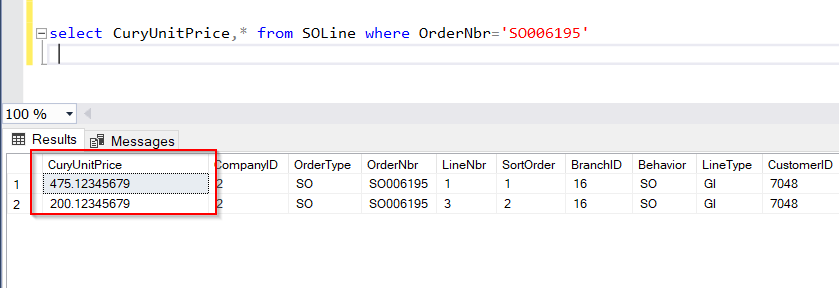
This is pretty cool!  @Naveen B I had to increase the size of the DB field manually for it to use the additional decimal places.  Is this something you ran into as well?  I feel like you would need to modify a lot of the db schema to be decimal(23, 10) for this to work everywhere.  I really love how Acumatica just goes along with the higher precision! 


Just running with Naveen’s idea, you can do the same thing for Qty:

        [PXMergeAttributes(Method = MergeMethod.Merge)]
[PXRemoveBaseAttributeAttribute (typeof(PXDBShortAttribute))]
[PXDBShort(MinValue = 0, MaxValue = 10)]
public virtual void CommonSetup_DecPlQty_CacheAttached(PXCache sender)
{
}


Naveen Boga
Captain II
Forum|alt.badge.img+19
  • Captain II
  • January 22, 2022

Yes @wyattERP  That is correct. We need to modify the database field to increase Precision for the required fields.


asmith50
Jr Varsity III
Forum|alt.badge.img+1
  • Author
  • Jr Varsity III
  • February 15, 2022

@Naveen B Your customer worked great. @wyattERP when I was attempting to increase the Quantity Decimal Places I could not get the field to accept anything over 6 characters. Any ideas? Do I need to add the two public virtual void lines together?


using PX.Objects;
using PX.Objects.CS;

namespace PX.Objects.CS
{
  public class OrganizationMaint_Extension : PXGraphExtension<OrganizationMaint>
  {
        [PXMergeAttributes(Method = MergeMethod.Merge)]
        [PXRemoveBaseAttributeAttribute (typeof(PXDBShortAttribute))]
        [PXDBShort(MinValue = 0, MaxValue = 10)]
        public virtual void CommonSetup_DecPlPrcCst_CacheAttached(PXCache sender)
        public virtual void CommonSetup_DecPlQty_CacheAttached(PXCache sender)
        {
        }
        #region Event Handlers

    #endregion
  }
}


Naveen Boga
Captain II
Forum|alt.badge.img+19
  • Captain II
  • February 15, 2022

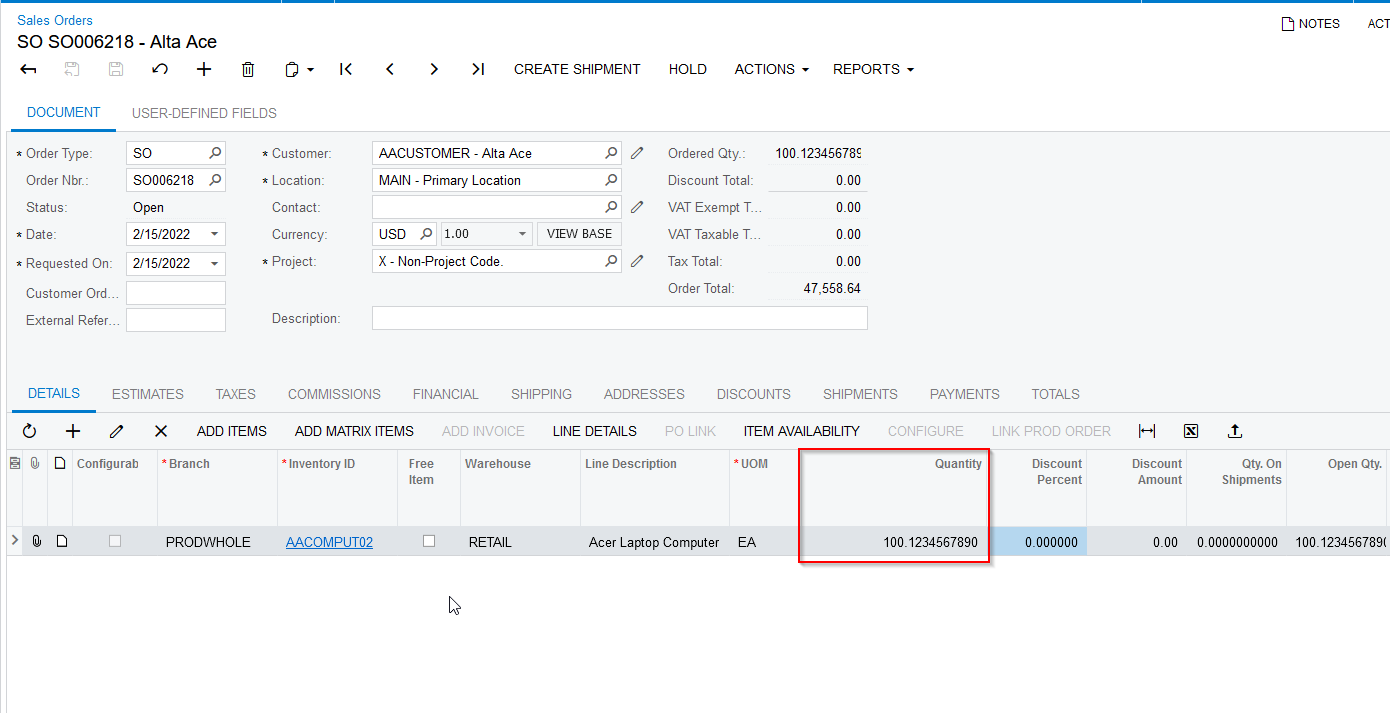
Hi @asmith50  I can able to add more than 6 characters. Please find the code and screenshots for reference.

using PX.Data;

namespace PX.Objects.CS
{
public class OrganizationMaint_Extension : PXGraphExtension<OrganizationMaint>
{
[PXMergeAttributes(Method = MergeMethod.Merge)]
[PXRemoveBaseAttributeAttribute(typeof(PXDBShortAttribute))]
[PXDBShort(MinValue = 0, MaxValue = 10)]
public virtual void CommonSetup_DecPlQty_CacheAttached(PXCache sender)
{
}
#region Event Handlers

#endregion
}
}