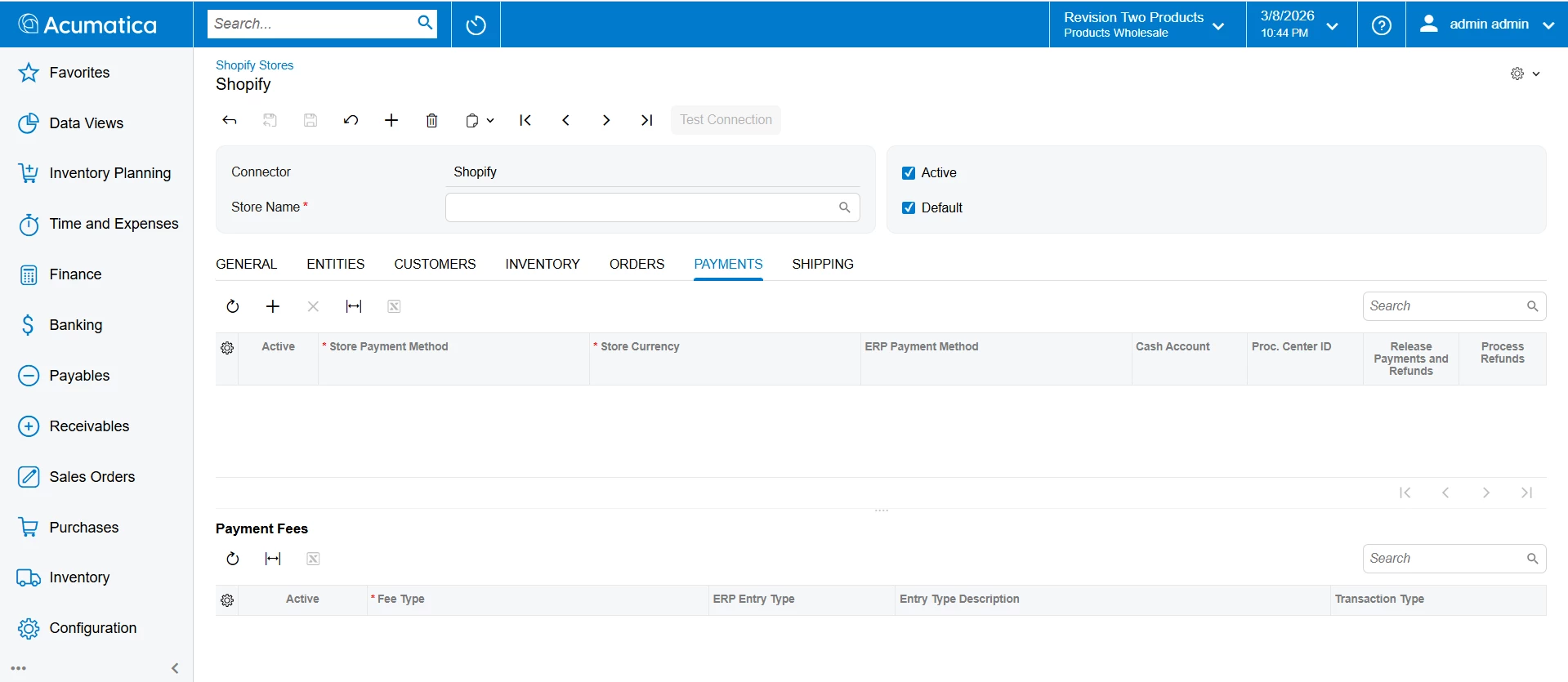
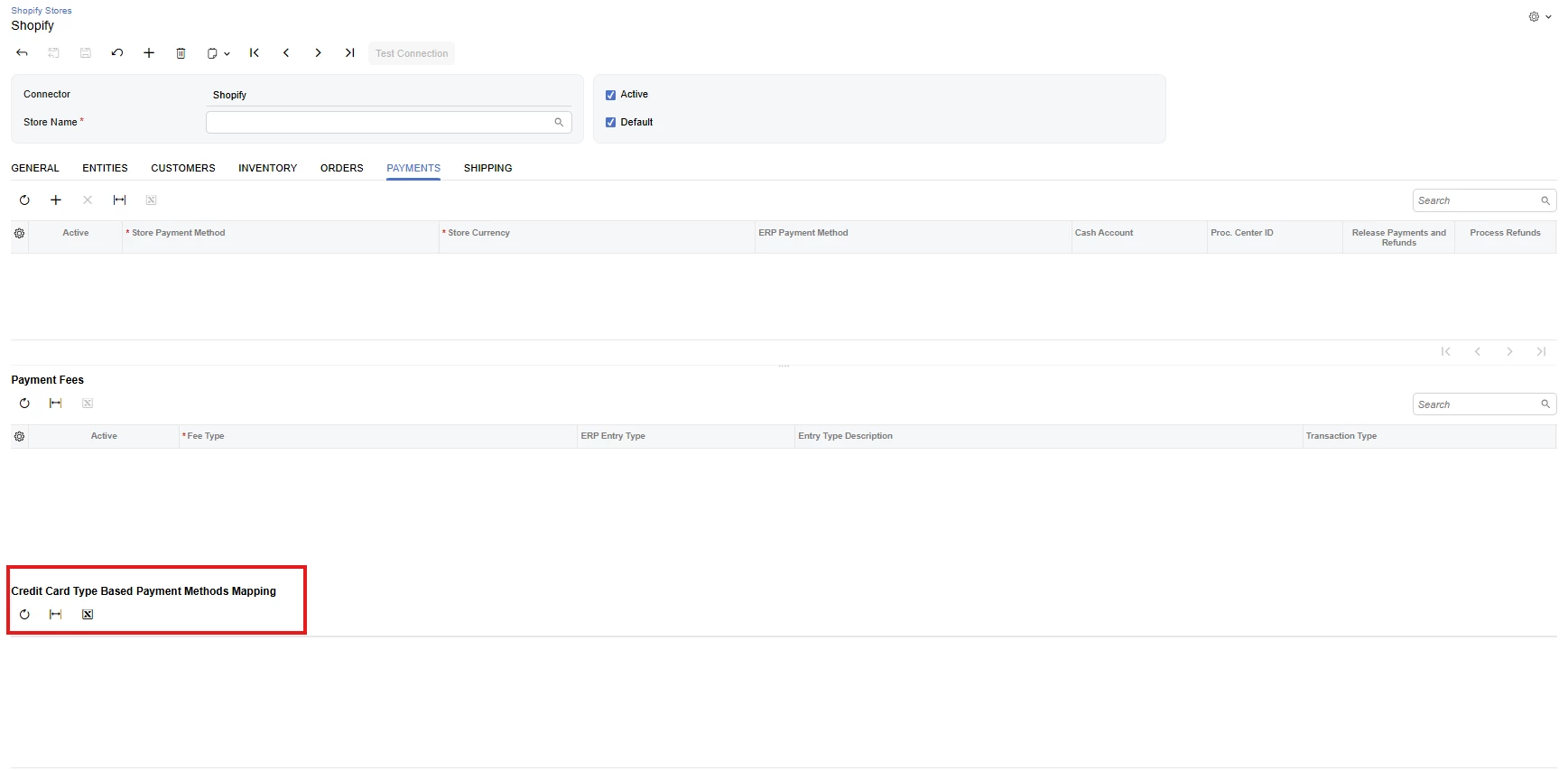
In the Classic UI, the grid is present, as shown in the screenshot below (highlighted for reference). However, after converting the screen to Modern UI and adding the grid in both the HTML and TS files, the grid still does not appear in the Modern UI. Please refer to the screenshots and HTML and TS code below, and please suggest the solution.
HTML File :
<template>
<qp-fieldset slot="A" id="frmGroupCustomZipCodesSync" view.bind="CurrentStore" caption="Custom Zip Codes Sync uk1" class="no-label" wg-container after="#frmGroupB2BCustomer">
<field name="UsrKNWWSPEnableCustomZipSync"></field>
</qp-fieldset>
<qp-fieldset slot="A" id="frmGroupCustomPriceSync" view.bind="CurrentStore" caption="Custom Price Sync" wg-container after="#groupInventorySettings">
<field name="UsrKNWWSPEnableCustomPriceSync"></field>
<field name="UsrKNWWSPPriceType"></field>
<field name="UsrKNWWSPPriceClassCode" config-enabled.bind="CurrentStore.UsrKNWWSPEnableCustomPriceSync && CurrentStore.UsrKNWWSPPriceType != null && CurrentStore.UsrKNWWSPPriceType != ''"></field>
</qp-fieldset>
<qp-fieldset slot="B" id="frmGroupShopifyCanceledOrders" view.bind="CurrentBindingShopify" caption="Shopify Canceled Orders" wg-container after="#CurrentBindingShopify_SalesQuoteOrders">
<field name="UsrKNWWEnableCancelOrderSync"></field>
</qp-fieldset>
<qp-fieldset slot="B" id="frmGroupCustomSalesOrderSync" view.bind="CurrentStore" caption="Custom Sales Order Sync" wg-container after="#frmGroupShopifyCanceledOrders">
<field name="UsrKNWWSPEnableCustomOrderSync"></field>
<field name="UsrKNWWSPOrderLastSynDate"></field>
</qp-fieldset>
<qp-fieldset slot="B" id="frmGroupRestrictCustomerUpdates" view.bind="CurrentStore" caption="Restrict Customer Updates & Sales Order Sync" wg-container after="#frmGroupCustomSalesOrderSync">
<field name="UsrKNWWRestrictCustomerSalesOrderSync"></field>
<field name="UsrKNWWCustomerRestriction"></field>
</qp-fieldset>
<qp-grid
id="gridKNWWPaymentMapping"
caption="Credit Card Type Based Payment Methods Mapping"
view.bind="PaymentsMapping"
wg-container
after="#FeeMappings">
</qp-grid>
</template>
TS File :
import { BC201010 } from "src/screens/BC/BC201010/BC201010";
import {
PXFieldState,
PXFieldOptions,
createCollection,
viewInfo,
PXView,
gridConfig,
GridPreset
} from "client-controls";
import { CurrentStore, CurrentBindingShopify } from "src/screens/BC/BC201010/views";
export interface BC201010_KNWW extends BC201010 {
PaymentsMapping: ReturnType<typeof createCollection<PaymentsMapping>>;
}
export class BC201010_KNWW {
@viewInfo({ containerName: "Credit Card Type Based Payment Methods Mapping" })
PaymentsMapping = createCollection(PaymentsMapping);
}
// --------------------
// CurrentStore Extension
// --------------------
export interface CurrentStore_KNWW extends CurrentStore { }
export class CurrentStore_KNWW {
UsrKNWWSPEnableCustomZipSync: PXFieldState<PXFieldOptions.CommitChanges>;
UsrKNWWSPEnableCustomPriceSync: PXFieldState<PXFieldOptions.CommitChanges>;
UsrKNWWSPPriceType: PXFieldState<PXFieldOptions.CommitChanges>;
UsrKNWWSPPriceClassCode: PXFieldState;
UsrKNWWSPEnableCustomOrderSync: PXFieldState<PXFieldOptions.CommitChanges>;
UsrKNWWSPOrderLastSynDate: PXFieldState;
UsrKNWWRestrictCustomerSalesOrderSync: PXFieldState<PXFieldOptions.CommitChanges>;
UsrKNWWCustomerRestriction: PXFieldState;
}
// --------------------
// Shopify Extension
// --------------------
export interface CurrentBindingShopify_KNWW extends CurrentBindingShopify { }
export class CurrentBindingShopify_KNWW {
UsrKNWWEnableCancelOrderSync: PXFieldState<PXFieldOptions.CommitChanges>;
}
// --------------------
// Payments Mapping Grid Extension
// --------------------
@gridConfig({
preset: GridPreset.Details,
autoAdjustColumns: false,
syncPosition: true,
})
export class PaymentsMapping extends PXView {
Active: PXFieldState<PXFieldOptions.CommitChanges>;
StorePaymentMethod: PXFieldState;
PaymentMethodID: PXFieldState<PXFieldOptions.CommitChanges>;
CardType: PXFieldState<PXFieldOptions.CommitChanges>;
CashAccountID: PXFieldState<PXFieldOptions.CommitChanges>;
ProcessingCenterID: PXFieldState<PXFieldOptions.CommitChanges>;
CuryID: PXFieldState;
ReleasePayments: PXFieldState;
ProcessRefunds: PXFieldState<PXFieldOptions.CommitChanges>;
UsrKNWSCardType: PXFieldState<PXFieldOptions.CommitChanges>;
}
Classic UI Screenshot
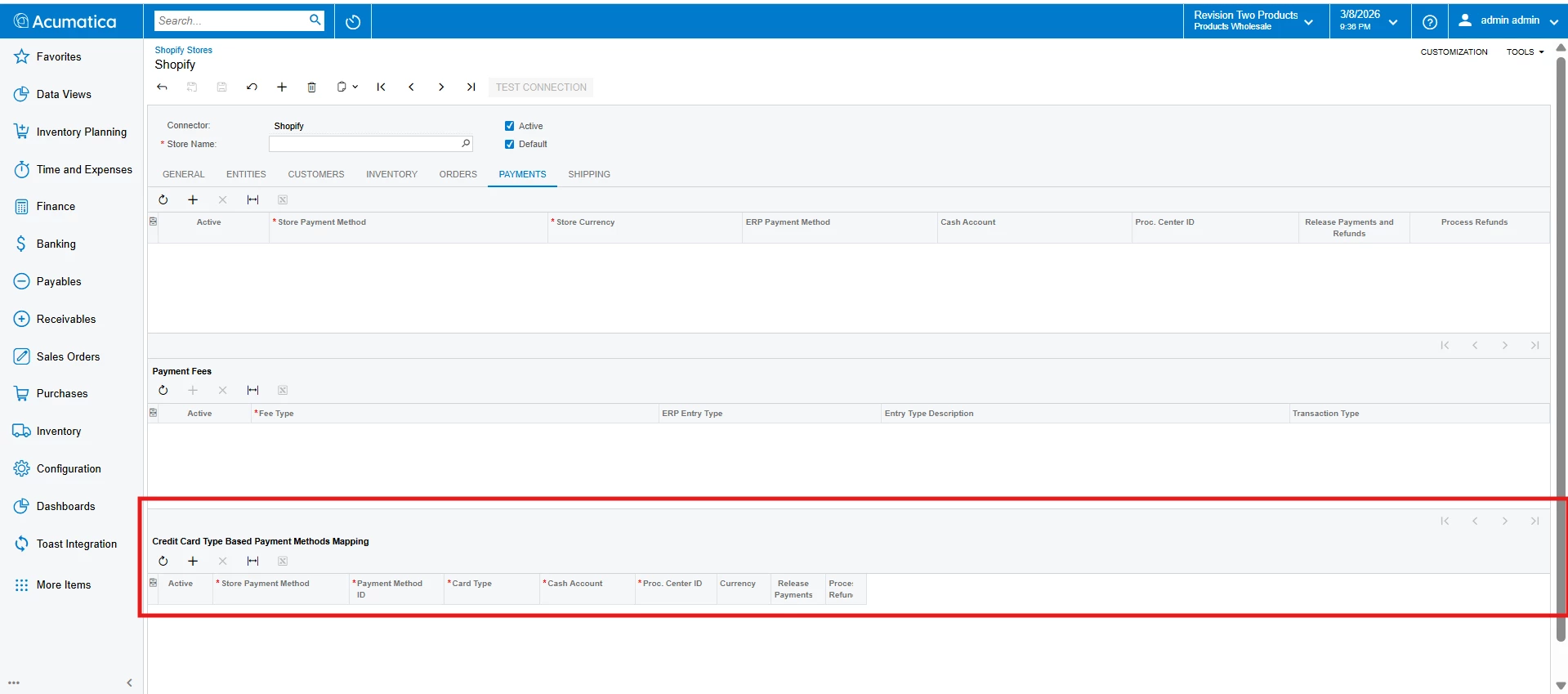
Modern UI Screenshot