Question

Change a condition on a selector dynamically

  • March 19, 2026
  • 6 replies
  • 39 views

Joe Schmucker
Captain II
Forum|alt.badge.img+3

I have a custom screen with a custom grid.  On that grid, the user can lookup the customer.  In my current DAC field, it is restricting the customers to be returned based on whether the current user is linked to the Salesperson.

For the customer nbr field in either the header or the grid, I am restricting the selector to only return customers where the current user is a salesperson on that customer.

Thie is the DAC field for the grid.

		#region UsrCustomerID
[CustomerActive()]
[PXUIField(DisplayName = "Customer Nbr.", Required = true)]
[PXSelector(typeof(Search2<Customer.bAccountID,
InnerJoin<ICSCustomerSalesPersonLinksSQLView, On<ICSCustomerSalesPersonLinksSQLView.customerID, Equal<Customer.bAccountID>>>,
Where<ICSCustomerSalesPersonLinksSQLView.userID.IsEqual<AccessInfo.userID.FromCurrent>>>),
typeof(Customer.acctCD),
typeof(Customer.acctName),
SubstituteKey = typeof(Customer.acctCD))]
[PXDefault]
public virtual int? UsrCustomerID { get; set; }
public abstract class usrCustomerID : PX.Data.BQL.BqlInt.Field<usrCustomerID> { }
#endregion

I want to make it so that if the currently logged in user is in the Admin class, they can see all the customers.  This means that the where clause in my dac field needs to be removed.

Is this easy to do? 

I found some articles along this theme, but I was not able to follow them and adapt them to my code.  

From this one: 

It looks like this might be the direction I need to go in.

This is what I am working with.  It is not complete and I don’t even know if this is how I should be doing this.

My guess is that I remove the where clause from the selector and use this code to do the logic:

		[PXMergeAttributes(Method = MergeMethod.Merge)]
[NEWCustomSelector(typeof(ICSCallLog.usrCustomerID))]
protected virtual void Filter_UsrCustomerID_CacheAttached(PXCache cache)
{
}
[Serializable]
public class NEWCustomSelector : PXCustomSelectorAttribute
{
public NEWCustomSelector(Type type)
: base(type, typeof(ICSCallLog.usrCustomerID))
{
}
public virtual IEnumerable GetRecords()
{
ICSCallLog currentItem = (ICSCallLog)this._Graph.Views["ICSCallLogView"].Cache.Current;
if (currentItem == null) return null;

//had to do this to be able to do a PXSelect
PXGraph g = new PXGraph();

UsersInRoles objUsers = PXSelect<UsersInRoles, Where<UsersInRoles.username, Equal<Current<AccessInfo.userName>>,
And<UsersInRoles.rolename, Equal<@P.AsString>>>>.Select(g, "Admin");
if (objUsers != null)
{
//admin so allow everything
//is this where I add or allow thie customer?


}
else
{
//see if the current user is a salesperson for the customer
//is this where I add or allow thie customer?

}

//HOW DO I RETURN THIS?
}
}

Thanks in advance for any suggestions!



6 replies

kbibelhausen
Freshman I
  • Freshman I
  • March 20, 2026

There are several approaches to dynamically change selector conditions based on other field values in Acumatica:


## Method 1: Graph Extension with Field Events


Override the selector attribute in a field event when the controlling field changes:


```csharp

public class YourGraphExtension : PXGraphExtension

{

protected virtual void YourDAC_ControllingField_FieldUpdated(PXCache cache, PXFieldUpdatedEventArgs e)

{

var row = (YourDAC)e.Row;

if (row == null) return;


// Clear the dependent field when controlling field changes

cache.SetValueExt(row, null);


// Update the selector attribute

UpdateSelectorCondition(cache, row);

}


private void UpdateSelectorCondition(PXCache cache, YourDAC row)

{

var selectorAttribute = cache.GetAttributesReadonly()

.OfType()

.FirstOrDefault();


if (selectorAttribute != null)

{

// Modify the BQL based on controlling field value

if (row.ControllingField == "ValueA")

{

selectorAttribute.SetBqlCommand(typeof(Select

Where>>>));

}

else

{

selectorAttribute.SetBqlCommand(typeof(Select

Where>,

And>>>>));

}

}

}

}

```


## Method 2: Custom Selector Attribute


Create a custom selector that dynamically builds the BQL:


```csharp

public class ConditionalSelectorAttribute : PXSelectorAttribute

{

public ConditionalSelectorAttribute(Type controllingField) : base(typeof(Search<>))

{

// Base implementation

}


public override void FieldSelecting(PXCache sender, PXFieldSelectingEventArgs e)

{

// Dynamically modify the command based on current row values

var row = e.Row;

if (row != null)

{

// Update BQL command based on controlling field

// Then call base

}

base.FieldSelecting(sender, e);

}

}

```


The key is using field events to detect changes in the controlling field, then either modifying the existing selector attribute or rebuilding the selector's BQL command dynamically.


---

Drafted by AcuDev (AI) · Reviewed by Kevin Bibelhausen, Studio B

AcuOps — AI-powered environment management for Acumatica · b.studio


Joe Schmucker
Captain II
Forum|alt.badge.img+3
  • Author
  • Captain II
  • March 20, 2026

@kbibelhausen Thank you for the detailed reply! in my case it is not dependent on a field it is dependent on the Users class (“Admin”) etc.

I will give these options a try and fingers crossed :)


Joe Schmucker
Captain II
Forum|alt.badge.img+3
  • Author
  • Captain II
  • March 20, 2026

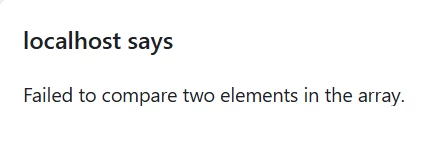
Here is an update.  I think I am on the right track, but my code throws a runtime error.

Here is the code I am using to try to change the logic on which customers to include in the selector base on if the user is in the Administrator role.  I don’t know if this code is correct, but it compiles, so I feel like it must be close!

		[PXMergeAttributes(Method = MergeMethod.Merge)]
[NEWCustomSelector(typeof(ICSCallLog.usrCustomerID))]
protected virtual void ICSCallLog_UsrCustomerID_CacheAttached(PXCache cache)
{
}
[Serializable]
public class NEWCustomSelector : PXCustomSelectorAttribute
{
public NEWCustomSelector(Type type)
: base(type, typeof(ICSCallLog.usrCustomerID))
{
}
public virtual IEnumerable GetRecords()
{
//had to do this to be able to select user info
PXGraph g = PXGraph.CreateInstance<CallActivity>();

string username = g.Accessinfo.UserName;

Guid userid = g.Accessinfo.UserID;

foreach (UsersInRoles role in SelectFrom<UsersInRoles>.Where<UsersInRoles.username.IsEqual<@P.AsString>>
.View.Select(g, userid))
{
string test = role.Rolename;
}

UsersInRoles objUsers = SelectFrom<UsersInRoles>
.Where<UsersInRoles.username.IsEqual<@P.AsString>
.And<UsersInRoles.rolename.IsEqual<@P.AsString>>>.View.Select(g, username, "Administrator");
if (objUsers == null)
{
//admin so allow everything
foreach (Customer cust in SelectFrom<Customer>
.Where<Customer.status.IsEqual<CustomerStatus.active>>.View.Select(g))
{
yield return cust;
}
}
else
{
//see if the current user is a salesperson for the customer
foreach (Customer cust in SelectFrom<Customer>
.InnerJoin<ICSCustomerSalesPersonLinksSQLView>
.On<ICSCustomerSalesPersonLinksSQLView.customerID.IsEqual<Customer.bAccountID>>
.Where<ICSCustomerSalesPersonLinksSQLView.userID.IsEqual<@P.AsGuid>
.And<Customer.status.IsEqual<CustomerStatus.active>>>
.View.Select(g, userid))
{
yield return cust;
}
}
}
}

I removed the restriction in the DAC field so that the above code can do the filtering of which customer records show up in the selector:

		#region UsrCustomerID
[CustomerActive()]
[PXUIField(DisplayName = "Customer Nbr.", Required = true)]
[PXSelector(typeof(Search<Customer.bAccountID,
Where<Customer.status.IsEqual<CustomerStatus.active>>>),
typeof(Customer.acctCD),
typeof(Customer.acctName),
SubstituteKey = typeof(Customer.acctCD))]
[PXDefault]
public virtual int? UsrCustomerID { get; set; }
public abstract class usrCustomerID : PX.Data.BQL.BqlInt.Field<usrCustomerID> { }
#endregion

I am about ready to pay someone to write this code for me.  


KrunalDoshi
Jr Varsity III
Forum|alt.badge.img
  • Jr Varsity III
  • March 20, 2026

Hi ​@Joe Schmucker,

I have similar customization where the fields needs to load based on the other value not necessarily depend on other fields though. In my opinion, you are right that you should have a custom selector attribute and CacheAttached event in your graph to load the values based on current user accessing it. You can check in your custom selector whether the user is in Administrator Role with the below code.
PXContext.PXIdentity.User.IsInRole(PXAccess.GetAdministratorRoles().First().

Let me know if this helps or if you have any questions.


Joe Schmucker
Captain II
Forum|alt.badge.img+3
  • Author
  • Captain II
  • March 21, 2026

Hi folks.  I ended up using code from ​@darylbowman.


I adapted his code and this is the resulting code that is working.

DAC Field:

		#region UsrCustomerID
[CustomerActive()]
[SalespersonRestrictor]
[PXUIField(DisplayName = "Customer Nbr.", Required = true)]
[PXDefault]
public virtual int? UsrCustomerID { get; set; }
public abstract class usrCustomerID : PX.Data.BQL.BqlInt.Field<usrCustomerID> { }
#endregion

Here is the code from the custom Graph:

	public class SalespersonRestrictorAttribute : PXCustomSelectorAttribute
{
public SalespersonRestrictorAttribute()
: base(typeof(Customer.bAccountID), typeof(Customer.acctCD), typeof(Customer.acctName))
{
DescriptionField = typeof(Customer.acctName);
SubstituteKey = typeof(Customer.acctCD);
}
public virtual IEnumerable GetRecords()
{
string username = _Graph.Accessinfo.UserName;

Guid userid = _Graph.Accessinfo.UserID;

UsersInRoles objUsers = SelectFrom<UsersInRoles>
.Where<UsersInRoles.username.IsEqual<@P.AsString>
.And<UsersInRoles.rolename.IsEqual<@P.AsString>>>.View.Select(_Graph, username, "Administrator");
if (objUsers != null)
{
//admin so allow everything
foreach (Customer cust in SelectFrom<Customer>
.Where<Customer.status.IsEqual<CustomerStatus.active>>.View.Select(_Graph))
{
yield return cust;
}
}
else
{
//see if the current user is a salesperson for the customer
foreach (Customer cust in SelectFrom<Customer>
.InnerJoin<ICSCustomerSalesPersonLinksSQLView>
.On<ICSCustomerSalesPersonLinksSQLView.customerID.IsEqual<Customer.bAccountID>>
.Where<ICSCustomerSalesPersonLinksSQLView.userID.IsEqual<@P.AsGuid>
.And<Customer.status.IsEqual<CustomerStatus.active>>>
.View.Select(_Graph, userid))
{
yield return cust;
}
}
}
}

The best answer should be attributed to Daryl.  Thank you Daryl!


darylbowman
Captain II
Forum|alt.badge.img+16

When you win an award without showing up 😁