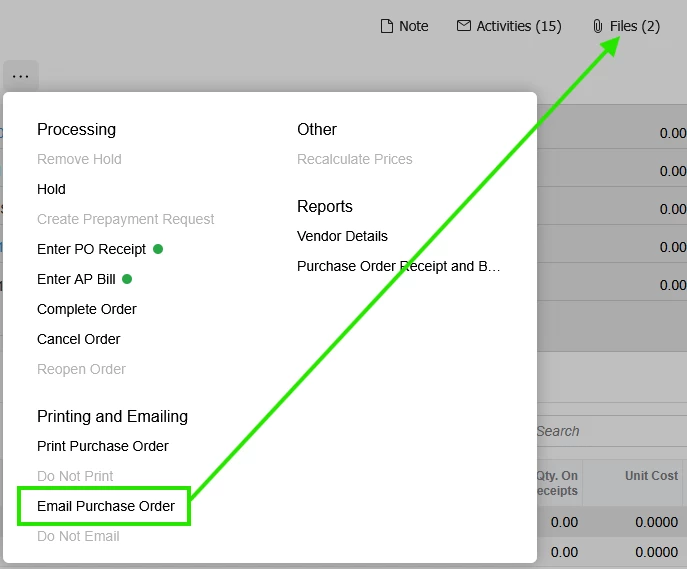
I have tried 20+ code variations and can’t seem to get this working. Scoured here, stackoverflow and everything else I can find over the last month without a solution. Some appeared to work in prior versions but not now.
As the title says; would like these files attached to the email when it sends:
Single code file I named POOrderEntry_Extension:
using PX.Data; using PX.Objects.CR; using PX.Objects.PO; using System; using System.Collections; using System.Collections.Generic; using System.Linq;
namespace Customizations { [PXProtectedAccess] public abstract class POOrderEntry_Extension : PXGraphExtension<POOrderEntry> { [PXProtectedAccess] protected abstract IEnumerable Notification(PXAdapter adapter, string notificationCD);
public delegate IEnumerable NotificationDelegate(PXAdapter adapter, string notificationCD);
[PXOverride] public IEnumerable Notification(PXAdapter adapter, string notificationCD, NotificationDelegate baseMethod) { IEnumerable result = baseMethod(adapter, notificationCD);
POOrder order = Base.Document.Current; if (order?.NoteID == null) return result;
Would think this would so difficult; in fact absolutely surprised it’s not just part of Acumatica as a preference setting, but it is what it is right now.
Any help or pointers would be greatly appreciated!
Best answer by bpickles
Thanks for the suggestions @darylbowman !
Finally working; creates a new button instead of the internal one, Email PO w/ Attachments. Here’s the code if it helps anyone else.
using PX.Data; using PX.Objects.CR; using PX.Objects.PO; using PX.SM; using System; using System.Collections; using System.Linq;
namespace Customizations { public class POOrderEntry_Extension : PXGraphExtension<POOrderEntry> { public PXAction<POOrder> EmailPOWithAttachments;
Without digging in real deep, I would suggest verifying PXProtectedAccess behavior. I’ve always created the protected access class as a second-order extension. Pretty sure that’s a requirement.
Thanks @darylbowman ; gave me something else to look at. Getting closer, this now almost works.
When the button is clicked the email is created and goes into pending processing; the files aren’t there, but if you cancel sending they immediately populate. Gather I’m injecting this this with the wrong timing.
using PX.Data; using PX.Objects.CR; using PX.Objects.PO; using System; using System.Linq;
namespace Customizations { public class CREmailActivityMaint_Extension : PXGraphExtension<CREmailActivityMaint> { protected void _(Events.RowPersisting<CRSMEmail> e) { if (e.Row == null) return;
// Only process PO-related emails if (e.Row.RefNoteID == null) return;
// Find related PO POOrder order = PXSelect< POOrder, Where< POOrder.noteID, Equal<Required<POOrder.noteID>> > > .Select(Base, e.Row.RefNoteID);
if (order == null) return;
// Get PO attached files Guid[] poFiles = PXNoteAttribute .GetFileNotes(Base.Caches<POOrder>(), order) ?.ToArray();
if (poFiles == null || poFiles.Length == 0) return;