Answer

Import to Delete Specific Item Class UoMs

  • October 11, 2024
  • 3 replies
  • 72 views

Forum|alt.badge.img

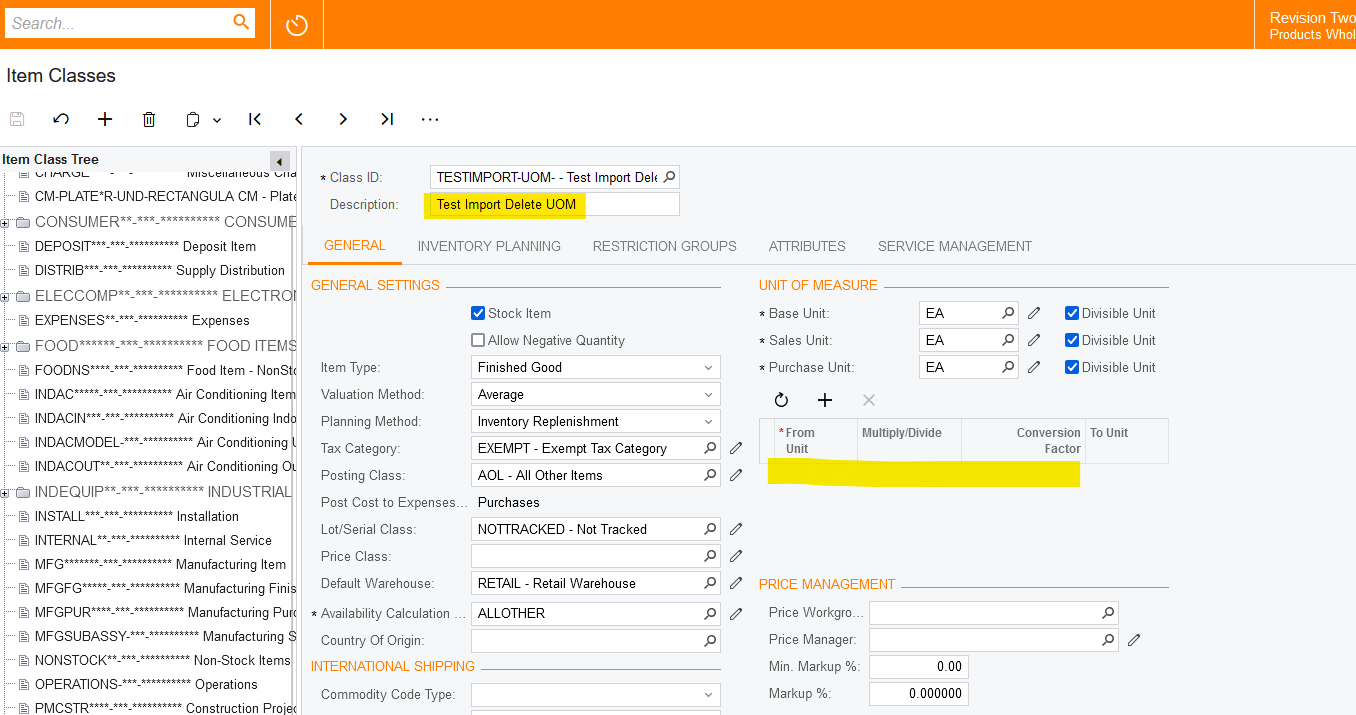
Below is an import scenario that I am attempting to use to delete unwanted UoMs in our item classes. I used a similar import scenario that has worked for me in the past, but it was used to delete UoMs from stock items.
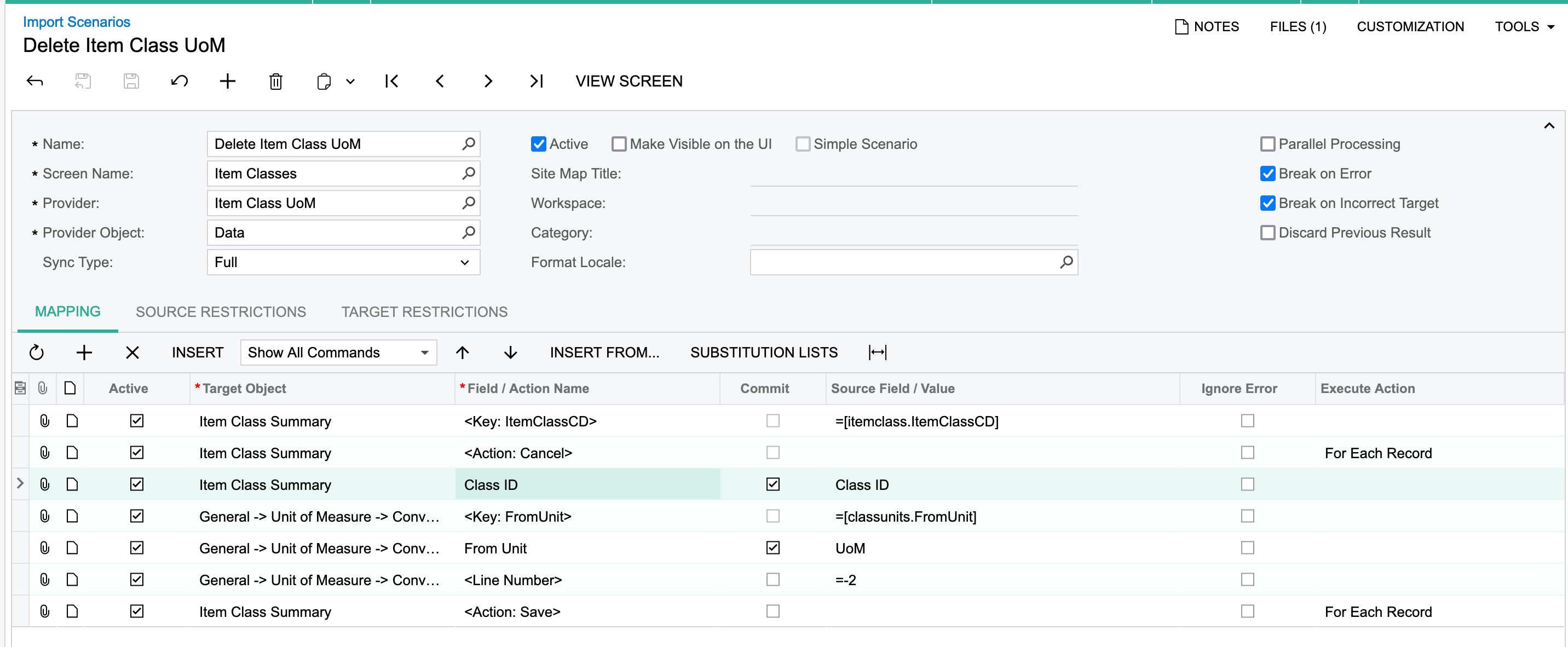
 

When I attempt to import I get the following error:

390 items have not been processed successfully. View name: itemclass.

I then attempted to change my key from Class ID to Class Description and got the same error.

Thanks!
Best answer by riglesias

Hi @SBaldwin 

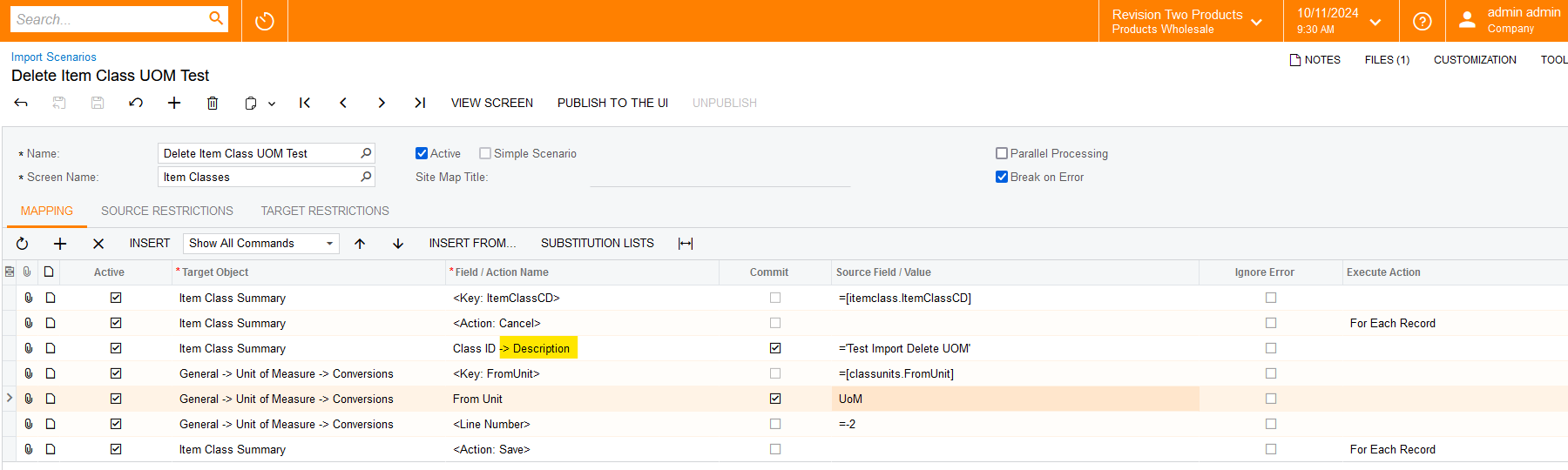
I ran a quick test in my demo and when I used Class ID Description it worked fine.
Here’s my scenario mapping so you can use as reference:


Hope it helps.

3 replies

riglesias
Acumatica Employee
Forum|alt.badge.img+2
  • Acumatica Employee
  • October 11, 2024

Hi @SBaldwin 

Could you export the scenario to XML and attach it here so I can run a quick test in my demo?


riglesias
Acumatica Employee
Forum|alt.badge.img+2
  • Acumatica Employee
  • Answer
  • October 11, 2024

Hi @SBaldwin 

I ran a quick test in my demo and when I used Class ID Description it worked fine.
Here’s my scenario mapping so you can use as reference:


Hope it helps.


Forum|alt.badge.img
  • Author
  • Varsity I
  • October 12, 2024

Hi @SBaldwin 

I ran a quick test in my demo and when I used Class ID Description it worked fine.
Here’s my scenario mapping so you can use as reference:


Hope it helps.

I will give that a shot thank you!