Answer

Inventory Count - FS Allocated

  • October 15, 2024
  • 1 reply
  • 68 views

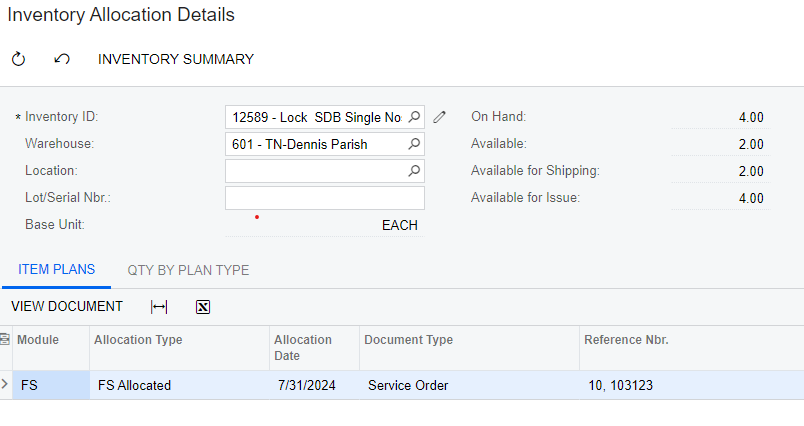
I am in the middle of physical inventory count and I am trying to close out the count. However, there are items that show up as FS Allocated that is interfering with us closing it as it will draw our available qty negative. How can I remove the FS Allocated items?


Best answer by vdiaz

@smcfall  Hi! The items displayed as “FSAllocated” are items added to open service orders, that have been allocated. 

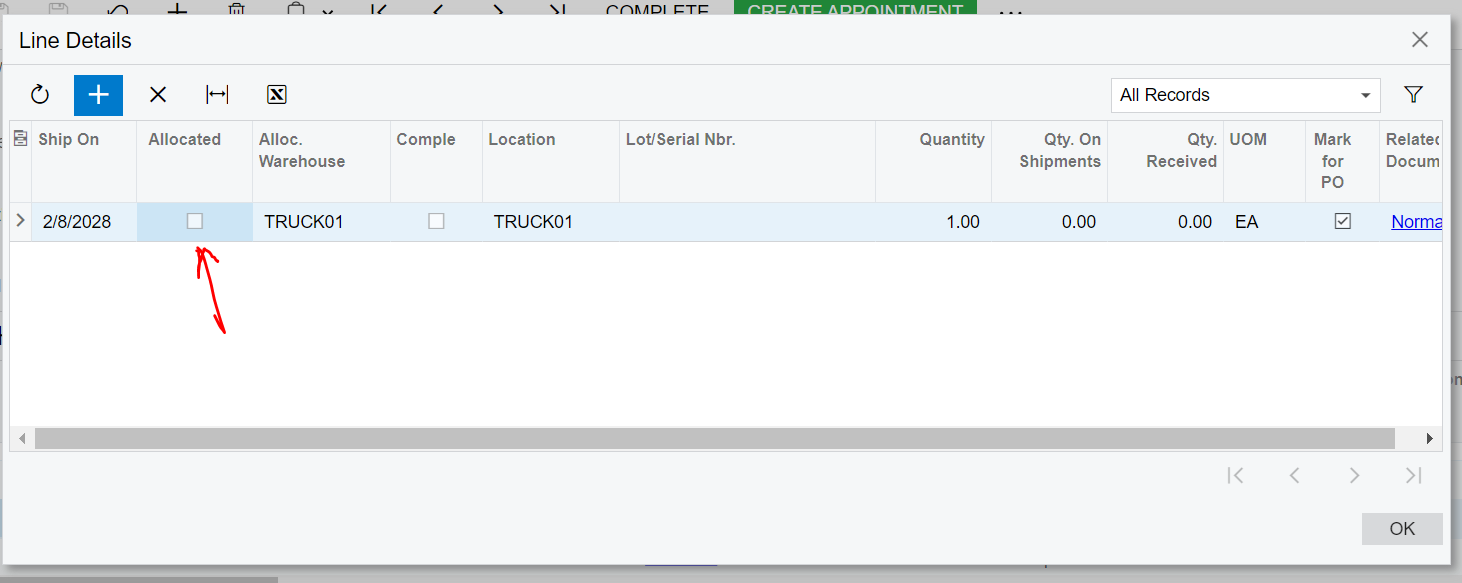
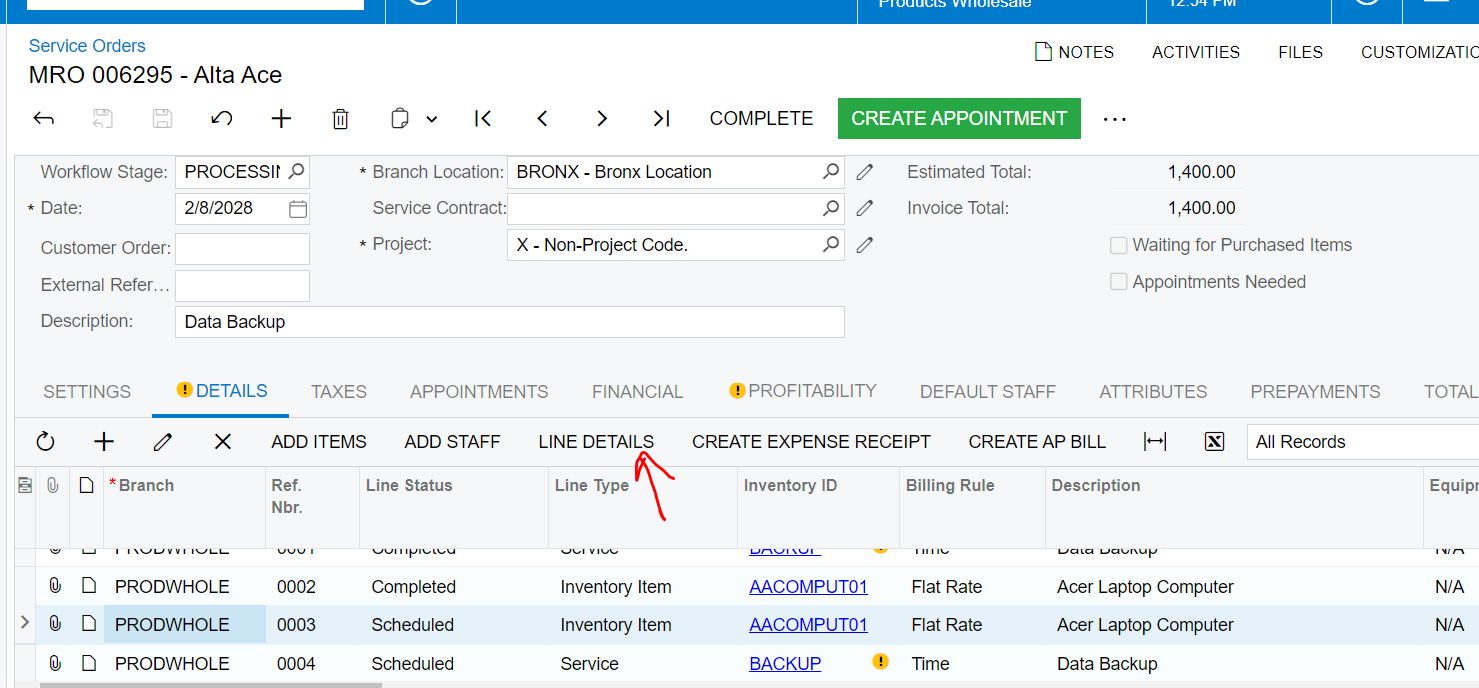
Normally, when the service order is closed, these allocations are cleared. Please check the service order 103123 and try closing it. Or you can also, on the same service order, select the line with that inventory ID, click on the Line Details button, and see if you can unselect the Allocated checbox:

Let me know if this works!


1 reply

vdiaz
Acumatica Moderator
Forum|alt.badge.img+2
  • Acumatica Moderator
  • Answer
  • October 28, 2024

@smcfall  Hi! The items displayed as “FSAllocated” are items added to open service orders, that have been allocated. 

Normally, when the service order is closed, these allocations are cleared. Please check the service order 103123 and try closing it. Or you can also, on the same service order, select the line with that inventory ID, click on the Line Details button, and see if you can unselect the Allocated checbox:

Let me know if this works!