Solved

Adding Payment to SalesOrder error

  • October 19, 2024
  • 5 replies
  • 178 views

Forum|alt.badge.img

Hello,

On Acumatica Cloud 2024 R1

I’m using the end point Default/23.200.001/Payment (also tried with Default/22.200.001/Payment)


After creating a SaleOrder, I’m trying to add a Payment for it using the web service, but I’m stuck in error returning from the API with this message:

{
"message": "The request is invalid.",
"modelState": {
"": [
"An exception occurred during input parsing"
]
}
}

I’m not sure what is invalid, I’m using the same JSON format I used to create the sales order, here is my payment POST request:


{
"Type": {
"value": "Payment"
},
"CustomerID": {
"value": "1047204"
},
"ApplicationDate": {
"value": "2024-10-18T11:00:51"
},
"PaymentAmount": {
"value": "439.22"
},
"PaymentMethod": {
"value": "ONLINE"
},
"PaymentRef": {
"value": "86561"
},
"CashAccount": {
"value": "11140_____"
},
"AppliedToDocuments": [
{
"Type": {
"value": "SO"
},
"ReferenceNbr": {
"value": "86561"
},
"AmountPaid": {
"value": "439.22"
}
}
]
}


Upon looking in the Trace log on the Acumatica I’m seeing this error:

Not sure what is the issue in the request, I can’t find what is wrong
Best answer by safetynetweb

Ok I modified my request pay load to be like that and it works

 $data = [
"Type" => ["value" => "Payment"],
"CustomerID" => ["value" => $user_data["acumatica_id"]],
"LocationID" => ["value" => "MAIN"],
"RefernceNbr" => ["value" => $order_data['order_num']],
"PaymentRef" => ["value" => $order_data['order_num']],
"PaymentMethod" => ["value" => $paymentMethod ],
"CashAccount" => ["value" => $cashAccount],
"PaymentAmount" => ["value" => $OrderTotal],
"OrdersToApply" => [
[
"Type" => ["value" => "SO"],
"OrderNbr" => ["value" => $OrderNbr],
"AppliedToOrder" => ["value" => $OrderTotal]
]
]
];

You see that I replaced AppliedToDocuments to OrdersToApply

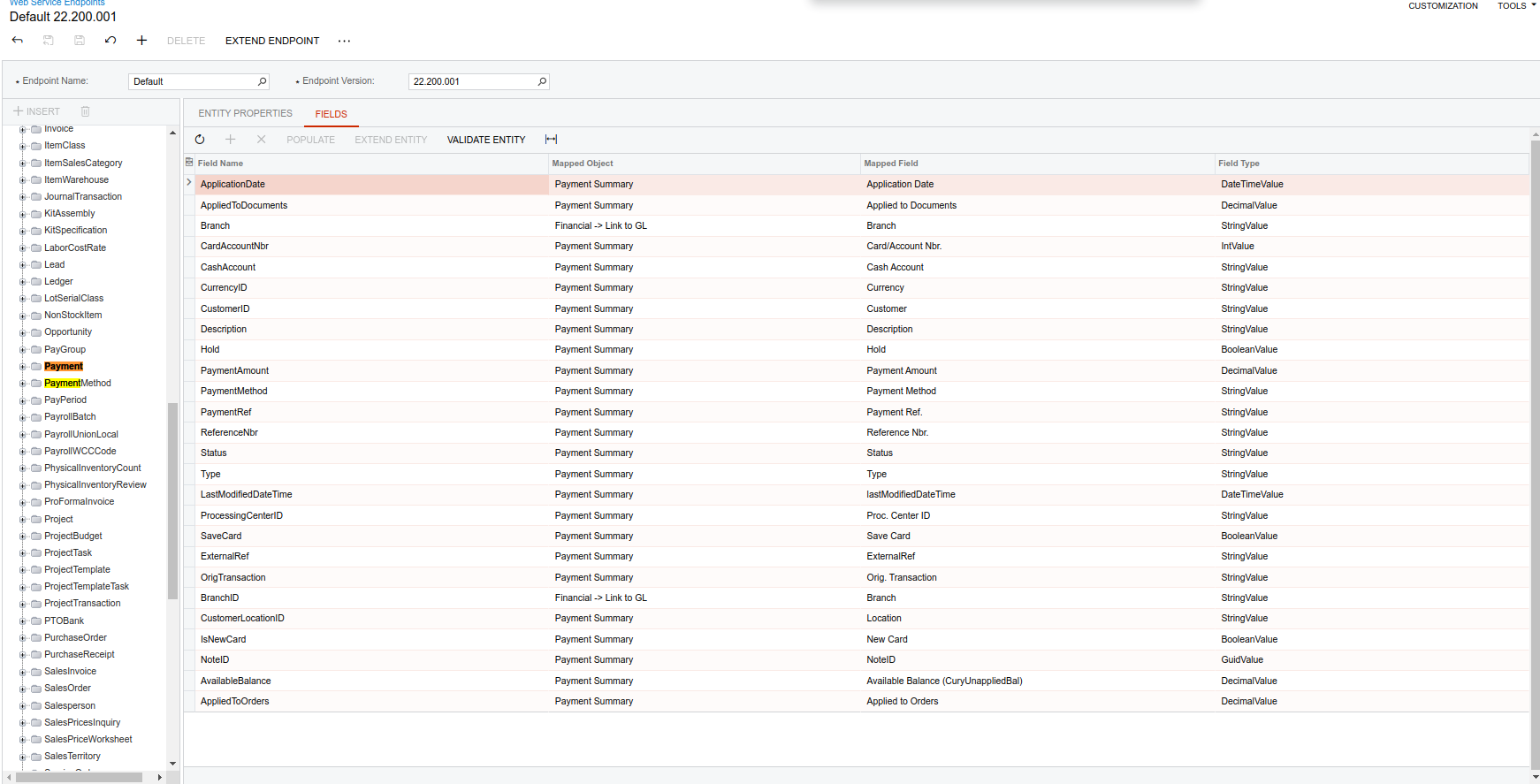
Although that OrdersToApply doesn’t exists when I look under Web Service End Points list of fields which is too confusing!


5 replies

Forum|alt.badge.img
  • Author
  • Varsity III
  • Answer
  • October 19, 2024

Ok I modified my request pay load to be like that and it works

 $data = [
"Type" => ["value" => "Payment"],
"CustomerID" => ["value" => $user_data["acumatica_id"]],
"LocationID" => ["value" => "MAIN"],
"RefernceNbr" => ["value" => $order_data['order_num']],
"PaymentRef" => ["value" => $order_data['order_num']],
"PaymentMethod" => ["value" => $paymentMethod ],
"CashAccount" => ["value" => $cashAccount],
"PaymentAmount" => ["value" => $OrderTotal],
"OrdersToApply" => [
[
"Type" => ["value" => "SO"],
"OrderNbr" => ["value" => $OrderNbr],
"AppliedToOrder" => ["value" => $OrderTotal]
]
]
];

You see that I replaced AppliedToDocuments to OrdersToApply

Although that OrdersToApply doesn’t exists when I look under Web Service End Points list of fields which is too confusing!


Forum|alt.badge.img+8
  • Semi-Pro I
  • October 20, 2024

@safetynetweb I was suspecting the data format from the original post. Thanks for confirming the solution.


Forum|alt.badge.img
  • Author
  • Varsity III
  • October 20, 2024

@ChandraM yes it was the issue in the formatting and using OrdersToApply instead of AppliedToDocuments


but if I understand correctly shouldn’t this property ‘OrdersToApply’ appear in the screenshot for the webservice end point?


Dmitrii Naumov
Acumatica Moderator
Forum|alt.badge.img+7
  • Acumatica Moderator
  • October 21, 2024

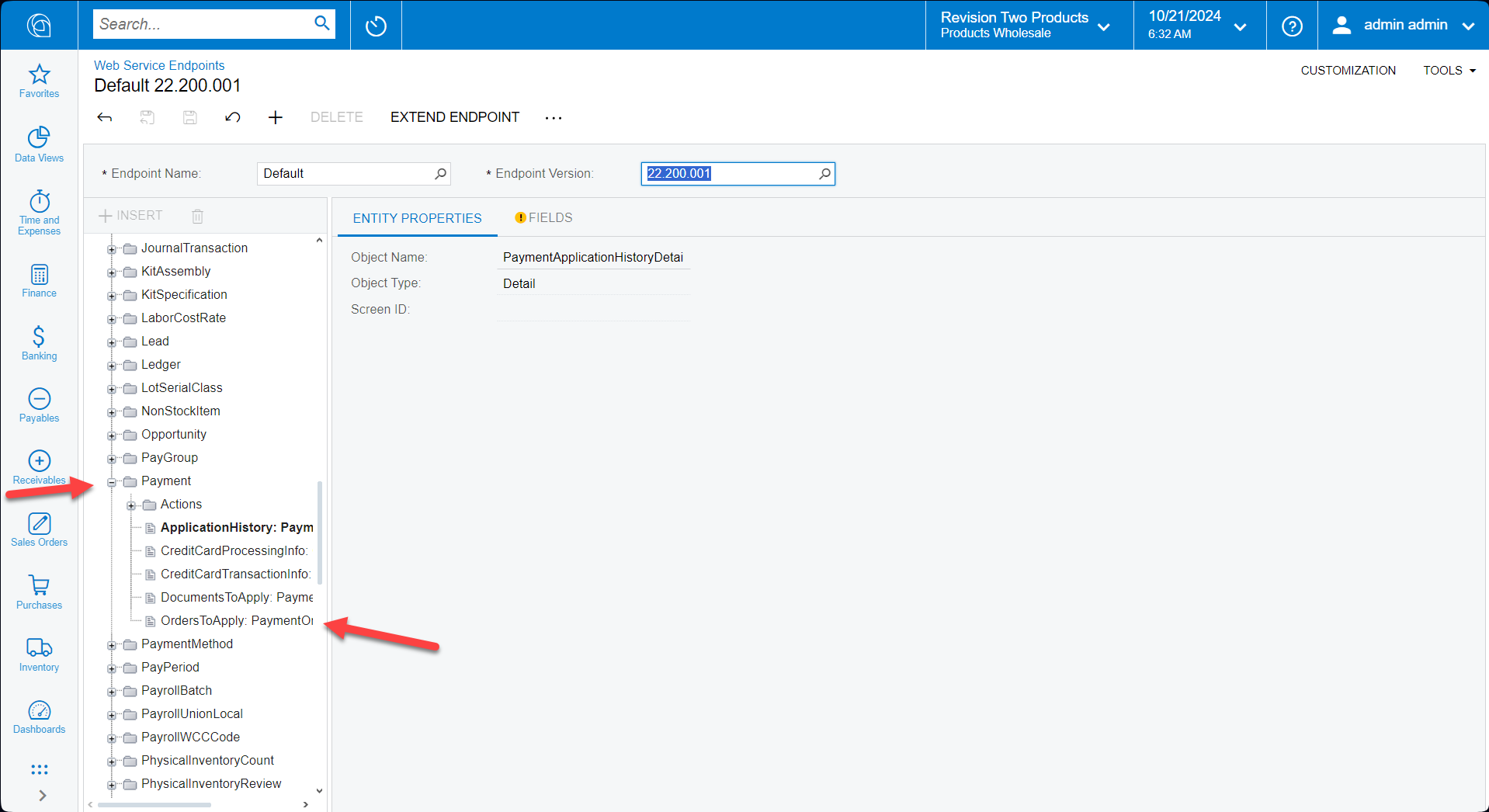
@safetynetweb you should expand the Payment node to see Detail/Linked entities


Forum|alt.badge.img
  • Author
  • Varsity III
  • October 21, 2024

@Dmitrii Naumov thank you for pointing me to it